Installation and setup
Page C-20 Operator’s Manual PiCCO
2
Version 3.1
4 Press the START button and wait. The button label changes to STOP and a counter is displayed below
the button indicating the remaining time needed for baseline analysis, this will last at least one minute.
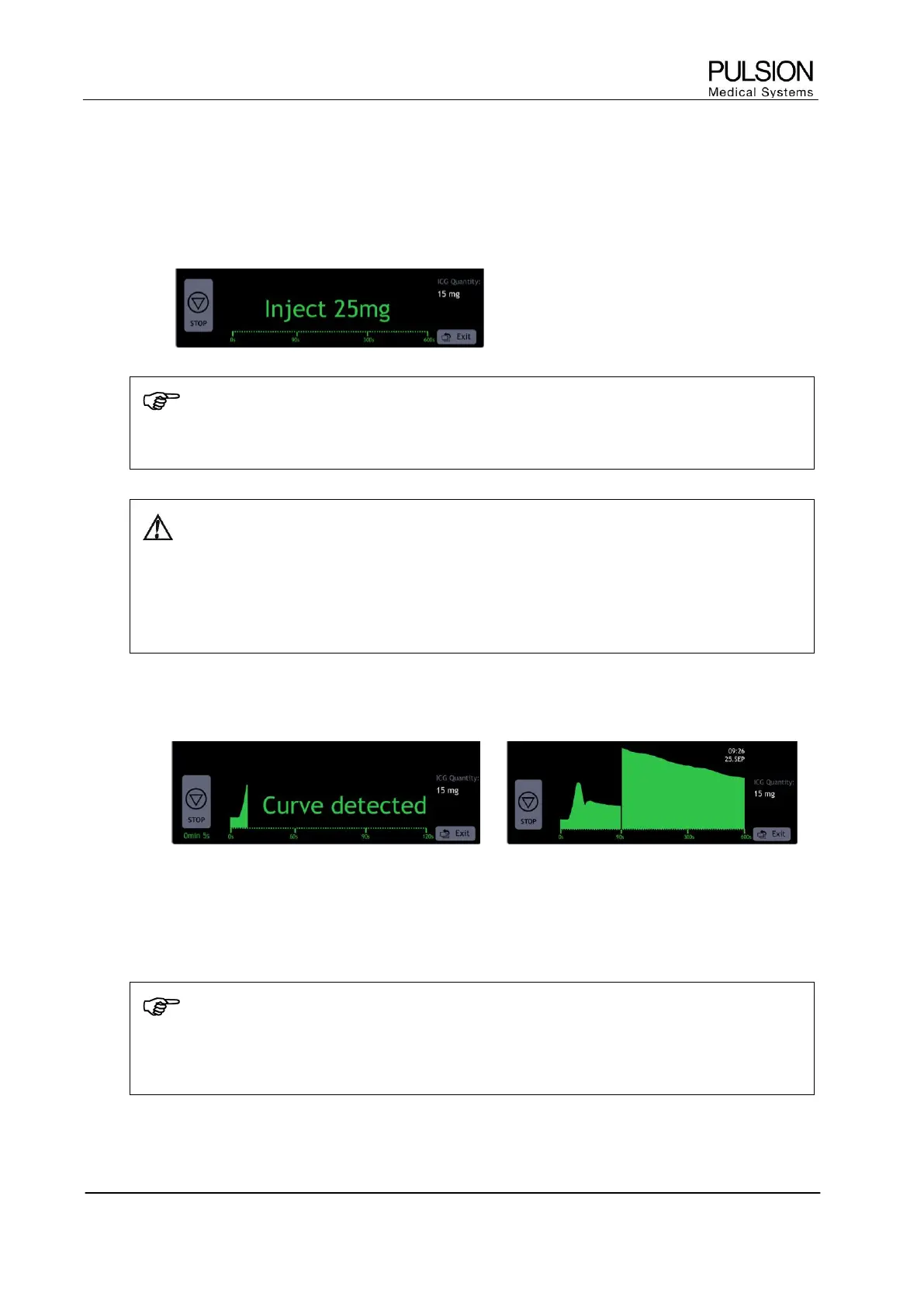
5 When message “Inject XXmg” appears, inject the prepared ICG solution into a central or peripheral
vein.
NOTE
After peripheral injection, immediate flushing of the cannula or catheter with saline solution is
recommended.
WARNING: During ICG measurement oxygen saturation cannot be determined i.e. SpO
2
is not
available during non-invasive ICG measurement. This is indicated by blinking asterisk
symbols (***).
As the SpO
2
value may still be affected by ICG after the measurement, the device will display
corrected values. This is indicated by a question mark “?” next to the value. This corrected value is
displayed for a maximum of 90 minutes.
6 The message “Curve detected” is displayed. A time counter appears below the STOP button indicating
the remaining measurement time. The curve scale changes after 120 seconds.
7 Once the measurement is completed the PDR result is displayed in the table (please refer to chapter
C3.7.2 Display of results)
8 To stop an ongoing ICG measurement, press the STOP button.
NOTE
If an ongoing ICG measurement is stopped and no PDR value is available within the last 6 hours,
blinking asterisk symbols (***) are displayed instead of a SpO
2
value for a maximum of
90 minutes.


 To Next Page