153
Chapter 8. FTP Server
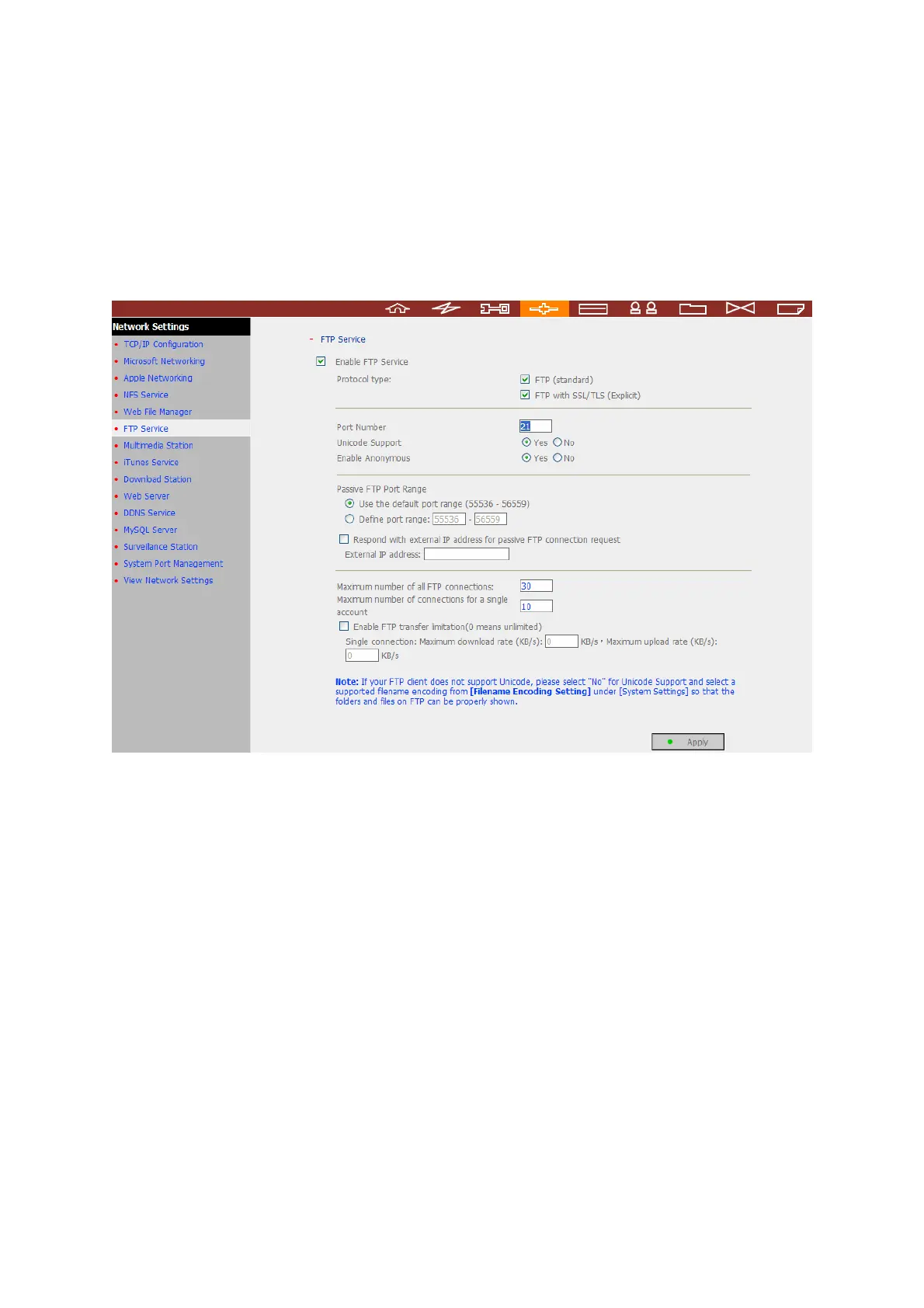
The NAS supports FTP service. To use FTP service, enable this function in Network
Settings and follow the steps below:
1. Open an IE browser and enter ftp://[NAS IP] or ftp://[NAS name]. OR
2. By Web File Manager of the NAS.
a. Go to the NAS administration page and click Web File Manager. Enter user
name and password to login the NAS.


 To Next Page