77
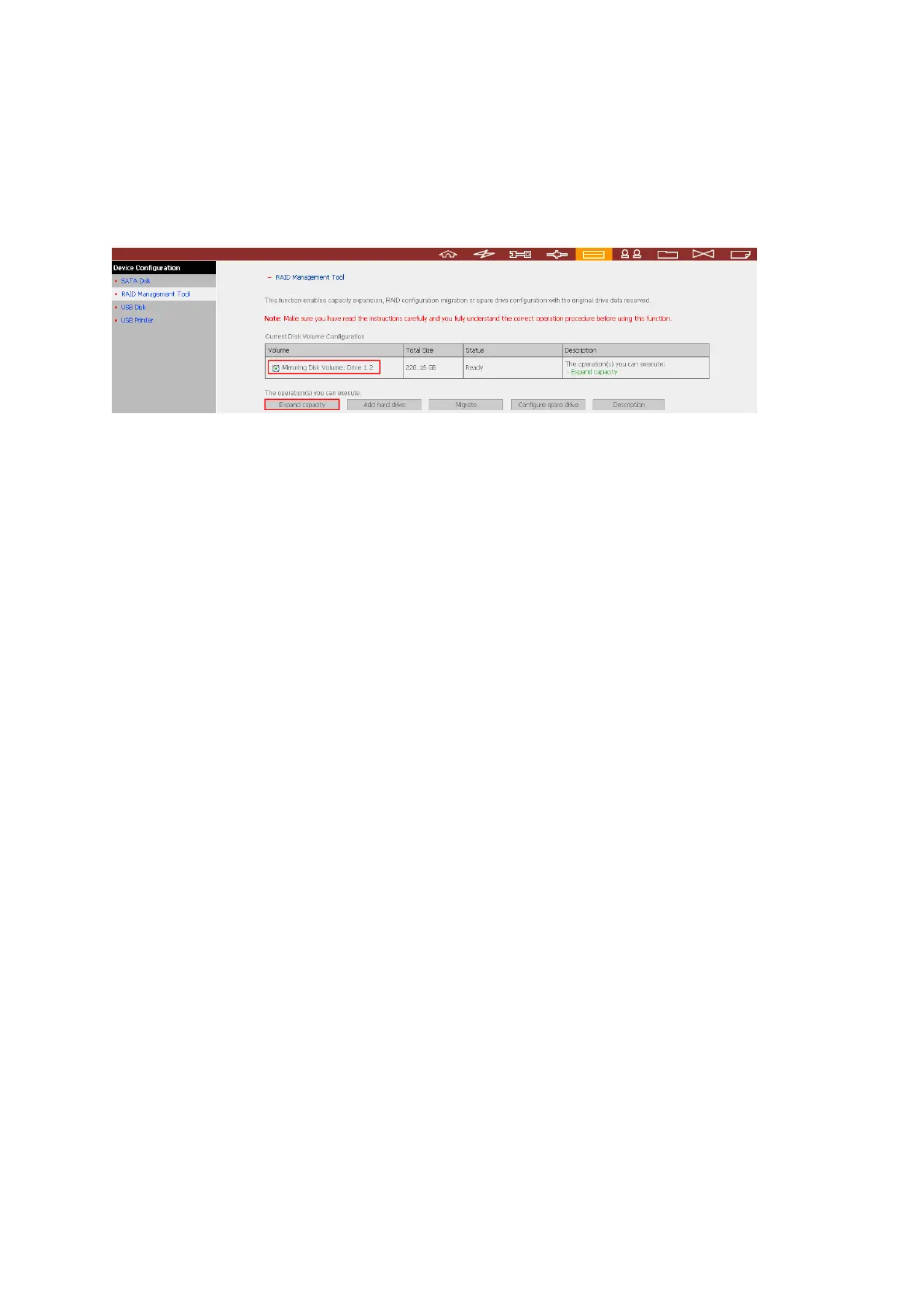
3.5.2 RAID Management
This function enables capacity expansion, RAID migration, or spare drive configuration
with the original drive data reserved.
• Expand capacity
This function enables drive capacity expansion by replacing the drives in a
configuration one by one. This option is supported for the following drive
configurations:
- RAID 1 expansion
- RAID 5 expansion
- RAID 6 expansion
• Add hard drive
This function enables adding new drive member to a drive configuration. This option
is supported for the following drive configurations:
- RAID 5 expansion
• Migrate
This function enables a drive configuration to be migrated to a different RAID
configuration. This option is supported for the following drive configurations:
- Migrate single drive to RAID 1, 5, or 6
- Migrate RAID 1 to RAID 5 or 6
- Migrate RAID 5 to RAID 6
• Configure spare drive
This function enables adding or removing RAID 5 spare drive. The options available
are:
- Add spare drive in RAID 5
- Remove spare drive in RAID 5
For detailed operation, please click “Description” on the management interface to
view the detailed operation instructions.



 To Next Page