50
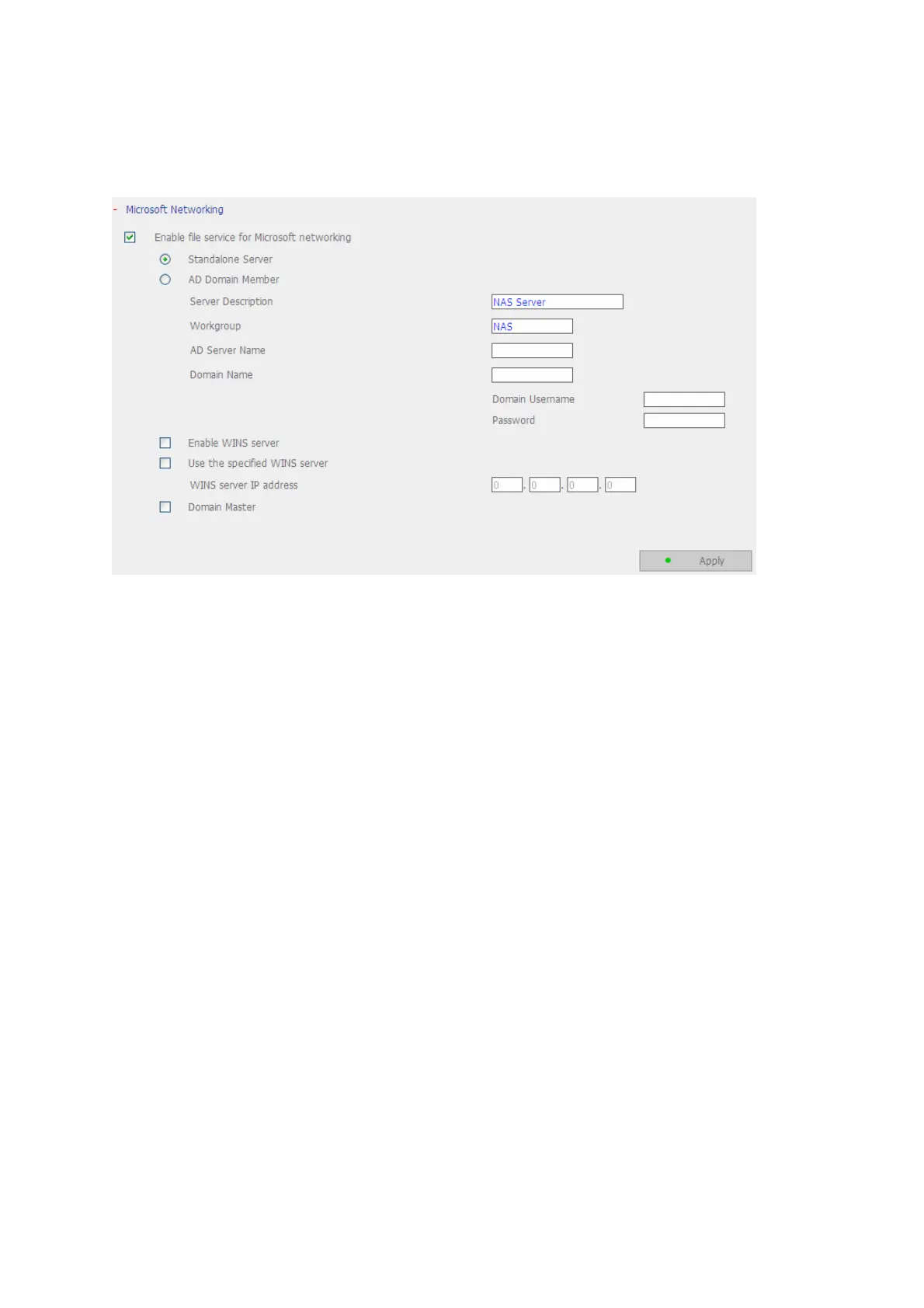
3.4.2 Microsoft Networking
Enable file service for Microsoft networking: If you are using Microsoft
®
Windows
®
OS, enable this service to access the files on network share folders. Assign a workgroup
name.
9 Standalone Server
Use local users for user authentication.
9 AD Domain Member
*This option is supported by “TS-409 Pro” only.
The NAS supports Windows 2003 AD (Active Directory) to provide quick and direct
import of user accounts to the existing AD server available in your network. This
function helps you to save time and effort on creating user accounts and passwords
and lowers IT maintenance cost by automatic configuration procedure.
¾ Server Description
Describe the NAS for users to identify the server. To use the NAS on the
Microsoft Windows OS, you must enable Microsoft Network Services.
¾ Workgroup
Specify the workgroup the NAS belongs to. The workgroup is a computer group
unit in Microsoft Windows network for network sharing.
¾ AD Server Name
Enter the name of the AD server when AD domain is selected for authentication.
¾ Domain Name



 To Next Page