54
3.4.6 FTP Service
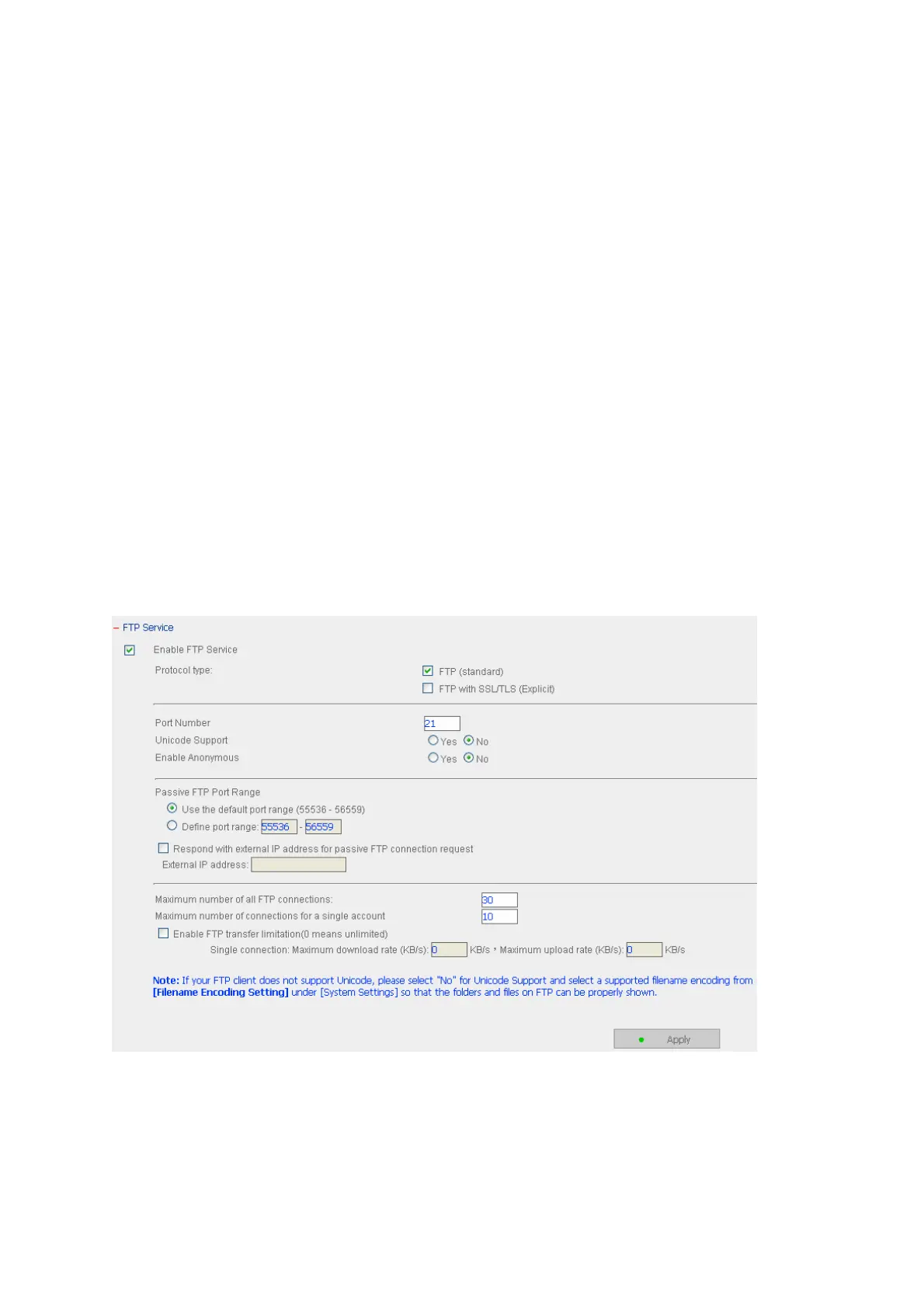
When you enable FTP service, you can define the port number for the service and
maximum number of users connected to the FTP at the same time.
9 Select Protocol Type
Select to use standard FTP connection or SSL/TLS encrypted FTP. Select the
corresponding protocol type in your client FTP software to ensure successful
connection.
9 Unicode Support
Select to enable or disable Unicode Support. The default setting is No. Since most
FTP clients do not support Unicode currently, it is recommended that you disable
Unicode support here and select the language the same as your OS in “System
Settings—Encoding Setting” page so that the folders and files on FTP can be
properly shown (please refer to Chapter 3.3.3). If your FTP client supports Unicode,
mak
e sure you have enabled Unicode support for both your client and the NAS.


 To Next Page