47
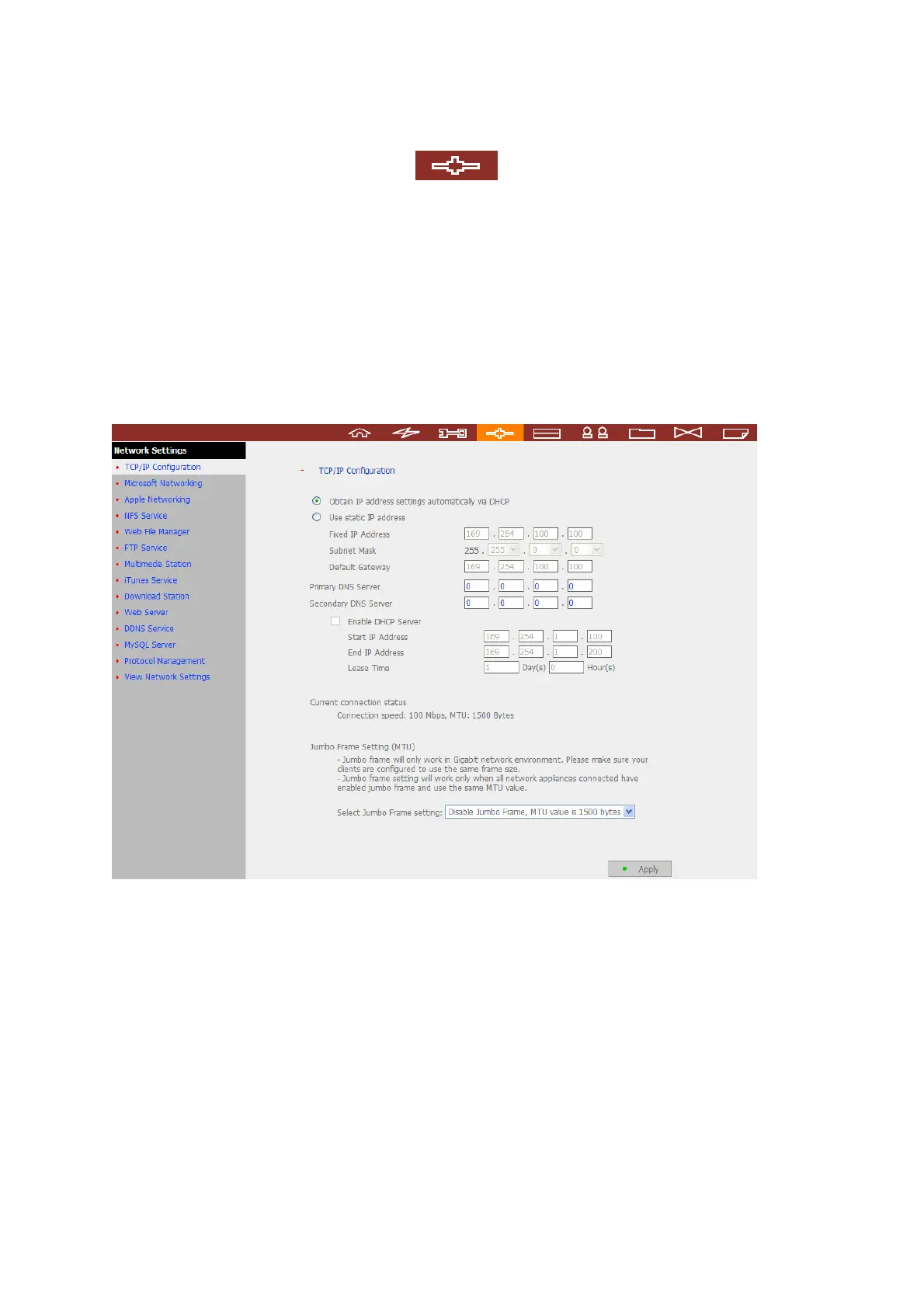
3.4 Network Settings
You can configure network settings in this section and enable several powerful
applications of the NAS, e.g. Multimedia Station, Download Station, and Web Server.
3.4.1 TCP/ IP Configuration
You can select one of the following two methods to configure the TCP/IP settings of the
NAS.
1. Obtain IP address settings automatically via DHCP
If your network supports DHCP, the NAS will use DHCP protocol to retrieve the IP
address and related information automatically.
2. Use static IP address
To use fixed IP address for network connection, enter fixed IP address, subnet mask,
and default gateway.



 To Next Page