48
Primary DNS Server: Enter the IP address of primary DNS server that provides DNS
service for the NAS in external network.
Secondary DNS Server: Enter the IP address of secondary DNS server that provides
DNS service for the NAS in external network.
Note:
1. Please contact your ISP or network administrator for the IP address
of primary and secondary DNS servers. When the NAS plays the
role as a terminal and needs to perform independent connection,
e.g. BT download, you must enter at least one DNS server IP for
proper URL connection. Otherwise, the function may not work
properly.
2. If you select to obtain IP address via DHCP, there is no need to
configure the primary and secondary DNS servers. You can enter
“0.0.0.0” in the settings.
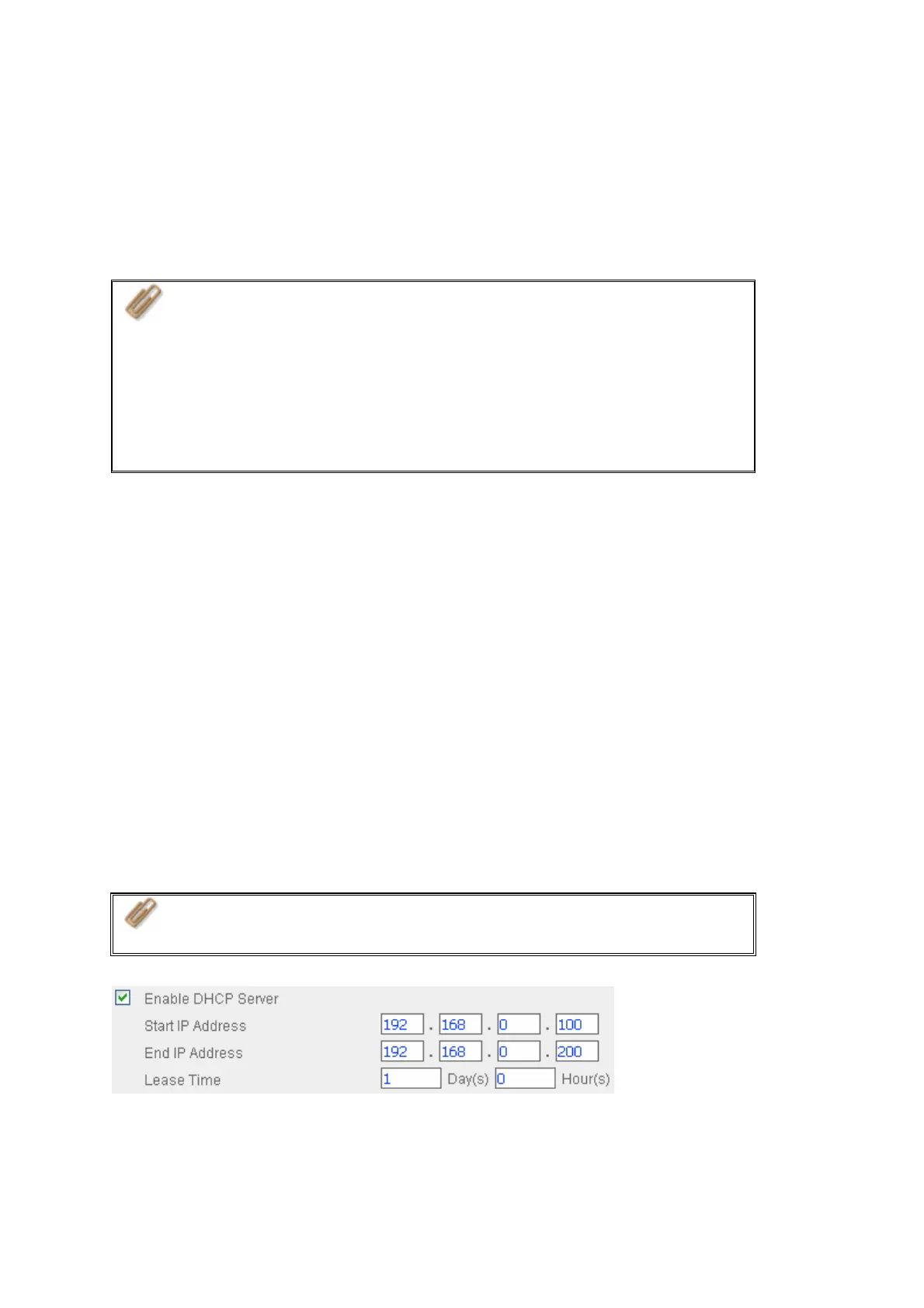
Enable DHCP Server
If no DHCP is available in the LAN where the NAS locates, you can enable this function to
enable the NAS as a DHCP server and allocate dynamic IP address to DHCP clients in
LAN.
You can set the range of IP addresses allocated by DHCP server and the lease time.
Lease time refers to time that IP address is leased to the clients by DHCP server. When
the time expires, the client has to acquire an IP address again.
For example, to establish a DLNA network, and share the multimedia files on the NAS to
DLNA DMP via UPnP while there is no NAT gateway that supports DHCP server, you can
enable DHCP server of the NAS. The NAS will allocate dynamic IP address to DMP or
other clients automatically and set up a local network.
Note: If there is an existing DHCP server in your LAN, do not enable
this function. Otherwise, there will be IP address allocation and network
access errors.



 To Next Page