58
3.4.10 Web Server
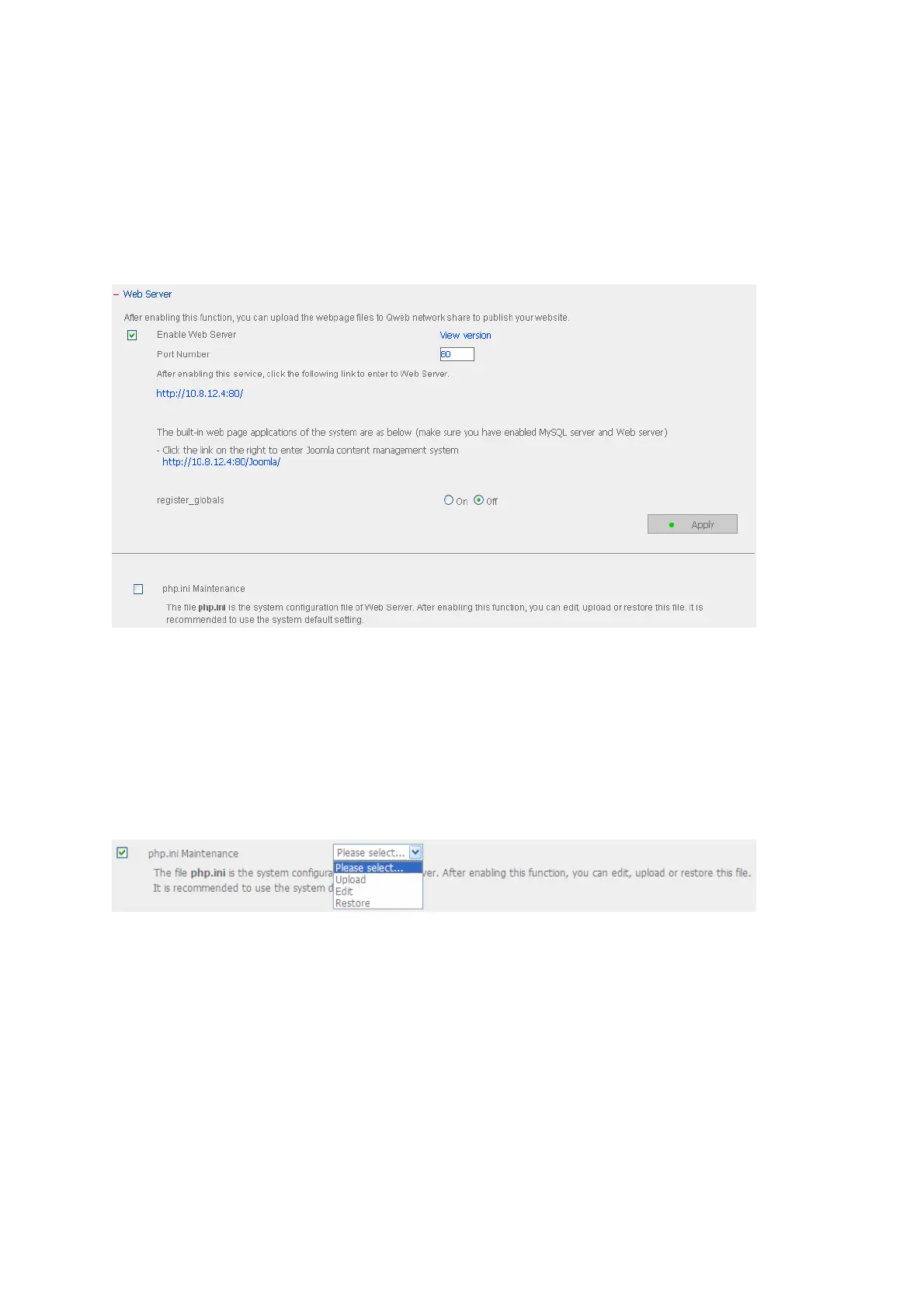
You can publish your own server by enabling Web Server function of the NAS. Enter the
port number for web server service, the default number is 80. For further information,
please refer to Chapter 7.
Configure register_globals
Select to enable or disable register_globals. The setting is disabled by default. When
the web program asks to enable php register_globals, please enable this option.
However, for system security concerns, it is recommended to disable this option.
php.ini Maintenance
Check the box “php.ini Maintenance” to select to upload, edit or restore php.ini.
Edit: Edit the current php.ini file.
Upload: Upload a new php.ini file to replace the current file.
Restore: Restore the php.ini file to system default.
Note: To use PHP mail() function, you can go to System Settings/ Configure SMTP
Server to configure the SMTP server settings.



 To Next Page