84
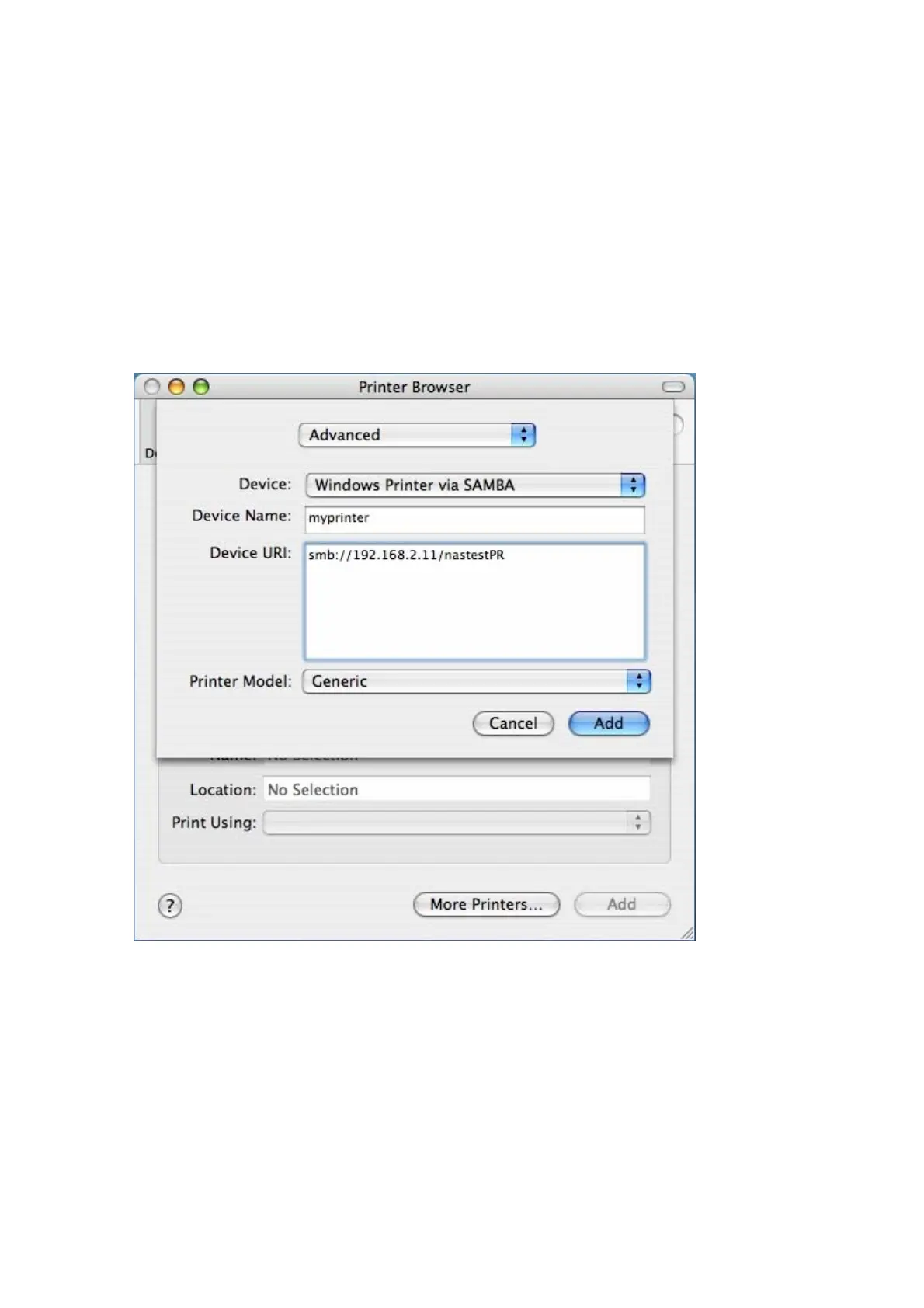
5. In the pop up window:
a. Select Advanced*.
b. Select Windows Printer with SAMBA.
c. Enter the printer name.
d. Enter the printer URI, the format is smb://NAS IP/printer name. The printer
name is found on the Device Configuration/ USB Printer page.
e. Select Generic for Printer Model.
f. Click Add.
*Note that you must hold and press the alt key and click More Printers at the same
time to view the Advanced printer settings. Otherwise, this option does not appear.



 To Next Page