93
Create Private Network Share for User Groups
You can create particular network share for each user group. The procedure is described
as below:
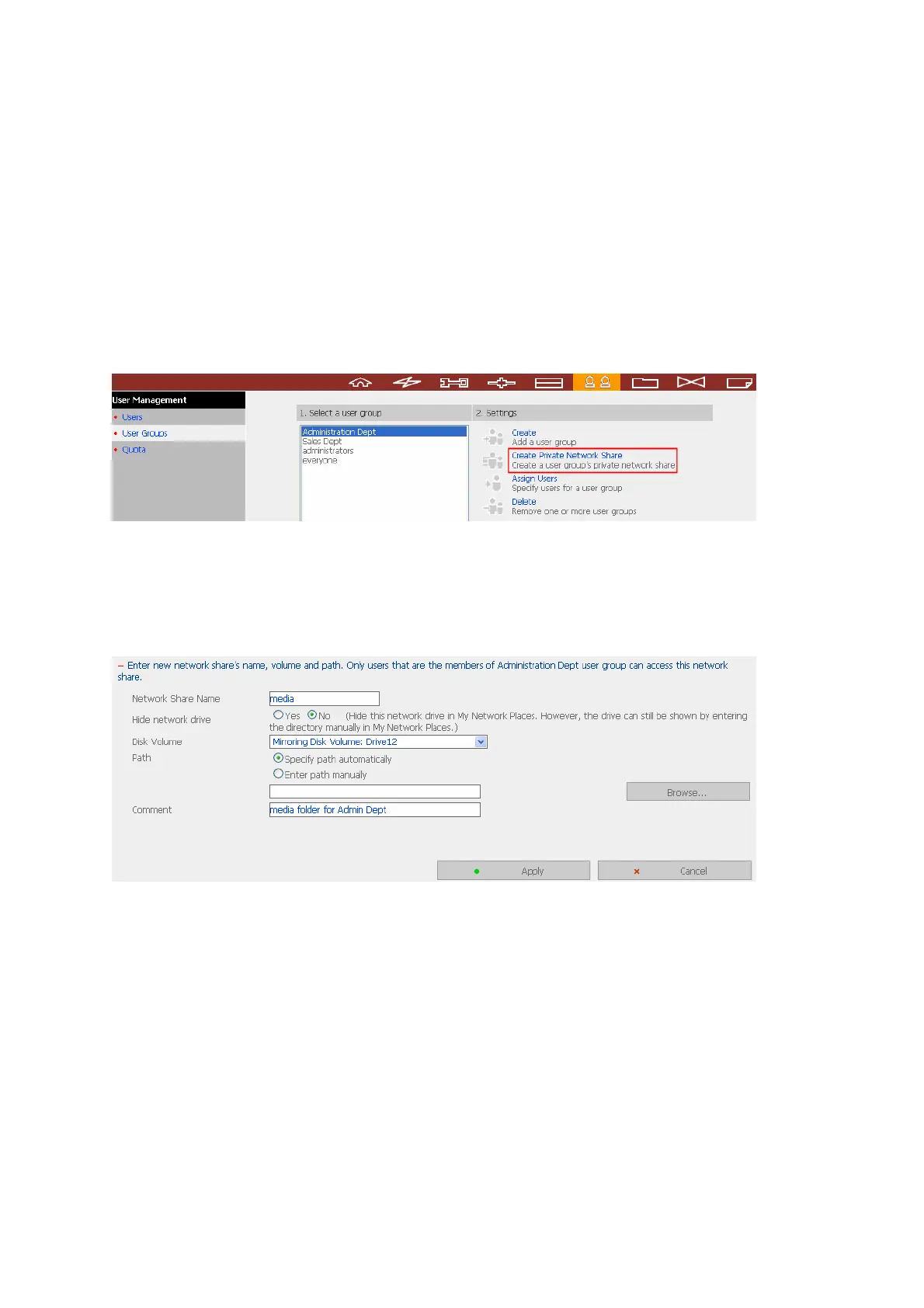
1. To create a network share called media accessible by Administration Department
only, please go to “User Management—User Groups” page. Select the user group
Administration Dept and click Create Private Network Share on the right.
2. Enter the network share name media. Select the disk volume that the share will be
created in and specify the path automatically or manually. Enter the comment for
the network share, e.g. media folder for Admin Dept and click Apply.



 To Next Page