5G Module Series
RG520N-AT_Hardware_Design 40 / 109
3.5. Turn On
3.5.1. Turn On with PWRKEY
Table 9: Pin Definition of PWRKEY
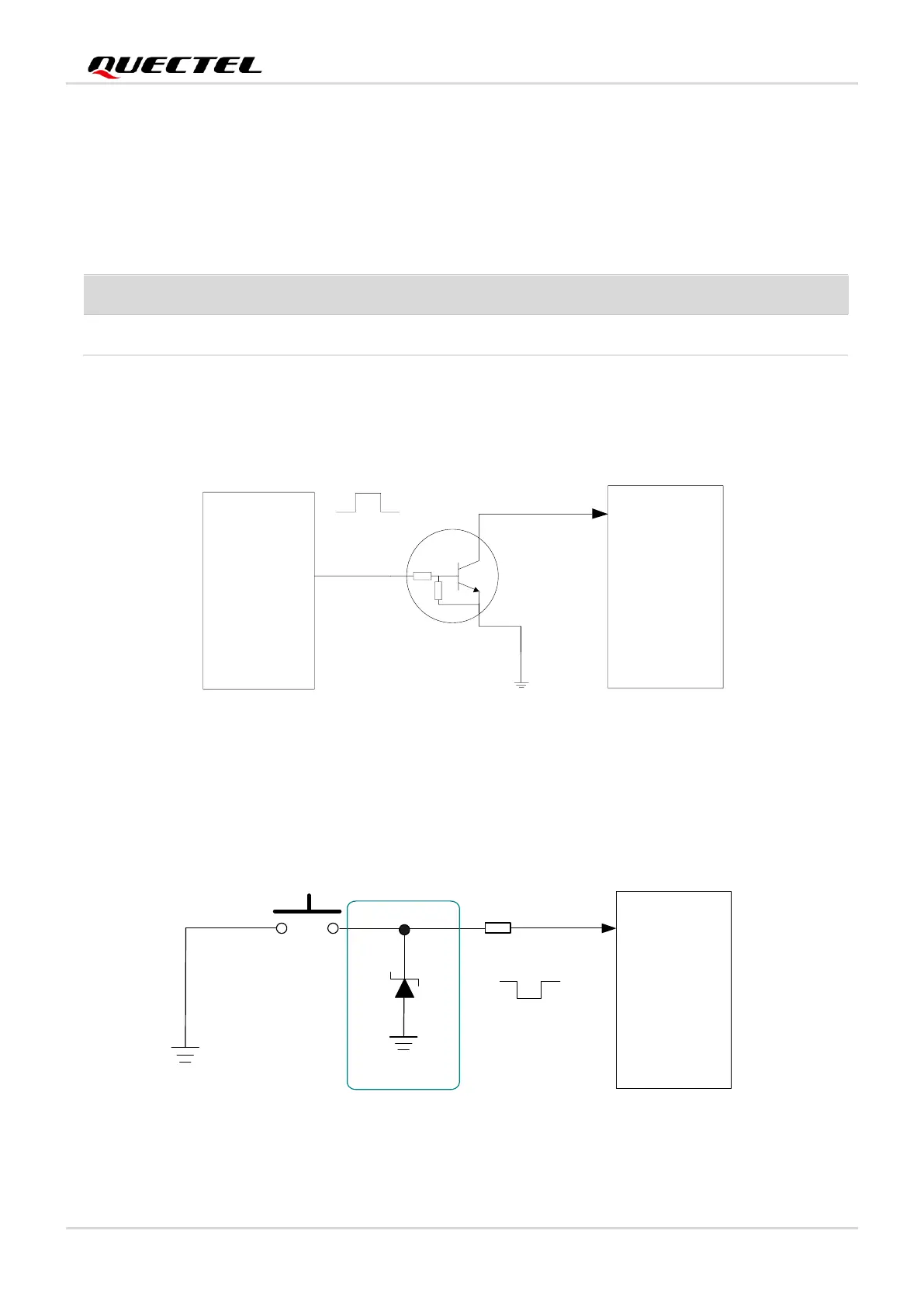
When the module is in power off mode, it can be turned on by driving PWRKEY low for at least 500 ms. It
is recommended to use an open-drain/open-collector driver to control PWRKEY. After STATUS pin
outputs a high level, PWRKEY can be released.
Figure 11: Reference Circuit of Turning on the Module with Driving Circuit
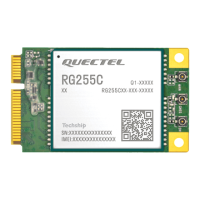
Another way to control PWRKEY is by using a button directly. When pressing the button, an electrostatic
strike may generate from finger. Therefore, a TVS component shall be placed near the button for ESD
protection.



 To Next Page