34
Virena Status
If Virena is activated, the Virena Status screen shows if results have been transmitted through Virena and
allows the user to send unsent results. Please refer to the Solana Virena Mode Installation Instructions for
Virena WR11 Router. (Available on Quidel.com -or contact Quidel Technical Support at 1.800.874.1517
(in the U.S.) or technicalsupport@quidel.com.
◼ Touch the Virena Status button.
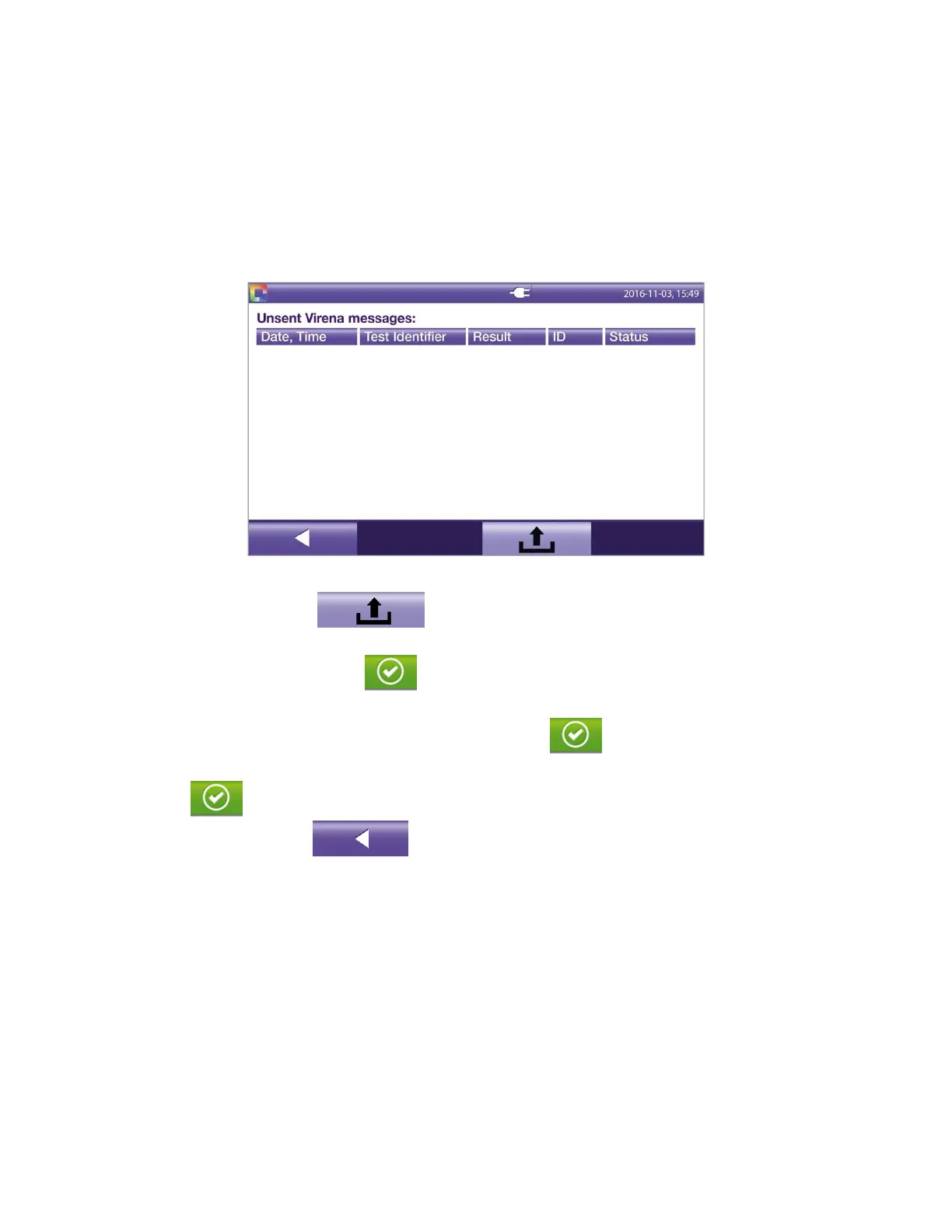
◼ View any displayed messages (Figure 30).
Figure 30
◼ If needed, touch the Upload button.
◼ View the status at the bottom of the screen.
◼ If results should be sent, touch the button next to the appropriate option(s) (Send Unsent Results,
Send Last Result, Send All Results in DB [database]).
◼ For example, if unsent results are available, touch the button next to Send Unsent Results.
◼ If information was sent, a message is displayed on the status of the export (e.g., “Result export started”).
◼ Touch the button to confirm.
◼ Touch the left arrow (back) button to return to previous screens.
LIS Status
If LIS Server is connected and confirmed, the LIS Status screen shows the status of LIS Results that have not
been sent (Figure 31).


 To Next Page