37
Deleting a Method File
◼ To delete a method, select the test method from the displayed list.
◼ Touch the delete button.
◼ Touch the button to confirm deletion.
Report template
Report template is used to import new printer templates provided by Quidel.
◼ Touch the Report template button.
◼ Insert the USB flash drive.
◼ Touch the button to confirm installation.
Note: Test results can be printed on a network printer. To do so, the following are required:
▪ Network printer IP address and make/model
▪ PC (personal computer) with administrator rights to modify network settings
▪ Connect Solana to LAN (see Network Settings section).
▪ LAN settings set to Dynamic IP
▪ If Solana is connected to Virena, contact Technical Support to setup simultaneous Virena and
network printing.
▪ Upload print template to Solana (see Report Template section).
▪ Connect PC to LAN
▪ Configure printer driver on the PC
Please see separate instructions for Network Printer Set-up for Solana for details. Contact Technical Support or
access the Quidel website to obtain these instructions.
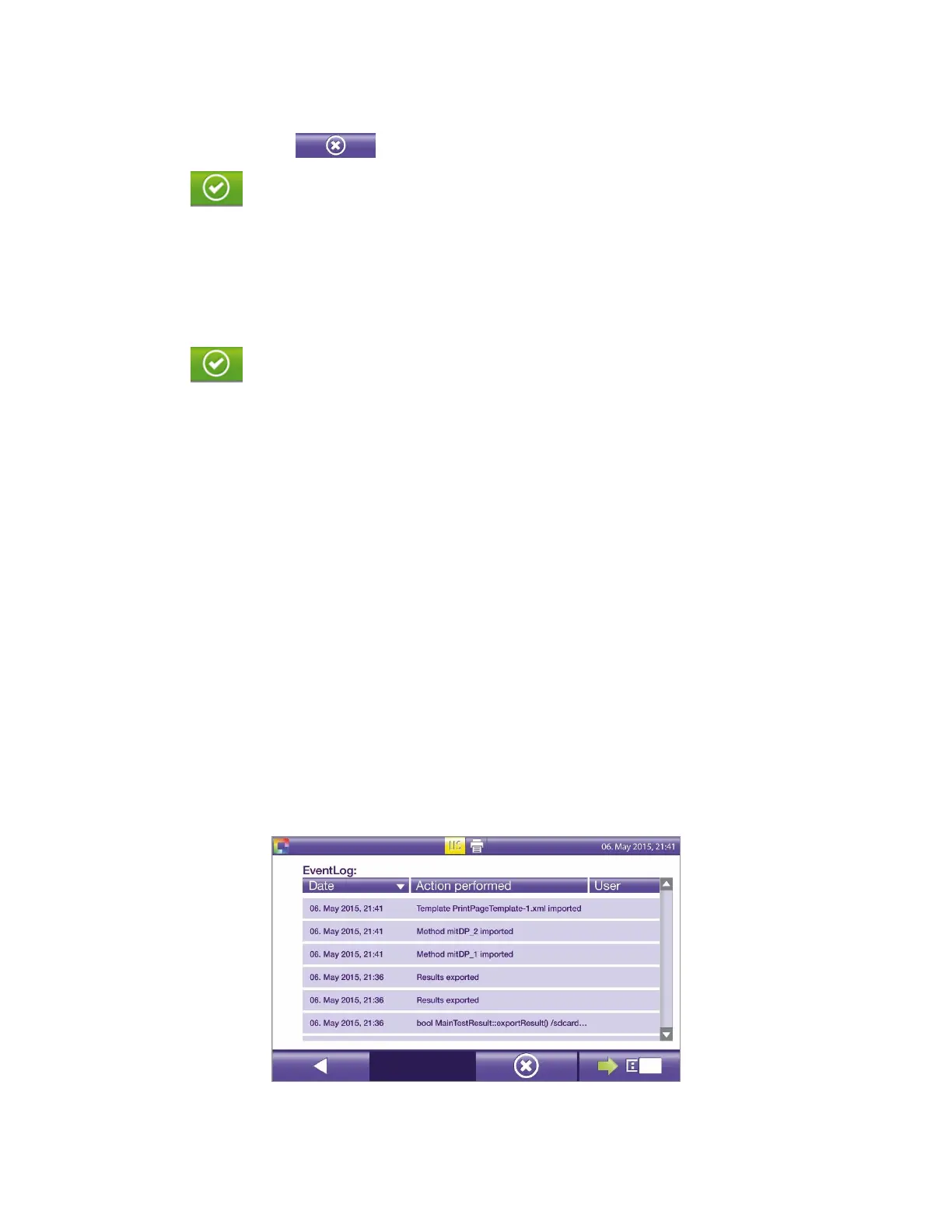
Event Log
The Event Log (Figure 34) is used to review recent Solana software events, such as login data, self-check logs,
and instrument error messages.
Figure 34
◼ To view information on another page, touch the scroll bar on the right side of the screen.


 To Next Page