MultiRAE User’s Guide
16
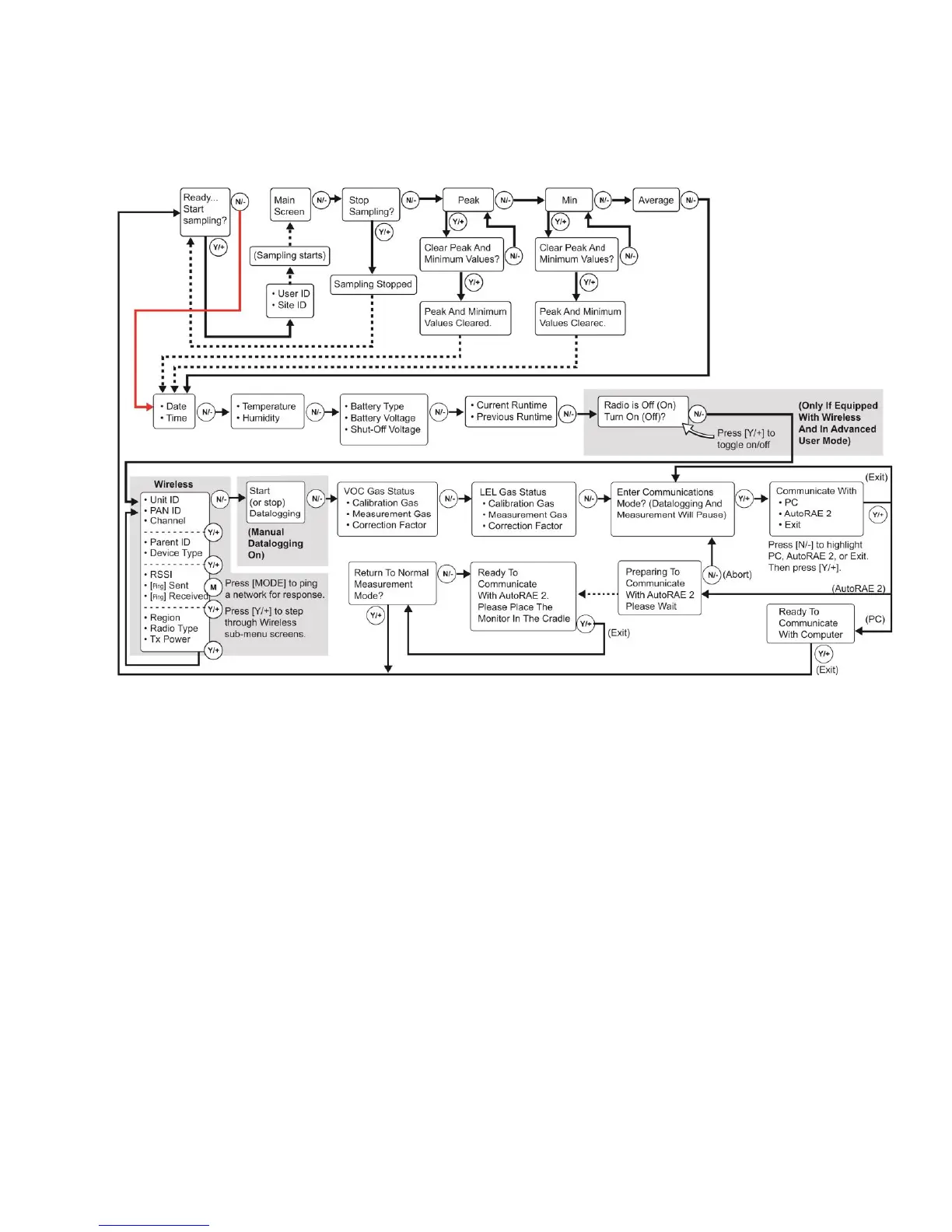
Note: If the Peak or Min is cleared, the Average is also cleared. In addition, each cycle through the main
screen after they are cleared will route from “Ready… Start sampling?” directly to Date and Time if you
press [N/-] (see red line in diagram below), until you perform a new sample. Also, if you start sampling
again and stop sampling, clear the Peak, or clear the Min, it advances to Date and Time, as well.
Note: Dashed line indicates automatic progression.
WARNING!
Gamma readings are not taken in Search Mode.



 To Next Page