MultiRAE User’s Guide
65
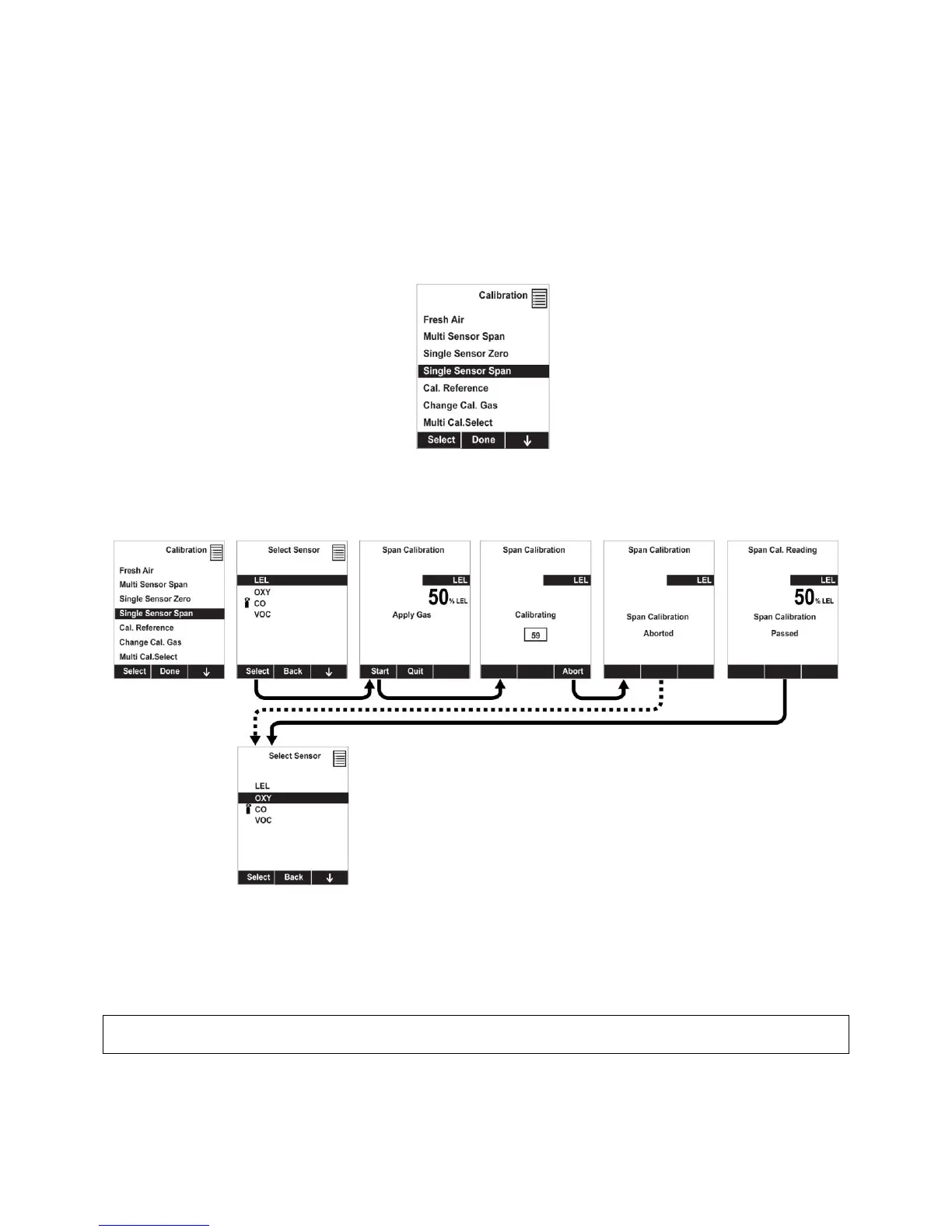
10.5.3 Single-Sensor Span Calibration
To perform span calibration of an individual sensor, follow these steps:
1. At the Calibration Menu, select “Single Sensor Span.”
2. Select a sensor from the list.
3. Connect the calibration adapter and connect it to a source of calibration gas.
4. Verify that the displayed calibration value meets the concentration label on the gas cylinder.
5. Start the flow of calibration gas.
6. Press [Y/+] to start calibrating. You can abort the calibration at any time during the countdown by
pressing [N/-].
After a timer countdown, the span calibration is done. The LCD will display whether the calibration was
successful and the reading for that calibration gas.
Note: If the sensor calibration fails, try again. If calibration fails repeatedly, turn off the instrument and
then replace the sensor.
WARNING: Do not replace sensors in hazardous locations.



 To Next Page