MultiRAE User’s Guide
62
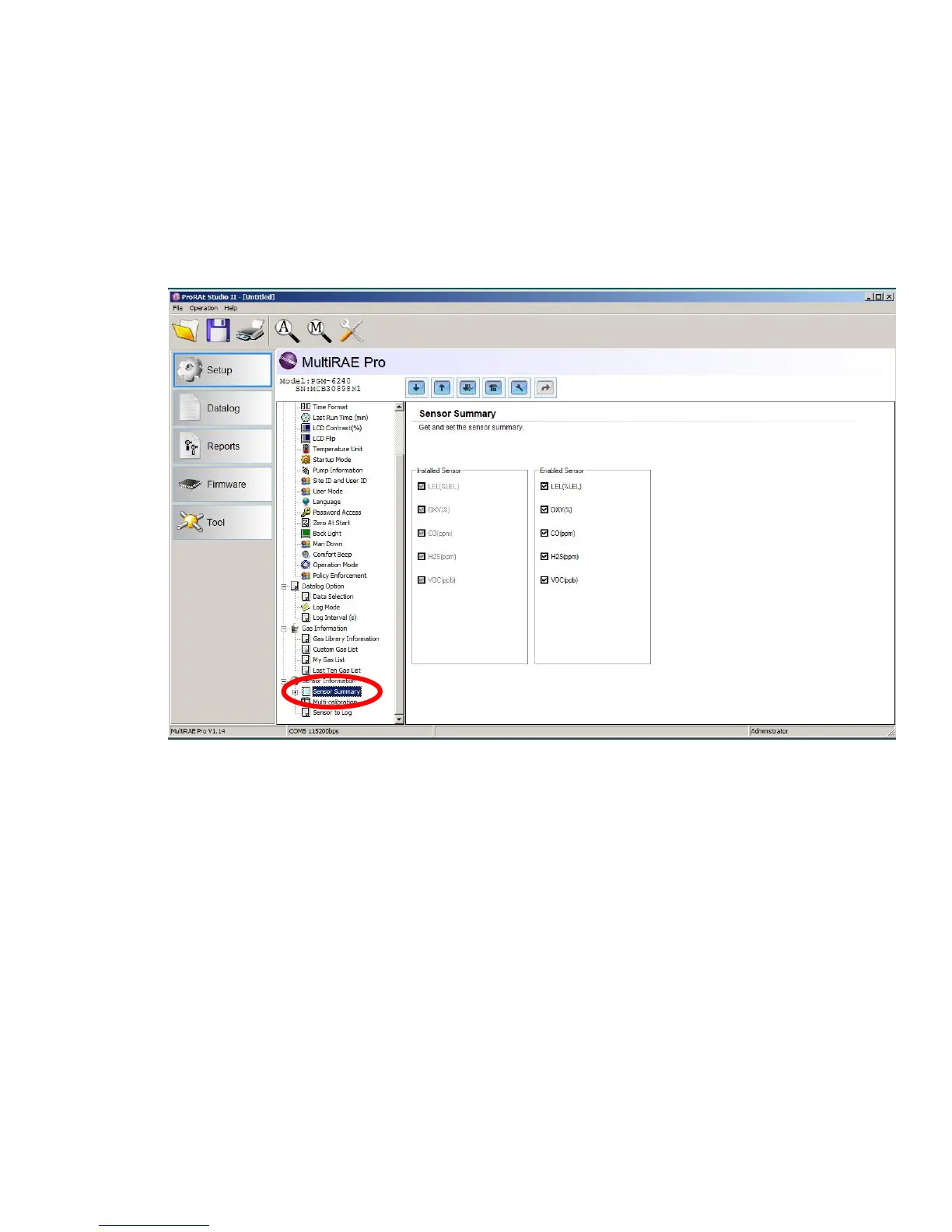
10.5.1 Enabling 3-Point Calibration Via ProRAE Studio II
The MultiRAE must be connected to a PC through the supplied Desktop Cradle, Travel Charger, or
AutoRAE 2 and must be in the PC or AutoRAE 2 communications mode.
1. Start up the ProRAE Studio II software, enter a password, and detect the instrument following the
directions provided in the ProRAE Studio II User’s Manual.
2. Click “Setup” to download the MultiRAE’s current configuration information.
3. Click “Sensor Summary” to show the list of installed sensors.



 To Next Page