MultiRAE User’s Guide
36
8.3.2.10 Change Span Value
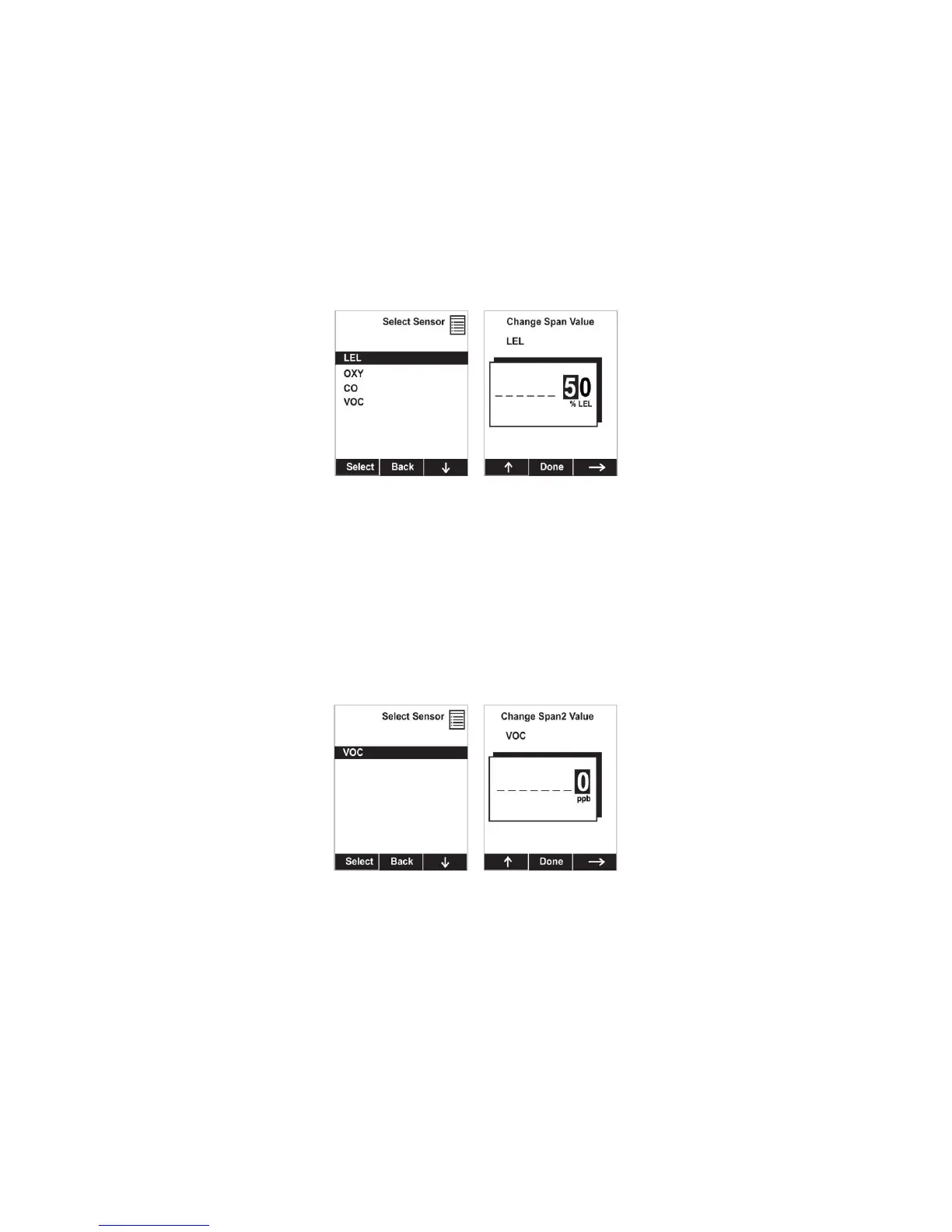
You can individually set the span gas concentration for each sensor. This concentration setting will also
be used for a bump test. The units of measure (ppm, %LEL, etc.) are shown on the display.
1. Scroll down the list of sensors using the [N/-] key.
2. Press [Y/+] to select it.
3. Press [N/-] to step through the digits.
4. Press [Y/+] to increase the number from 0 through 9. Once the number 9 is reached, pressing
[Y/+] causes the numbers to “wrap around” to 0 and count up again.
5. Once you have set the desired value, press [MODE] for “Done.” This registers the new span value.
8.3.2.11 Change Span2 Value
If your MultiRAE is equipped with a high-range, or parts-per billion, PID sensor, you can set the span gas
value for a third calibration point (Span2). The unit of measure is shown on the display.
1. Press [Y/+] to select the highlighted sensor (VOC).
2. Press [N/-] to step through the digits.
3. Press [Y/+] to increase the number from 0 through 9. Once the number 9 is reached, pressing
[Y/+] causes the numbers to “wrap around” to 0 and count up again.
4. Once you have set the desired value, press [MODE] for “Done.” This registers the new Span 2 value.
Note: Three-point calibration is disabled by default, but can be enabled on MultiRAE and MultiRAE Pro
instruments with 10.6eV PID sensors, including high-range ppm and ppb PID sensors. The MultiRAE
Lite PID sensor only supports 2-point calibration.



 To Next Page