MultiRAE User’s Guide
63
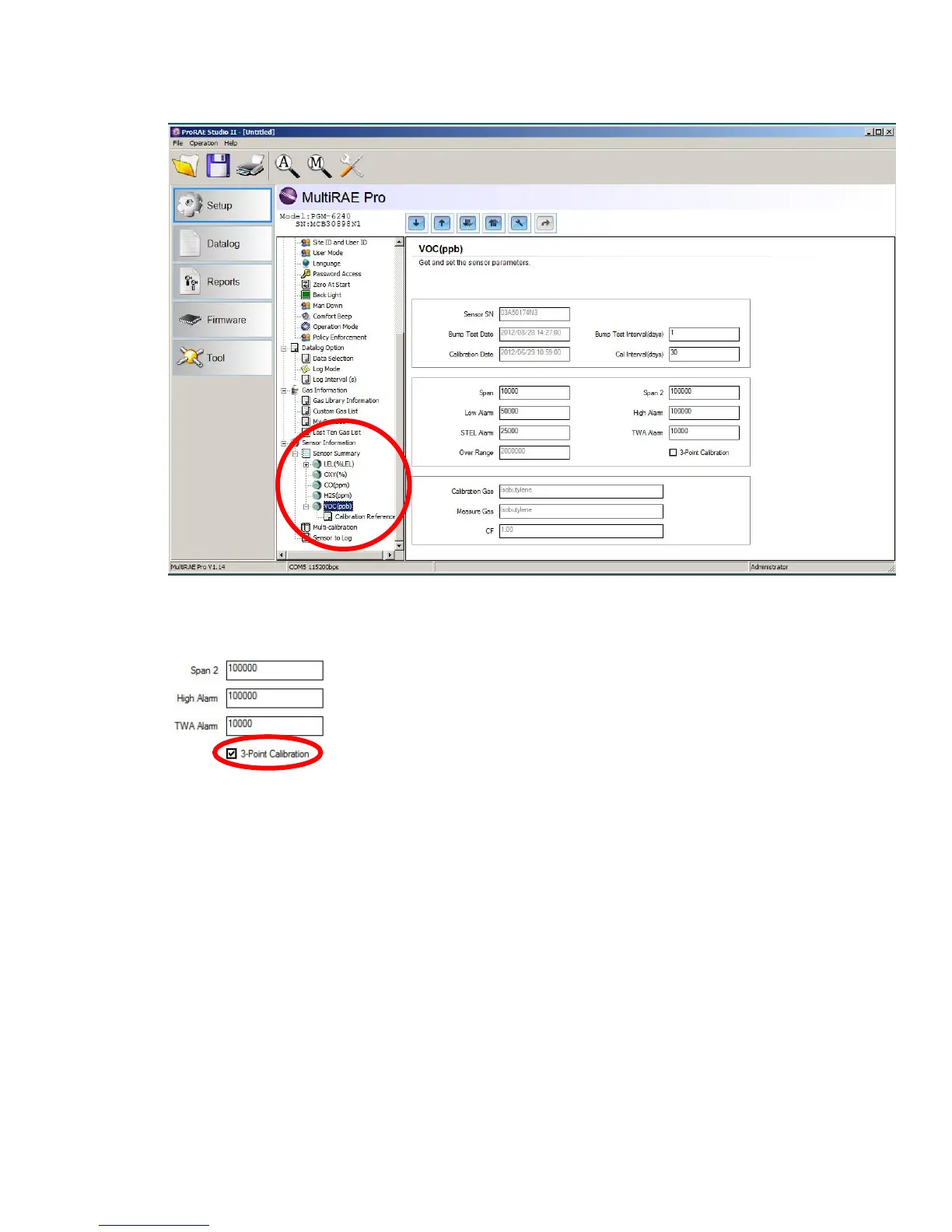
4. Click “VOC(ppm)” or “VOC(ppb)” to get and set sensor parameters.
5. Click 3-Point Calibration (the check mark should now be showing).
6. Click the “Upload all settings to the instrument” icon. You will be asked whether you want to
upload all configurations to the instrument. Click “Yes.”
7. When you are done, quit ProRAE Studio II and then press [Y/+] on the MultiRAE to exit the PC
communications mode. The instrument returns to operating in Normal mode.



 To Next Page