MultiRAE User’s Guide
33
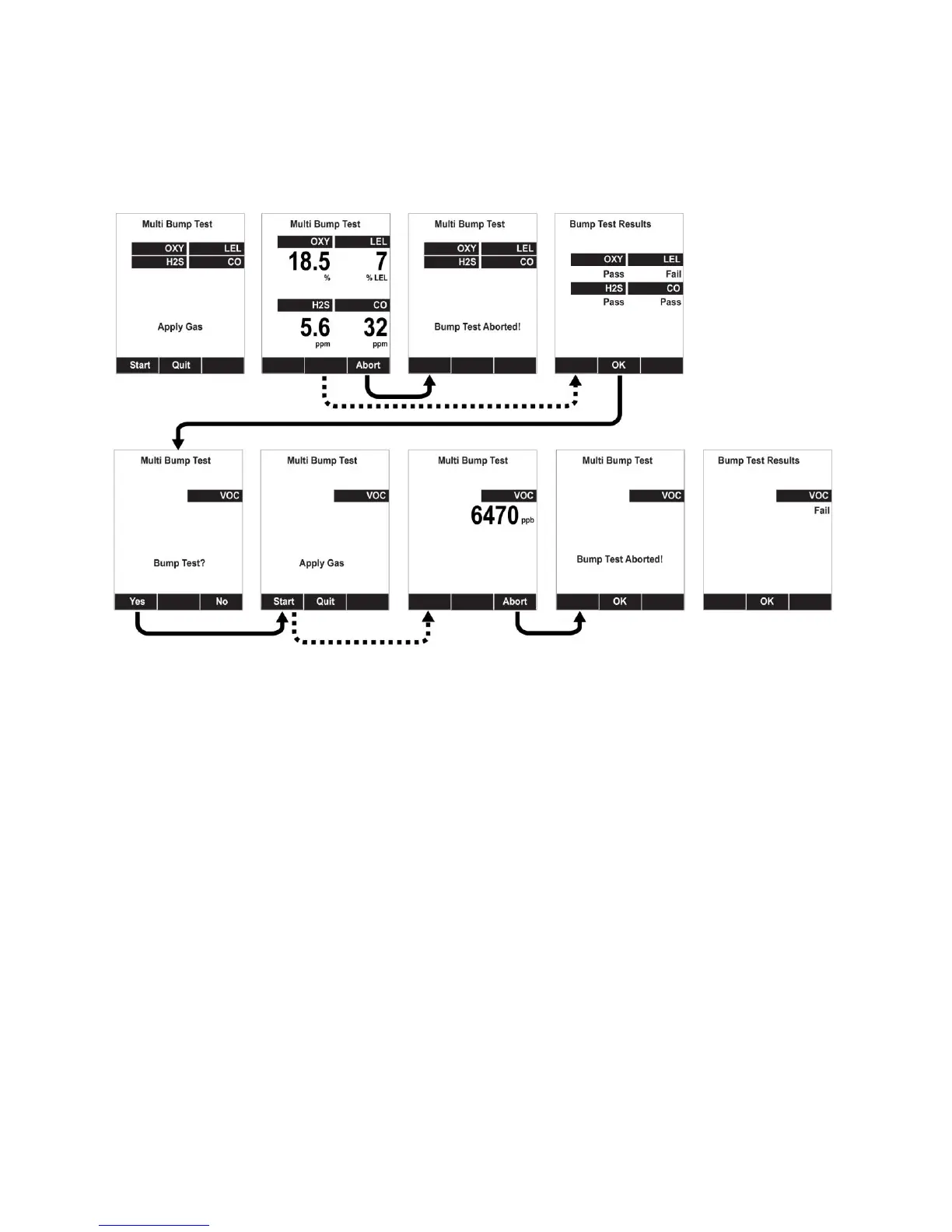
3. Start the flow of calibration gas.
4. Press [Y/+] to start calibrating or wait for calibration to start automatically.
5. A countdown screen is shown. You can abort the calibration at any time during the countdown by
pressing [N/-].
6. If the calibration is not aborted, the display shows the sensor names and tells you whether the
calibration passed or failed, followed by the sensor readings.
7. If a sensor requires different gas (such as a PID for VOCs), you are prompted. Change the calibration
gas, and when you are ready, start bump testing by pressing [Y/+].
Note: You can quit the bump calibration procedure and exit to the menu whenever you see “Quit.” Press
[MODE] to quit.
Note: Dotted line indicates automatic progression.



 To Next Page