MultiRAE User’s Guide
68
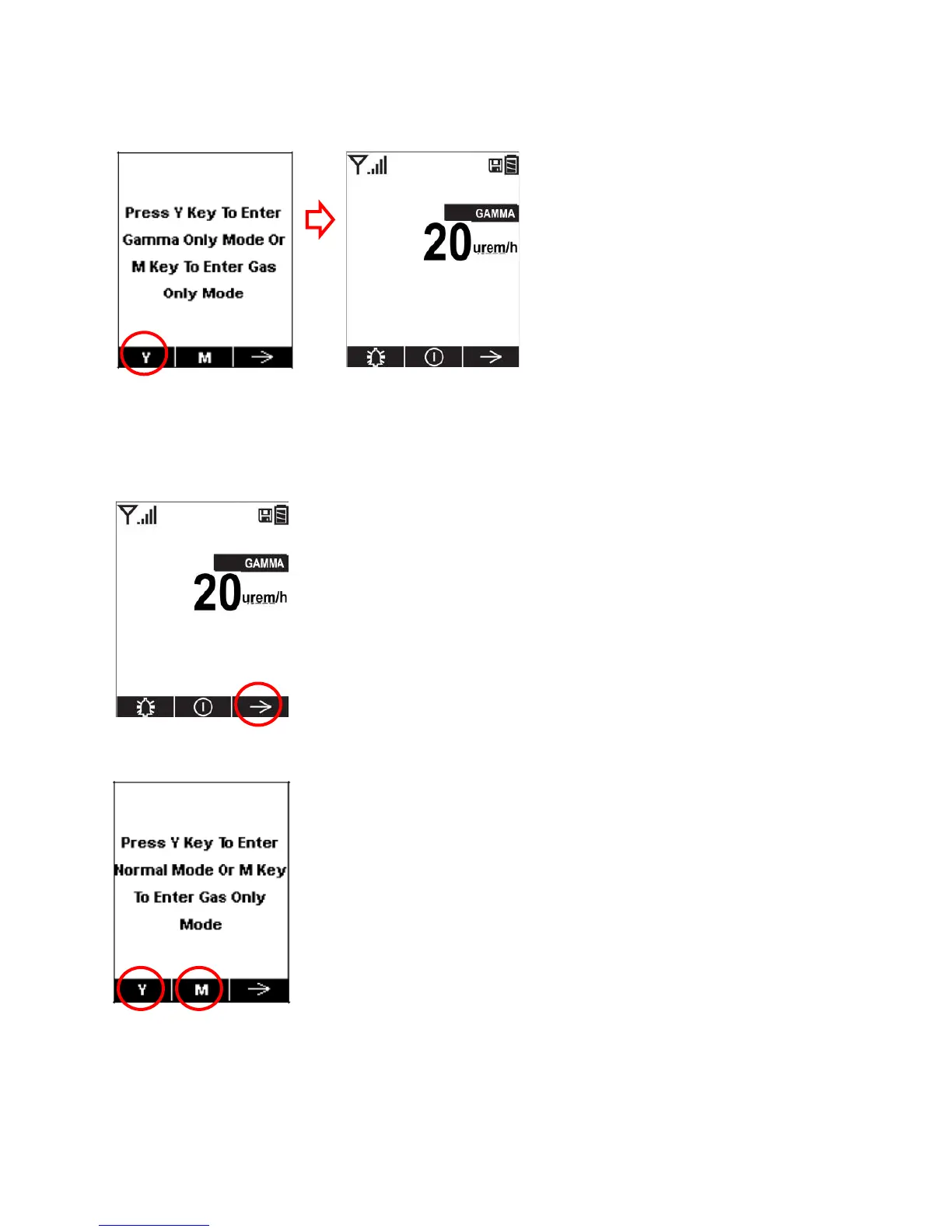
2. Press [Y/+] when the following screen appears:
Exiting Gamma-Only Measurement Mode
To exit gamma-only mode and either switch back to multi-threat mode (where both gamma radiation and
gaseous threats are measured) or to gas-only mode:
1. Press [N/-] when the instrument is running in gamma-only mode:
2. The following screen appears:
Press [Y/+] to enter normal (multi-threat) mode.
Press [MODE] to enter gas-only mode.



 To Next Page