6.4 Laser Operating in External Control Programming Mode
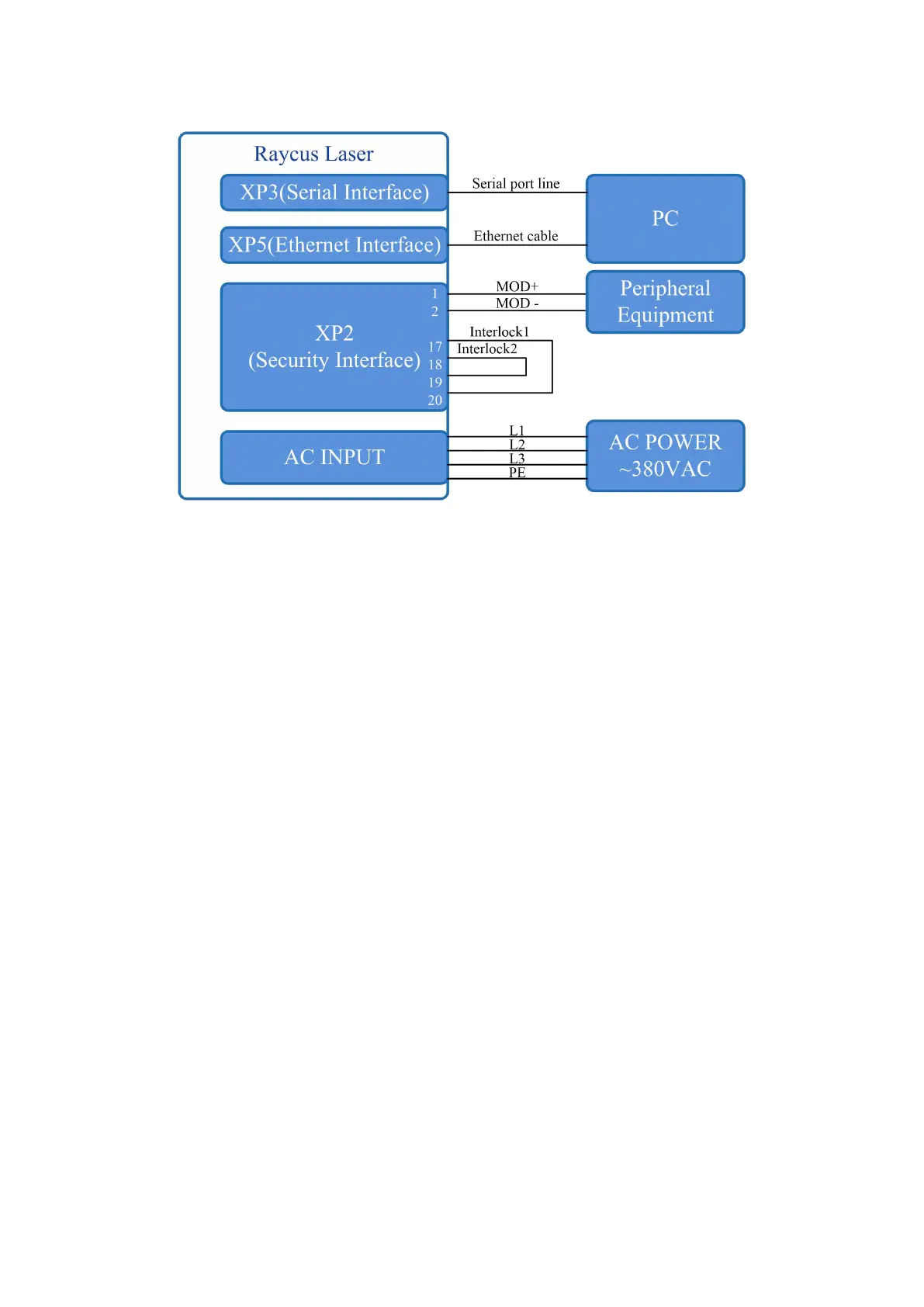
Figure 18 Wiring diagram of external control laser emission in programming mode, in ON mode
Operations Steps
a) Turn the knob switch on the rear panel to“ON”
b) Turn the key switch to“ON”
c) Open the Raycus software
d) Click the guide laser “ON” button to view the guide laser
e) Click the main power “ON”
f) Waiting for “Ready”
g) Set the pre-executed waveform number (the program number is greater than 0)
h) Start waveform at the rising edge of MOD signal.
NOTE:
The high-level time of MOD must be greater than the program running time. If MOD
gives a falling edge in advance, the Raycus software will display that the laser program is
abnormally terminated.



 To Next Page