8.3 Selection of Raycus software working mode
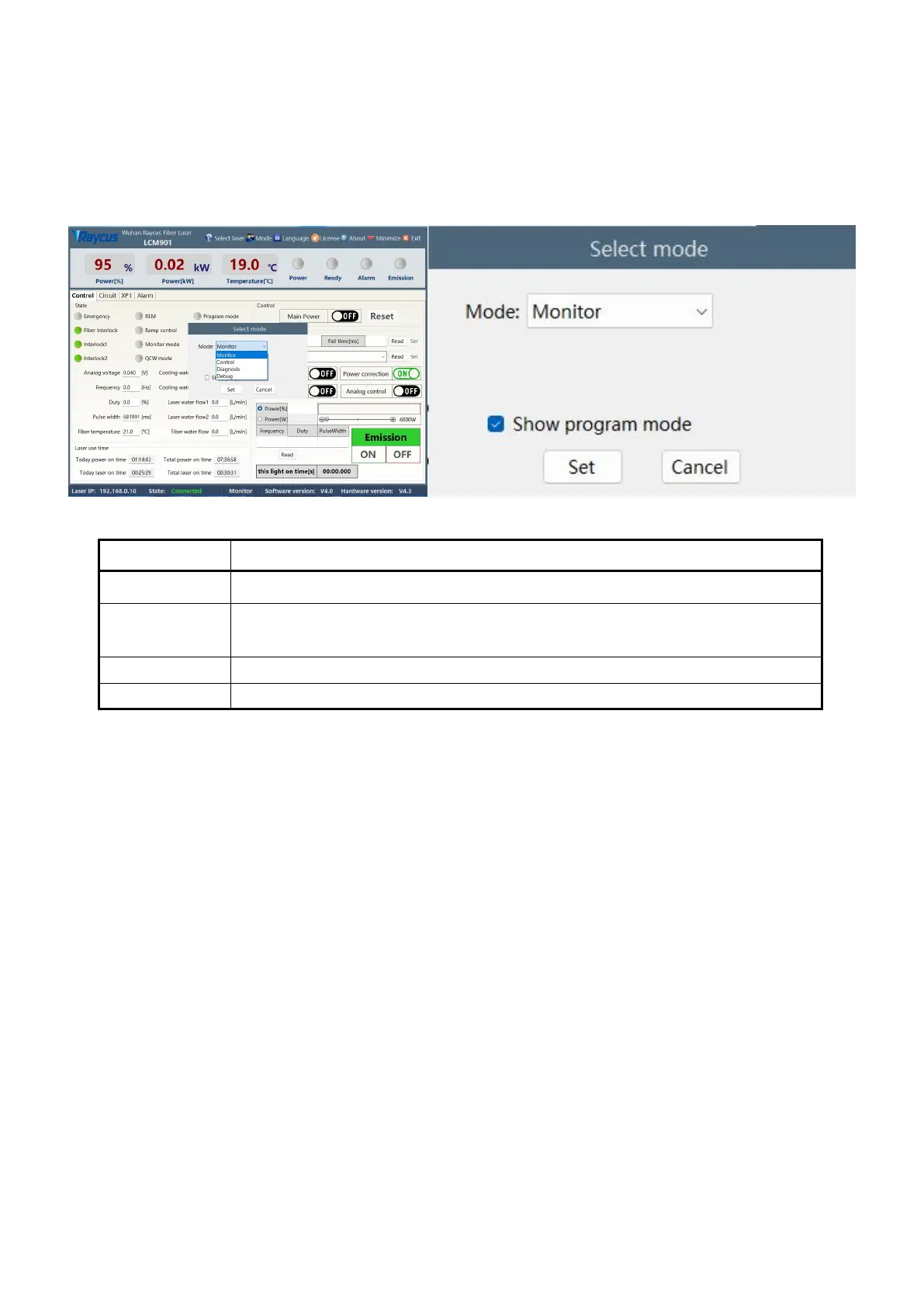
The laser operation mode is set through the Raycus software, and its operation menu is shown in Figure
27. The definitions of various modes are shown in Table 12. When the display programming mode is
selected, the waveform editing menu will be displayed on the software.
Figure 27 Display menu for laser operation mode selection display area
Meaning of mode selection mode
This mode provides the most concise software menu
This mode enables the upper computer to control buttons, and users can use this mode
to control the laser
This mode displays all the states and parameters of the laser for easy diagnosis of the
can modify the parameters of the laser (it is necessary to verify the laser password)
Table 12 Laser operating modes and their meanings
8.4 anguage Selection
The laser language selection operation menu is shown in Figure 28. Currently, only Simplified Chinese
and English languages are supported. After clicking to set the language, you need to reopen the Raycus
software before the settings will take effect.


 To Next Page