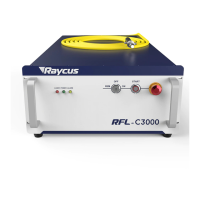
Figure 48 Operation menu for clearing all waveforms stored in the current laser waveform mode
8.13.4 Editing Waveforms
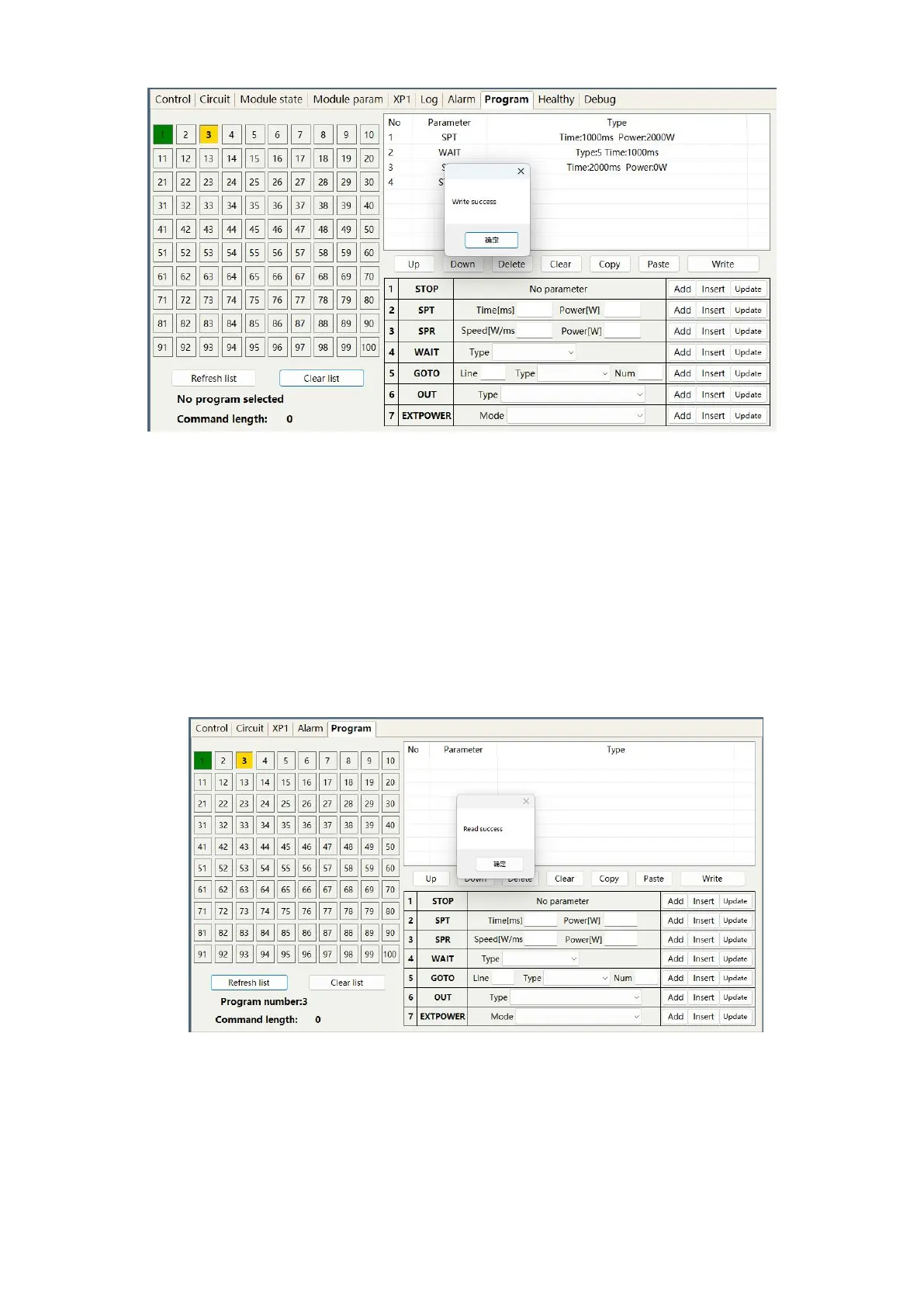
The steps of waveform editing when the laser is operating in waveform mode are shown in Figure 49.
Step 1: Left click on the pre edited waveform number; Step 2: Select a command under the command
type, enter the parameters of the command, and click "Add". The previous command immediately appears
in the program list on the left; Step 3: After editing all the commands, click "Write to Laser"; Step 4:
Click "Refresh Program List" again, and the new waveform number will turn green, indicating successful
writing. Note: The last command of the program must be STOP.
a)Select a pre edited waveform number



 To Next Page