8.12 Module parameters (in diagnostic mode)
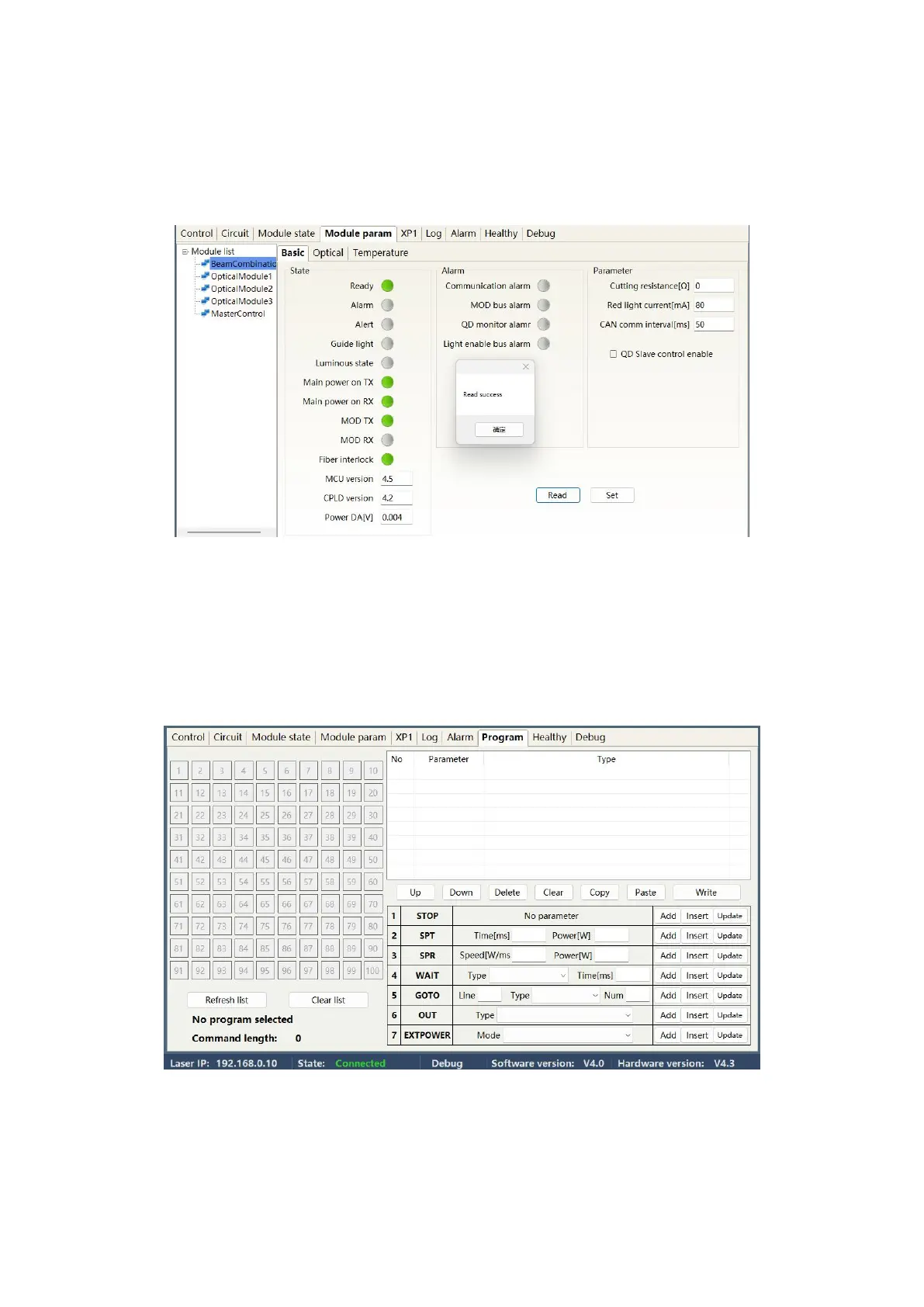
The laser enters diagnostic mode to activate the module parameter menu. The laser module parameter
query menu is shown in Figure 44. This menu is for parameter query in diagnostic mode, and its data is
convenient for our technical personnel to analyze the cause of laser abnormalities.
Figure 44 Module Parameter Query menu in Diagnostic Mode
8.13 Programming mode (waveform editing)
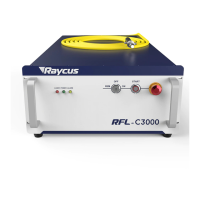
When selecting the laser operation mode, tick "Display Programming Mode" in any mode, as shown in
Figure 27. The "Program Settings" interface can be activated. The laser conversion setting menu is shown
in Figure 45.
Figure 45 Programming menu in waveform editing mode


 To Next Page