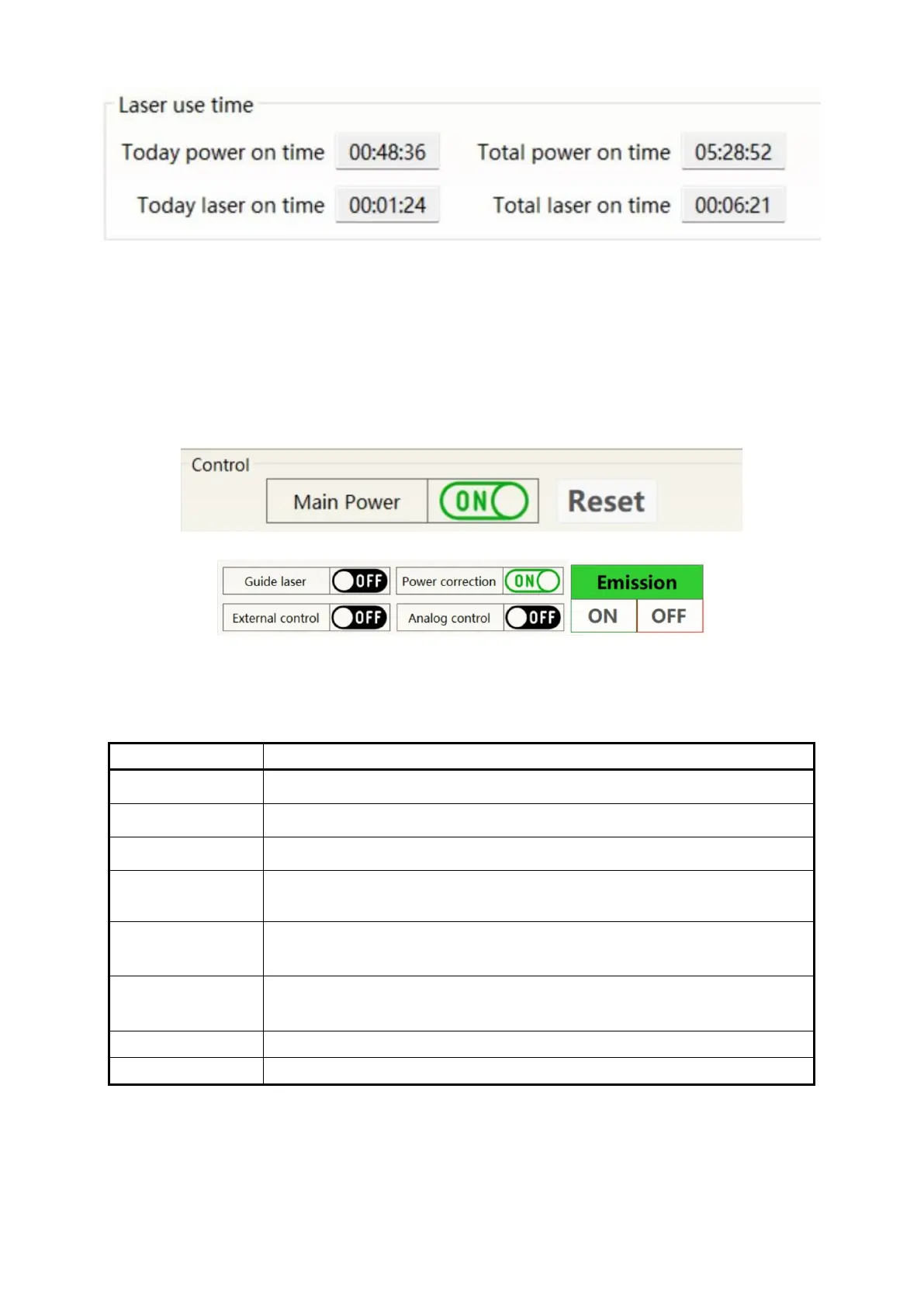
Figure 32 Display menu for accumulated working time of laser
8.6.3 Laser power on, mode selection, light output control area
The display area for laser power on, mode selection, and light output control is shown in Figure 33, and
the display content is shown in Table 15.
Figure 33 Display area for laser power on, mode selection, and light output control
Table 15 Display content and meaning of laser power on, mode selection, and light output control display
area
Click ON to power on the main power supply; Click OFF to power off the main
power supply
clears the current laser alarm
Click ON to turn on red light; Click OFF to turn off the red light
Click ON to activate the laser power correction mode; Click OFF to turn off the
laser power correction mode;
Click ON to activate laser external control; Click OFF to turn off the laser
external control; Automatic memory of mode power failure
Click ON in to activate AD analog mode; Click OFF to turn off the AD analog
mode;


 To Next Page