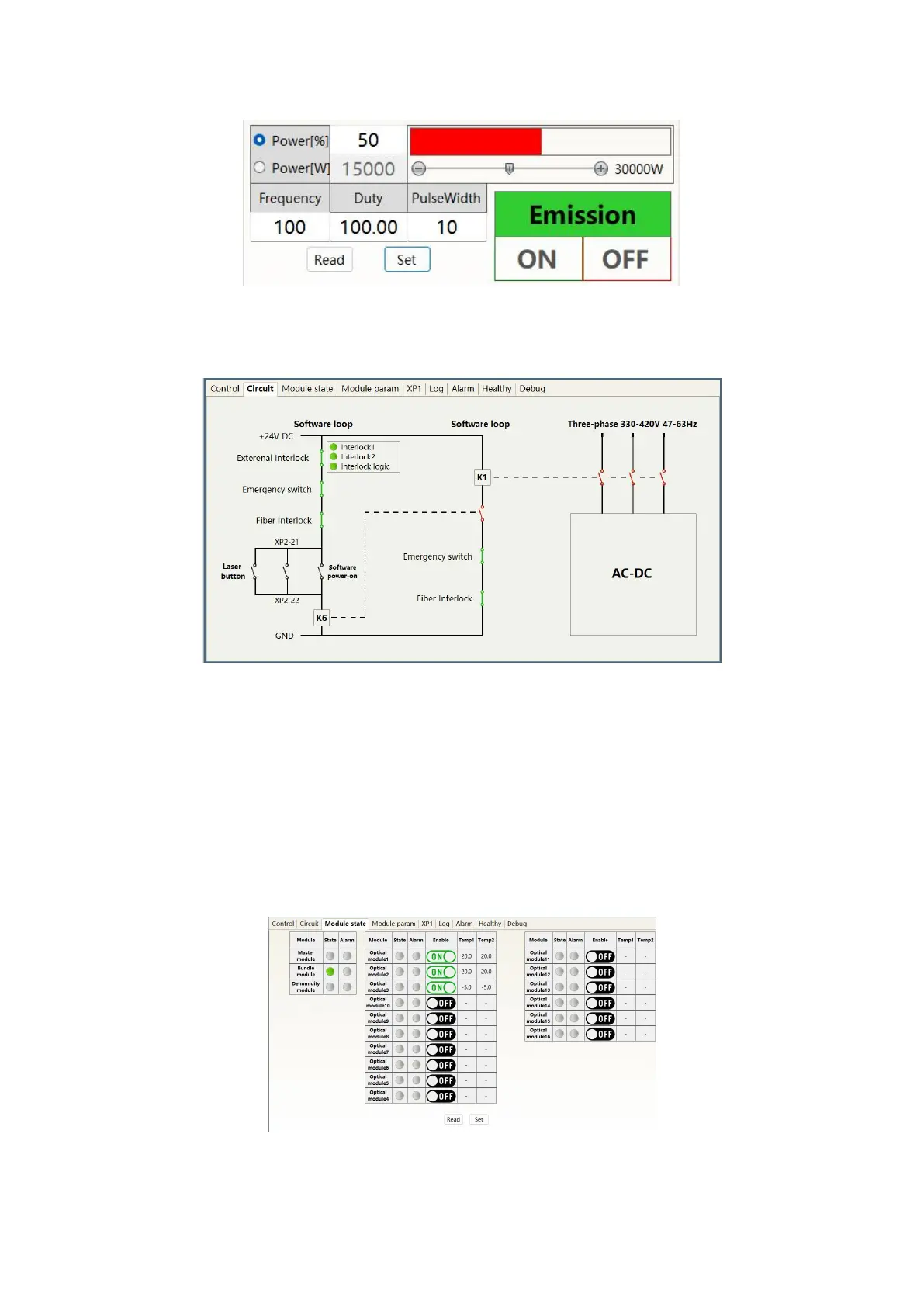
Figure 36 Display menu of light output parameter setting area
8.7 Laser circuit status display area
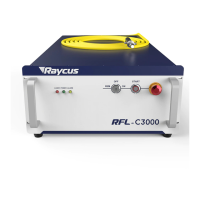
Figure 37 Laser Circuit Status Display menu
The laser circuit display area is shown in Figure 37. According to this state diagram, the laser safety
circuit status can be checked.
8.8 Laser module enable display area
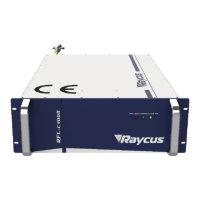
The display menu of the laser module enabling display area is shown in Figure 38. The green indicator
light indicates that the "ON" check box is selected, indicating the module actually running in the current
laser.
Figure 38 Display menu of laser parameter display area


 To Next Page