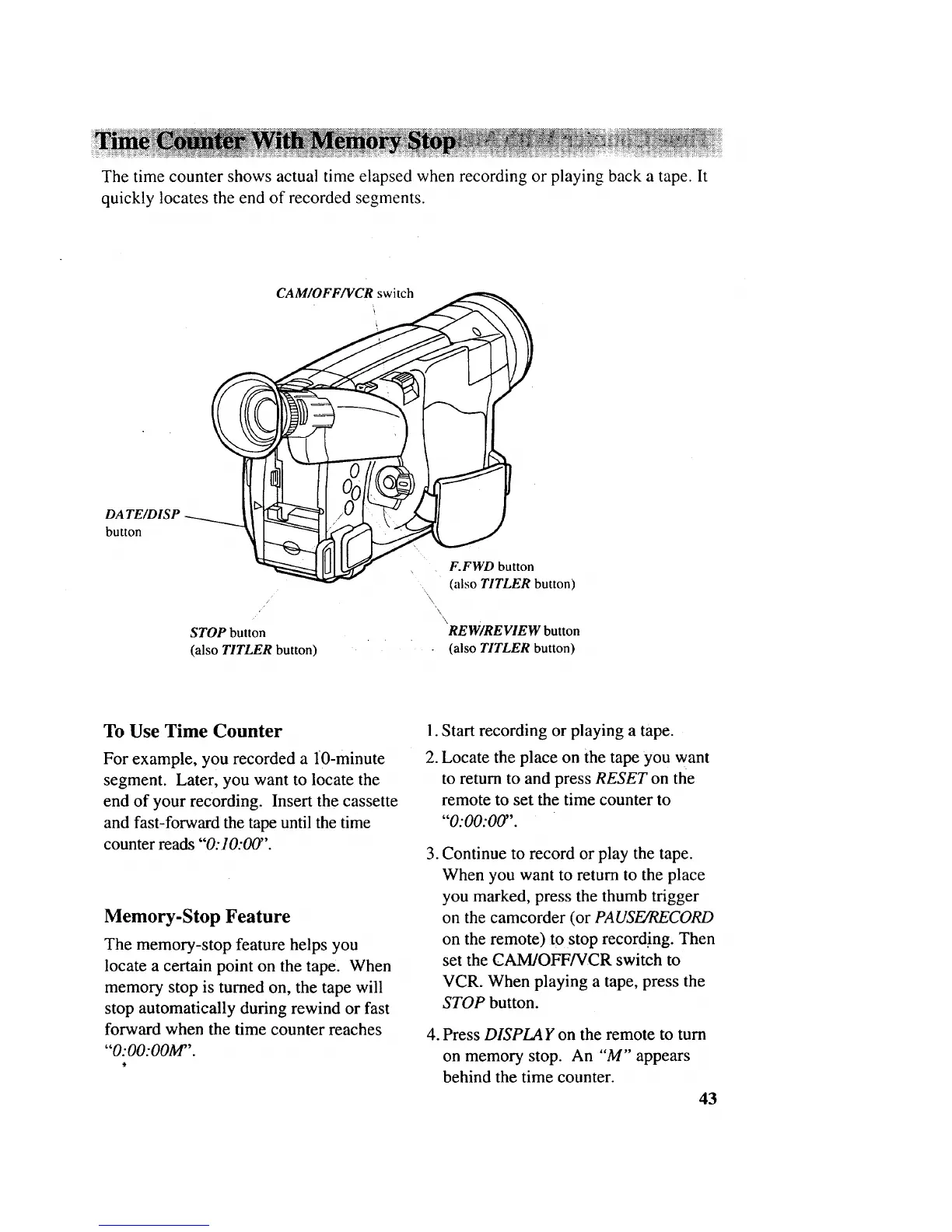
The time counter shows actual time elapsed when recording or playing back a tape. It
quickly locates the end of recorded segments.
DA TE/DISP
button
F.FWD button
(also TITLER button)
\
'\
STOP button REW/REVIEW button
(also TITLER button) (also TITLER button)
To Use Time Counter
For example, you recorded a lO-minute
segment. Later, you want to locate the
end of your recording. Insert the cassette
and fast-forward the tape until the time
counter reads "0:10:00".
Memory-Stop Feature
The memory-stop feature helps you
locate a certain point on the tape. When
memory stop is turned on, the tape will
stop automatically during rewind or fast
forward when the time counter reaches
"O:O0:OOM".
1. Start recording or playing a tape.
2. Locate the place on the tape you want
to return to and press RESET on the
remote to set the time counter to
"0:00:00".
.
.
Continue to record or play the tape.
When you want to return to the place
you marked, press the thumb trigger
on the camcorder (or PAUSE/RECORD
on the remote) to stop record.ing. Then
set the CAM/OFF/VCR switch to
VCR. When playing a tape, press the
STOP button.
Press DISPLAY on the remote to turn
on memory stop. An "M'" appears
behind the time counter.
43



 To Next Page