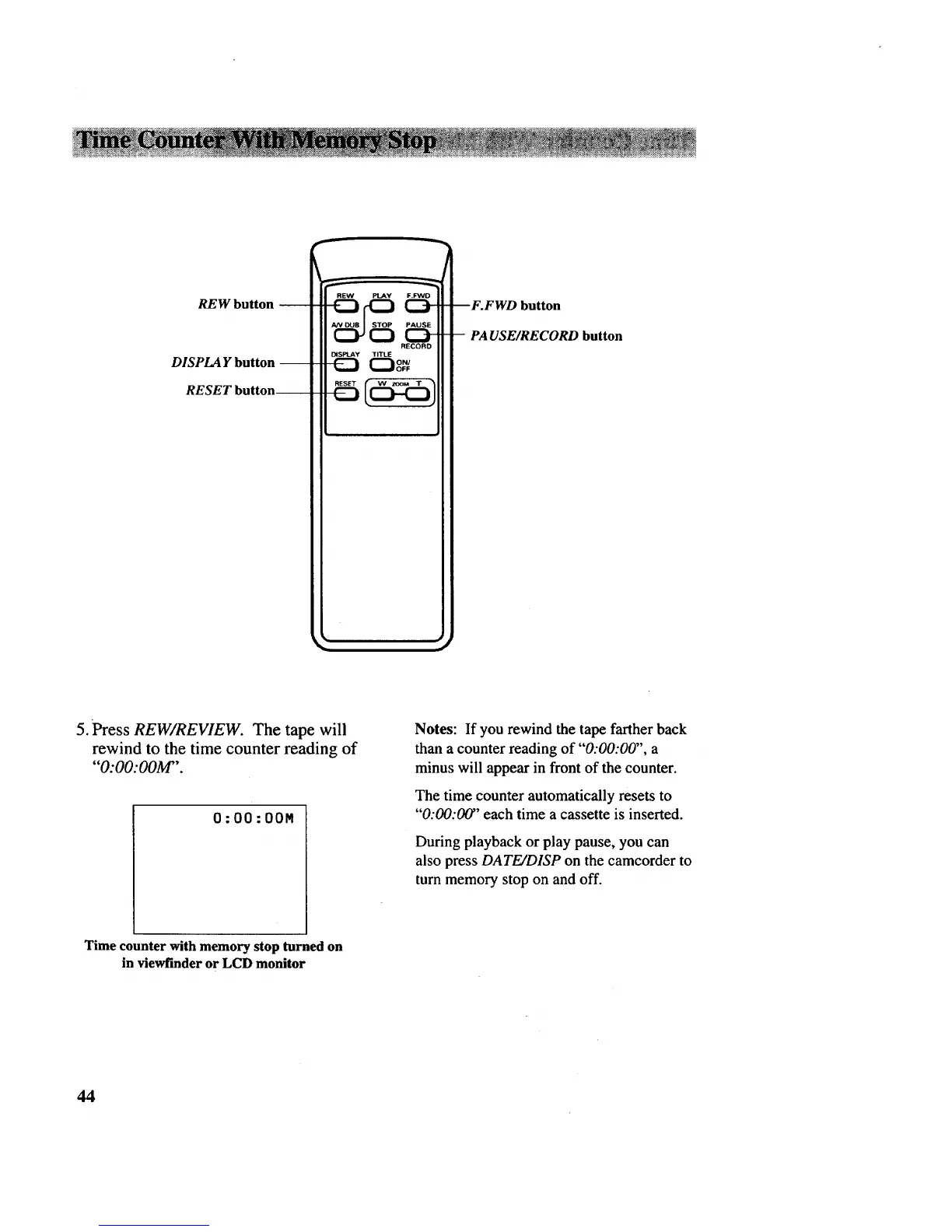
REW button
DISPLAY button
RESET button
RECORD
DiSPlAY TITLE
--F.FWD button
-- PAUSE/RECORD button
5. Press REW/REVIEW. The tape will
rewind to the time counter reading of
"O:O0:OOM".
O:O0:OOM
Notes: If you rewind the tape farther back
than a counter reading of "0:00:00", a
minus will appear in front of the counter.
The time counter automatically resets to
"'0:00:00" each time a cassette is inserted.
During playback or play pause, you can
also press DATE/DISP on the camcorder to
turn memory stop on and off.
Time counter with memory stop turned on
in viewfinder or LCD monitor
44



 To Next Page