42
Using the StarSight Features
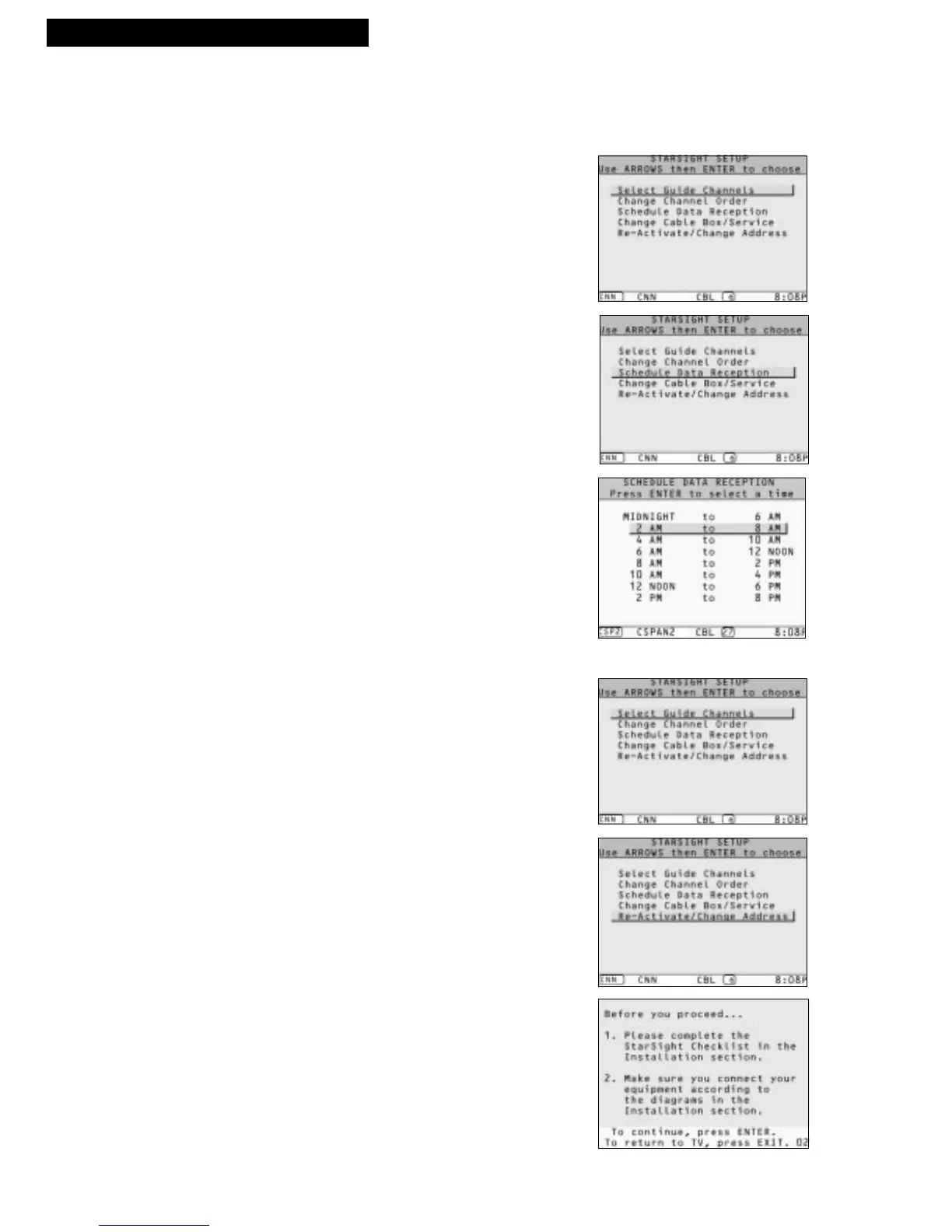
Scheduling Data Reception
You can select the time period when StarSight will turn to your PBS station to collect
data. (It is a good idea to select a time period when you are seldom watching TV.
Please be sure that your local PBS station is broadcasting during that time.)
1. Press MENU. Use UP or DOWN ARROW to
highlight “StarSight setup” and press ENTER.
2. Press DOWN ARROW to highlight “Schedule Data
Reception,” and press ENTER to display your list of
choices.
3. Press UP or DOWN ARROW to move the highlight
bar on the time period you have chosen and press
ENTER to select.
4. Press EXIT to resume watching TV.
What You Should Do when You Move
1. Press MENU. Use UP or DOWN ARROW to
highlight “StarSight setup” and press ENTER.
2. Press DOWN ARROW to highlight “Re-Activate
/Change Address” and press ENTER.
3. Follow the on-screen instructions.
StarSight System



 To Next Page