49
References
Location of Controls
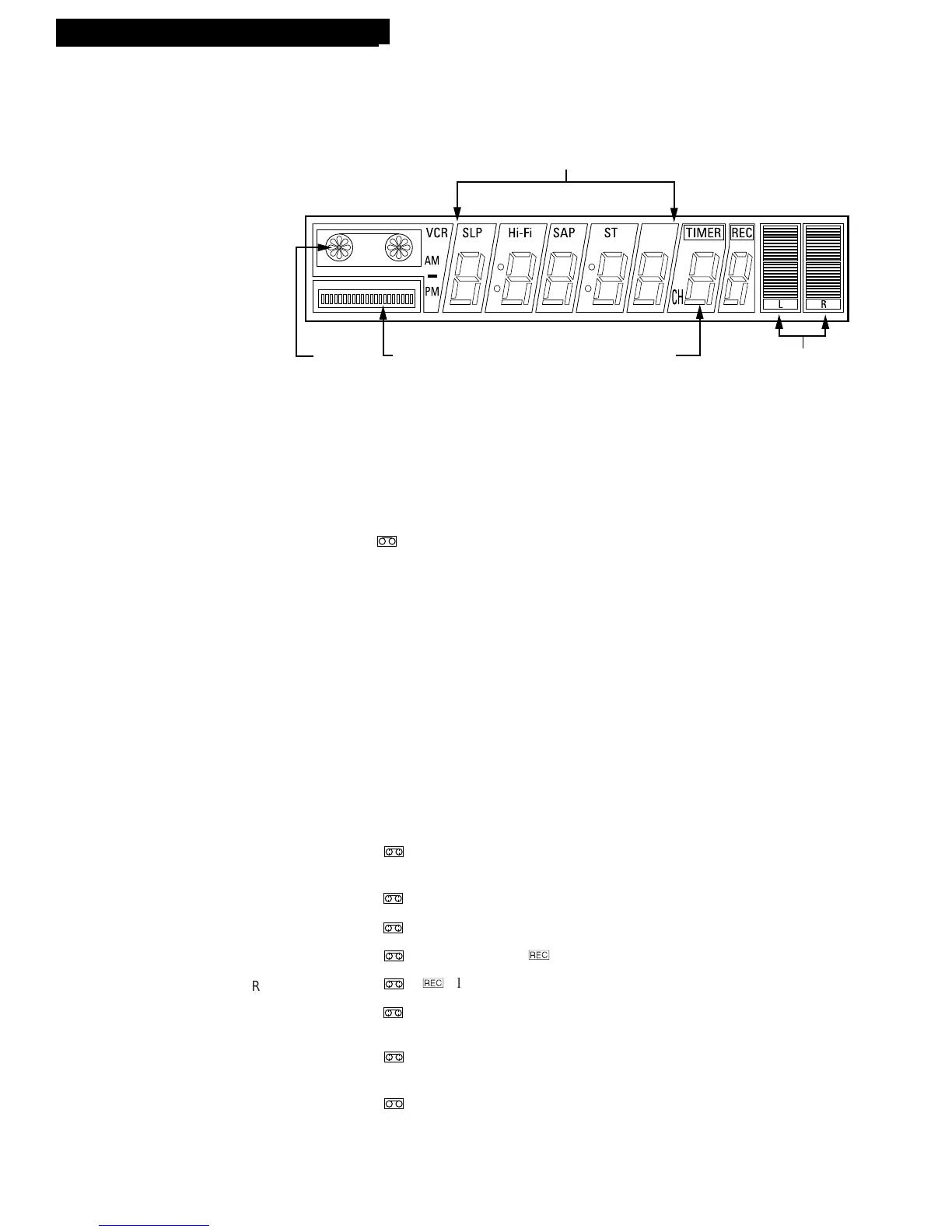
Display Panel
AM/PM Indicator
Shows clock time as AM or PM.
Audio Level Indicator
Shows audio levels.
Cassette-in Indicator
( )
Lights when a tape is in the VCR.
Channel Number or LINE
Displays channel number or line input.
Press INPUT to display L1 or L2 to record from the
VIDEO and AUDIO IN jacks.
HI-FI Indicator
Lights when HI-FI is selected.
SAP Indicator
Lights when the station you are tuned to is
broadcasting SAP.
Status Indicators
Show what the VCR is doing.
FF Rotates clockwise at
fast speed
PAUSE
Blinks
PLAY Rotates clockwise
RECORD
Rotates clockwise/
D
RECORD Pause
/
D
Blinks
REW
Rotates counter
clockwise at fast speed
SLOW
Blinks and rotates
clockwise at slow speed
STOP
ST (STEREO) Indicator
Lights when the station you are tuned to is
broadcasting stereo.
Tape Histogram Indicator
Shows the amount of tape used during recording or
playback.
Tape Speed Indicators (SP or SLP)
Show the tape speed.
Time or Time Counter
Press DISP to switch between the current time and
elapsed-time counter.
VCR Indicator (Applies Only to Basic Hookups)
Press TV•VCR to turn on or off.
VCR indicator on: Picture from VCR.
VCR indicator off: Picture from TV channel.



 To Next Page