33
StarSight System
Using the StarSight Features
By now, you should have completed the setup process and have activated StarSight.
(If not, please review “Activating StarSight”
on page 31.)
Turn on your TV (don’t forget to tune TV to channel 3 or 4 or line input) and VCR
and press
INFO button to see if the information was collected. You should get a
“Pop-up” of information. Now try some other StarSight buttons, like THEME
or GUIDE.
INFO Button
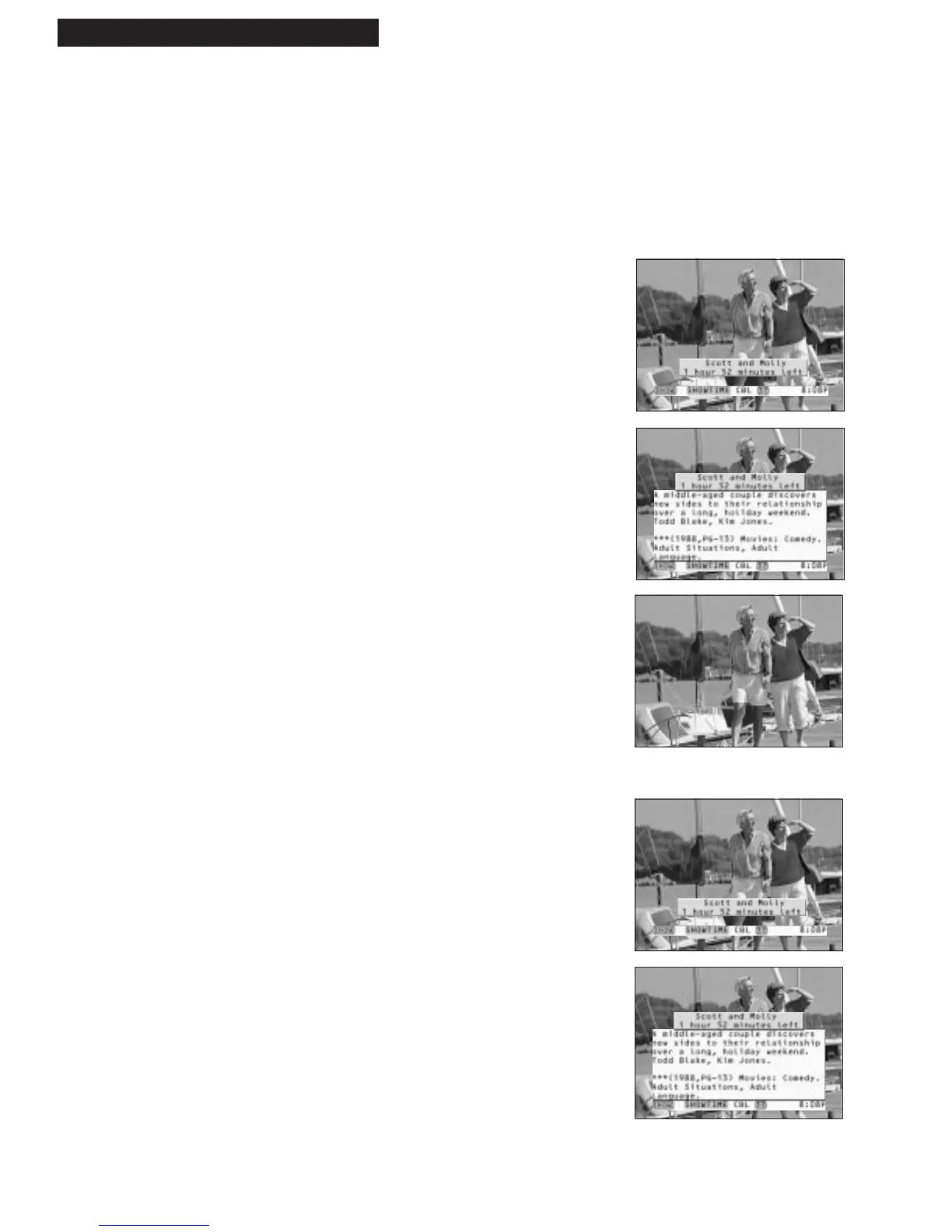
The INFO button allows you to find out more about what you’re watching on
a Pop-up.
1. Press INFO button.
You will see the program title and time remaining
on the Pop-up for five seconds.
2. Press INFO again.
The Pop-up changes to provide a description about
your program. It remains on the screen for
approximately 30 seconds. Or...
3. Press INFO again to remove the Pop-up.
Grazing
This feature is another method of finding out what’s on when you change channels.
1. Press CHANNEL UP or DOWN to change channels.
The Pop-up for the new program automatically
displays and then disappears in five seconds.
2. Press INFO while the Pop-up is displayed to get
more information on the program
3. Press INFO again to remove the Pop-up.
You should also know...
If you press INFO twice and then change channels, you’ll get
full program descriptions while you’re channel surfing.



 To Next Page