LENS
LENS TAB
The options displayed on the Lens tab change based on the attached lens mount.
PL MOUNT
Enable Power to Lens: Ensures that the camera powers the lens via the lens mount. This feature is enabled by
default, but the camera saves the last selected setting. Deselect when using a Fujinon
®
T2.9 Cabrio Premier PL
lens. If you disable this feature for the Fujinon Cabrio, re-enable it when using other lenses. For more information,
go to "Fujinon T2.9 Cabrio Premier PL Lenses" on page245.
Auto-Detect PL Lenses: By default, this feature is enabled.
Detect Lens: Detects a lens, if one is attached.
CANON AND NIKON LENS SETTINGS
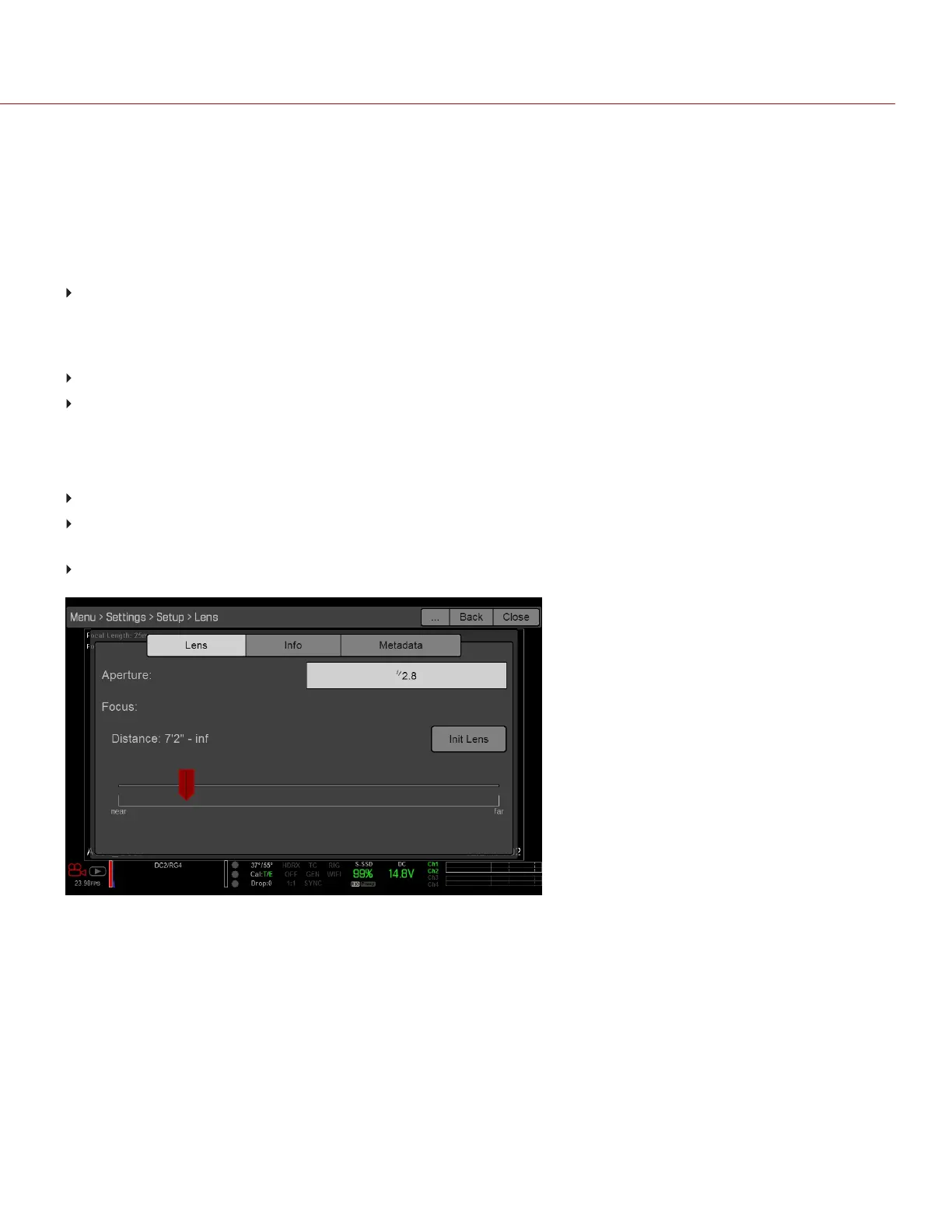
The options below display when a DSMC Nikon Mount or DSMC Canon Mount is installed with a supported lens.
Aperture: Enter the aperture value. The range and default depend on the lens.
Focus: Use the slider to change the focal distance. Manually changing the focal distance on the lens itself does
not cause the slider to move. This setting is only available if the lens is in AF mode.
Init Lens: Initializes the lens.
Figure: Lens Menu
C OPYRI GHT © 2017 R ED.C O M , I NC 955- 01 38 _V6.3, REV-D | 127
WEAPON/EPIC-W OPERATION GUIDE


 To Next Page
 Loading...
