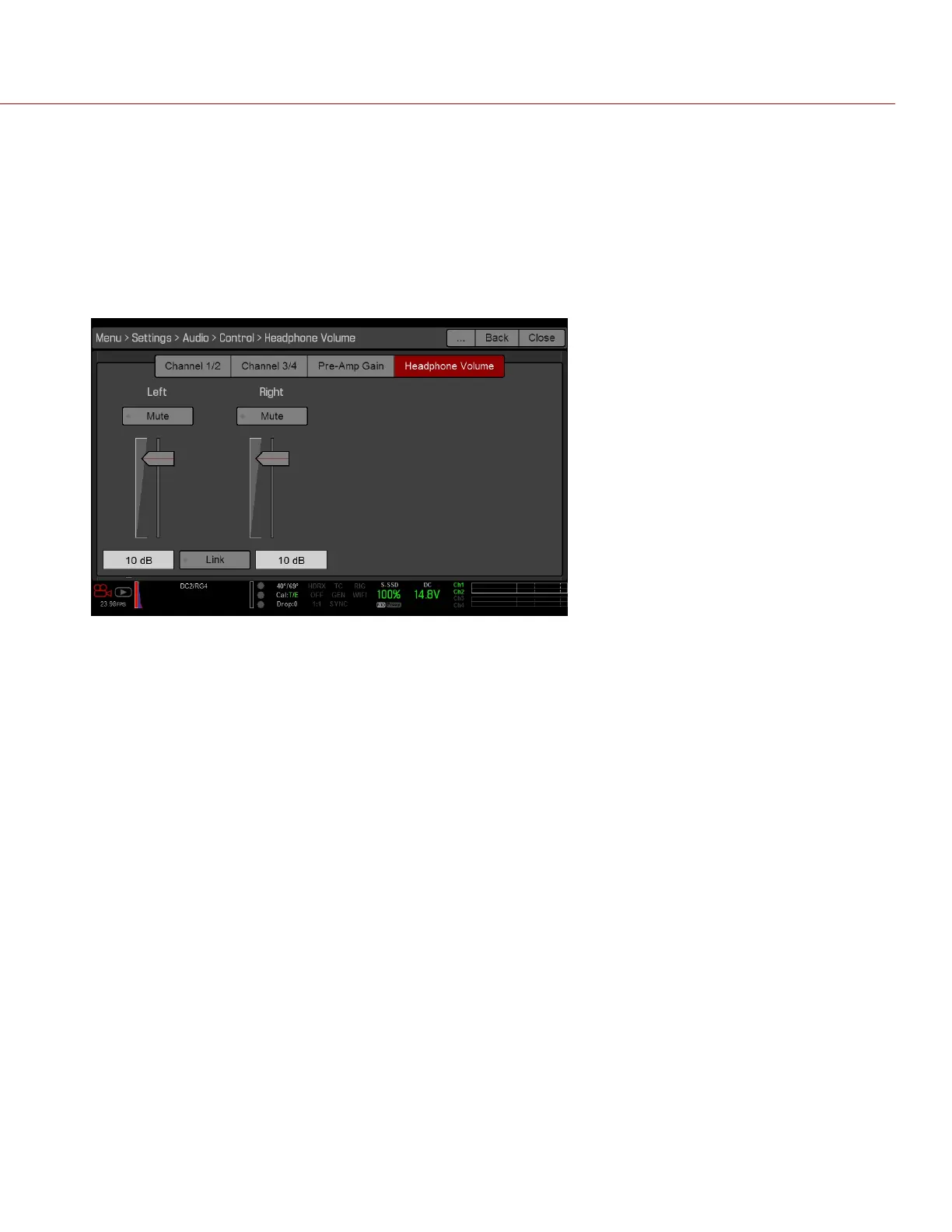
HEADPHONE VOLUME
The volume range for Left and Right is –6 dB to 14 dB. The default is 10 dB. To adjust headphone volume, follow the
steps below:
1.
Go to Menu > Settings > Audio > Control > Headphone Volume.
2.
Move the Left and Right sliders up and down to adjust the volume.
3.
To toggle mute/unmute, select Mute.
4.
To link the volume for Left and Right, select Link.
Figure: Headphone Volume
C OPYRI GHT © 2017 R ED.C O M , I NC 955- 01 38 _V6.3, REV-D | 160
WEAPON/EPIC-W OPERATION GUIDE



 To Next Page