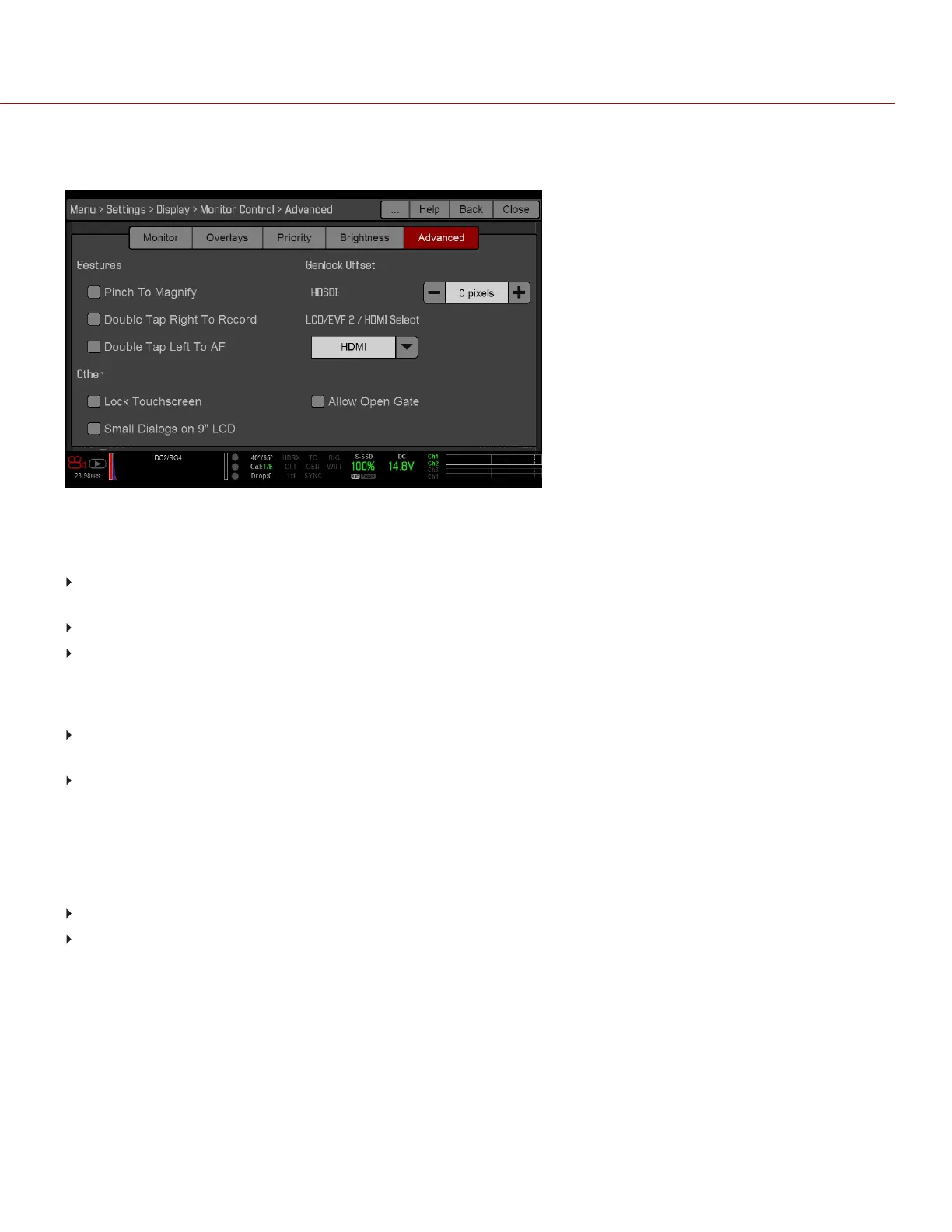
ADVANCED
Provides access to additional monitor settings.
Figure: Advanced Monitor Control
GESTURES
Pinch to Magnify: Move two (2) fingers apart or together to toggle 1:1 Magnify. For more information, go to
"Magnify" on page78.
Double-Tap Right 25% to Record: Double-tap the right 25% of the video area on the LCD to toggle record.
Double-Tap Left 25% to Start AF: Double-tap the left 25% of the video area on the LCD to start autofocus when
compatible lenses are used.
OTHER
Lock Touch Screen: Touchscreen control is locked. To unlock, tap the screen and follow the on-screen
instructions.
Use Small Dialogs on 9" LCD: The dialogs on the RED Touch 9.0" LCD are smaller than the default dialogs.
GENLOCK OFFSET
NOTE: HD-SDI ports are only available on select DSMC2 expanders. For more information, go to "Input/Output
Connectors" on page215.
Offset the video of the HDSDI out to align it with the genlock signal:
Negative offset: Advances the video, so the video reaches the switcher earlier than it would otherwise.
Positive offset: Advances the video, so the video reaches the switcher later than it would otherwise.
LCD/EVF 2 / HDMI SELECT
NOTE: HDMI ports are only available on select DSMC2 expanders. For more information, go to to "Input/Output
Connectors" on page215.
Select to enable either the secondary LCD/EVF port on the camera or the HDMI port on an expander. The secondary
LCD/EVF port and the HDMI port cannot be used at the same time.
C OPYRI GHT © 2017 R ED.C O M , I NC 955- 01 38 _V6.3, REV-D | 84
WEAPON/EPIC-W OPERATION GUIDE



 To Next Page