ALLOW OPEN GATE
Open Gate allows the camera to preview images at a refresh rate that is twice the project time base. For example, if
the project time base is 23.98 FPS or 24.00 FPS, enabling Open Gate causes the LCD or EVF to have a refresh rate of
48 Hz (50 Hz).
You cannot use Open Gate when:
Varispeed is enabled.
Speed Ramp mode is enabled.
Genlock is enabled.
The shutter angle is 180° or greater.
NOTE: When you disable Open Gate mode, the image on the EVF may be disrupted for up to three (3) seconds.
MODES
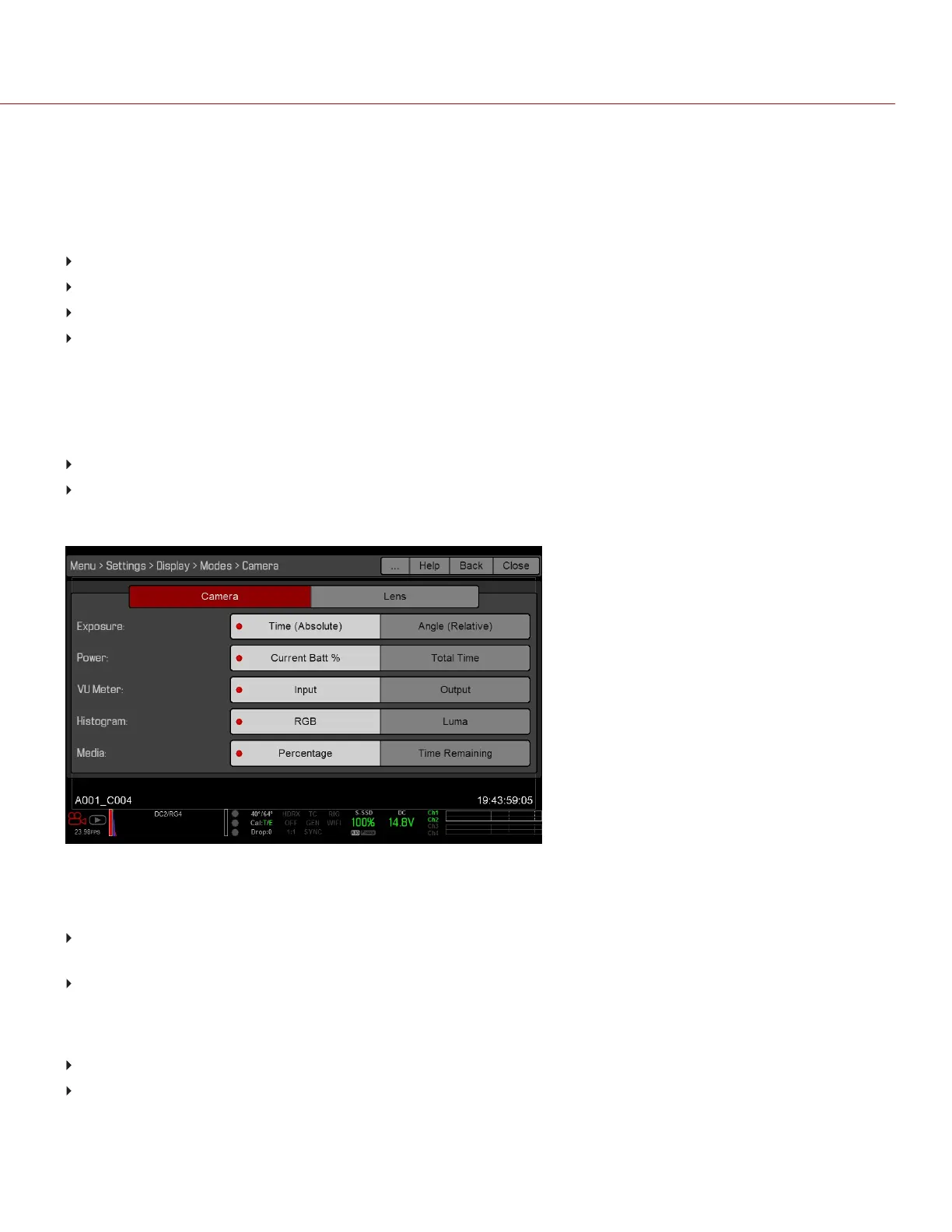
Use the Modes menu to determine how the following settings display:
Camera
Lens
CAMERA TAB
Figure: Display Mode: Camera
EXPOSURE
Time (Absolute): Displays the exposure time in seconds (1/xx sec). When you change the frame rate in this mode,
the shutter time stays the same, but the shutter angle changes. Time (Absolute) is the default.
Angle (Relative): Displays the exposure as an angle (1–360°). When you change the frame rate in this mode, the
shutter angle stays the same, but the exposure time changes.
POWER
Current Batt %: Displays the remaining percentage of active battery. (Default)
Total Time: Displays the total run-time left of battery power, taking into account all available batteries.
C OPYRI GHT © 2017 R ED.C O M , I NC 955- 01 38 _V6.3, REV-D | 85
WEAPON/EPIC-W OPERATION GUIDE



 To Next Page