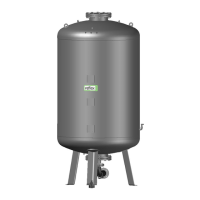
Reflexomat with Touch controller — 06.07.2016 - Rev. B English —
01 Min. pressure – • Set value exceeded.
• Water loss in the
system.
• Compressor fault.
• Controller in Manual
mode.
•
Check set value in the Customer
or Service menu.
• Check water level.
• Check compressor.
• Set the controller to Automatic
mode.
"OK"
02.1
02.2
Compressor 1
insufficient water
Compressor 2
insufficient water
– • Set value not reached.
• Make-up disabled.
• Air in the system.
• Dirt trap clogged.
•
Check set value in the Customer
or Service menu.
• If necessary, manually add
water.
• Check functioning of the "PV1"
solenoid valve.
• Clean the dirt trap.
–
03 High water – • Set value exceeded.
• Make-up disabled.
• Water intake through
a leak in a thermal
transfer medium of
the user.
• Tanks too small.
•
Check set value in the Customer
or Service menu.
• Check functioning of the "WV1"
solenoid valve.
• Drain water from the primary
tank.
• Check user's thermal transfer
medium for leaks.
–
04.1
04.2
Compressor 1
Compressor 2
– • Compressor disabled.
• Fuse defective.
• Check functioning of "CO"
compressor.
– Check in manual mode,
reduce back pressure.
• Replace the fuse.
"OK"
05 Compressor run-on
time
– • Set value exceeded.
• Severe water loss in
the system.
• Air lines leaking.
• Solenoid valve in the
overflow line does not
close.
•
Check set value in the Customer
or Service menu.
• Check the water loss and
correct, if necessary.
• Seal any leak in the air system.
• Check functioning of the "PV1"
solenoid valve.
–
06 Make-up time – • Set value exceeded.
• Water loss in the
system.
• Make-up line not
connected.
• Make-up rate
insufficient.
• Make-up hysteresis
too high.
•
Check set value in the Customer
or Service menu.
• Check water level.
• Connect make-up line.
• Increase make-up quantity.
• Correct the make-up hysteresis
in the Service menu.
"OK"


 To Next Page