VR-3800D Series Digital Video Recorder
17
3. Recording setup
3.1. Coding parameters setup.
Before setting your DVR up for recording, certain settings should be configured first
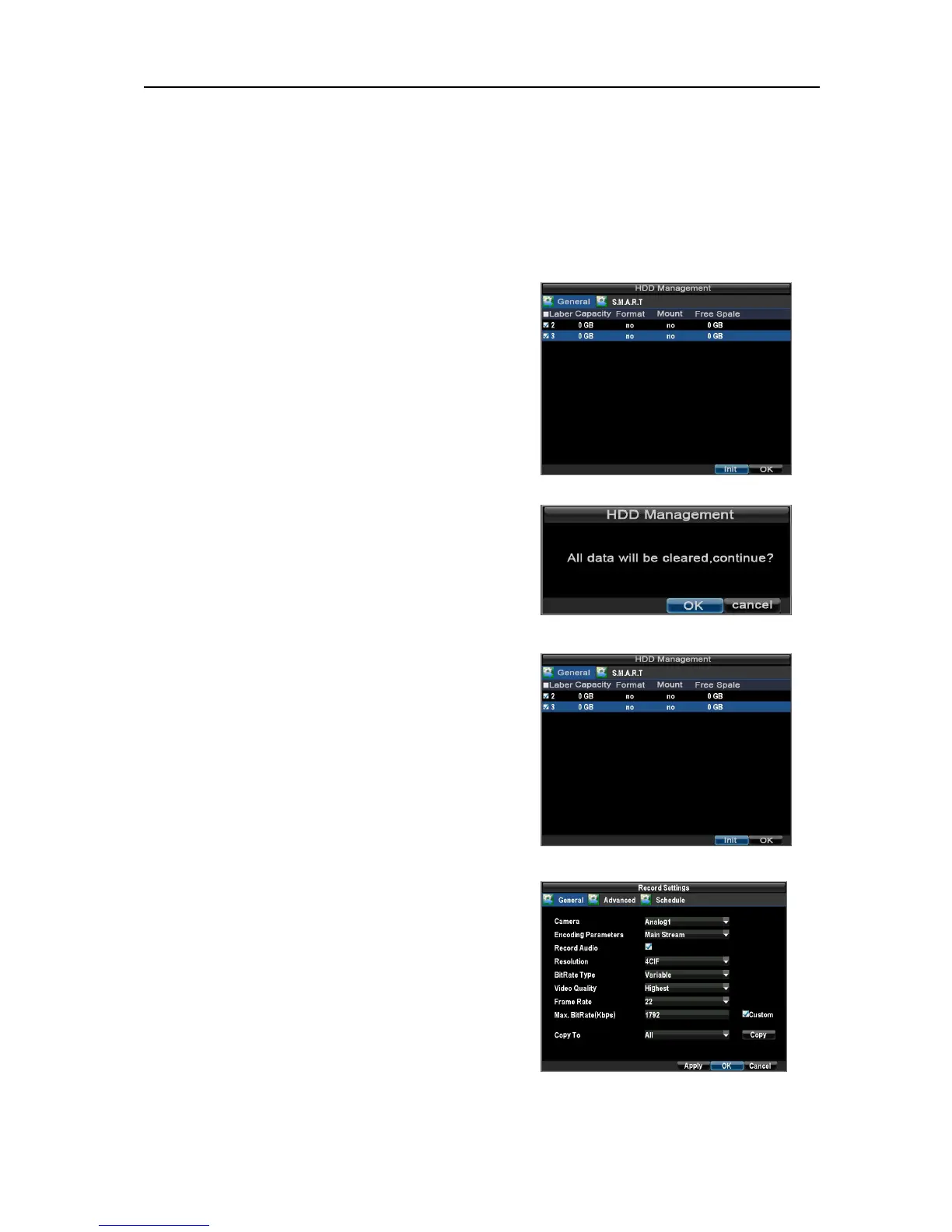
Before configuring the encoding parameters, please
make sure that this unit has been installed with
HDD and completed initialization.
Path: Main menu→Hard disk management
● If the system has not been installed with HDD,
please install the HDD and start initialization..
● If the system has not been initialized ,please
initialize it.
Steps:1.Select the disk and click “initialization”.
2.Click OK.
NOTE: Formatting a disk would lose all the its
record.
●After initialization, the disk space usage would be
shown as in the graphic.
Configuring record settings
Path:Main menu→ Configuration→ Record setting
.
UnRegistered



 To Next Page