VR-3800D Series Digital Video Recorder
45
7.2.2 NTP
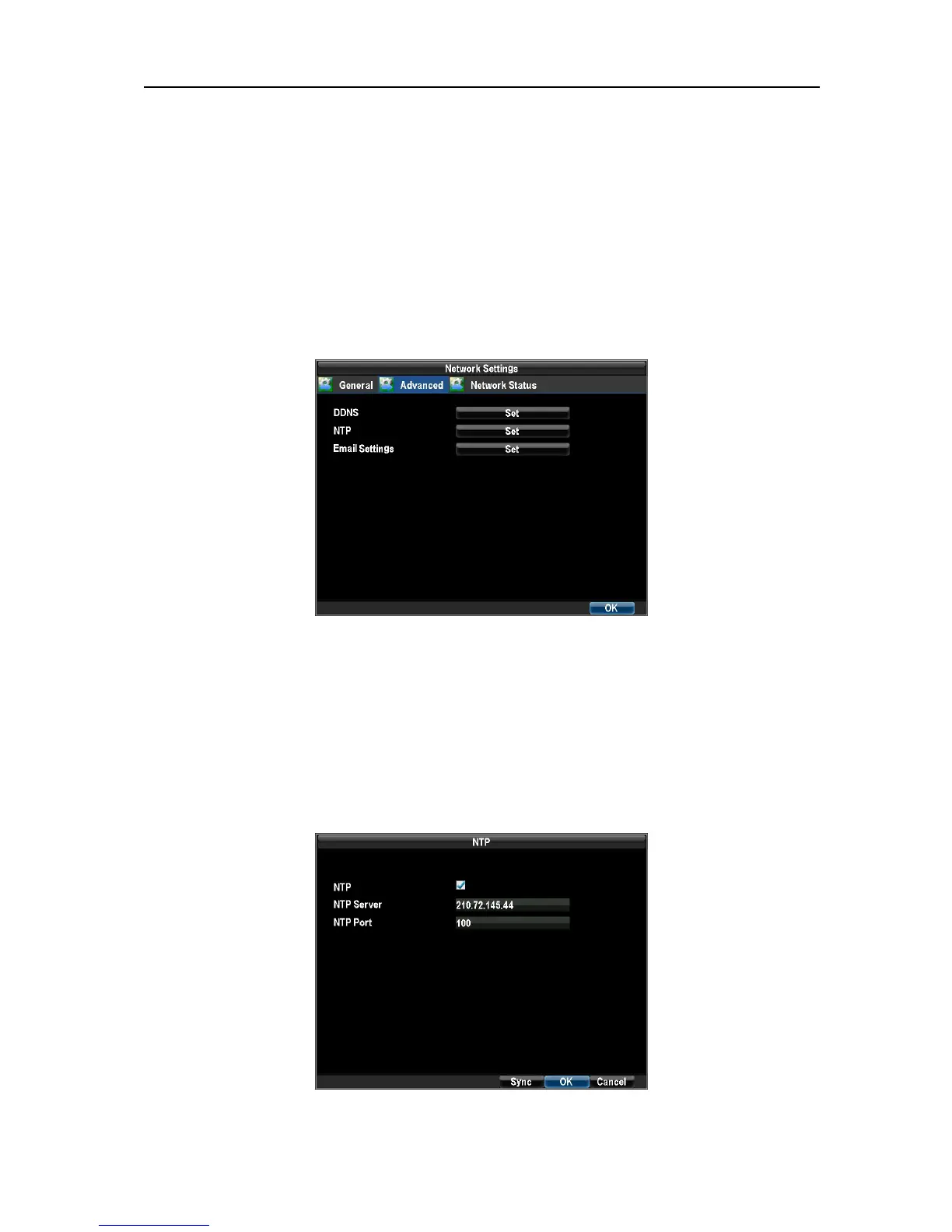
A Network Time Protocol (NTP) Server may also be setup on your DVR to keep the date and time current
and accurate.
To setup an NTP server:
1. Enter the Network Settings menu by clicking Menu → Configuration → Network Settings.
Select the Advanced tab.
Select the Set button next to NTP to enter the NTP settings menu.
2. Check the NTP checkbox to enable feature and Set NTP settings:
Note: If the DVR is used on a public network, you should use a NTP server that has a time synchronization
function, such as the server at the National Time Center (IP Address: 210.72.145.44). If the DVR is
setup in a more customized network, NTP software can be used to establish a NTP server used for time
synchronization.
UnRegistered



 To Next Page