Controlling the remote control
2
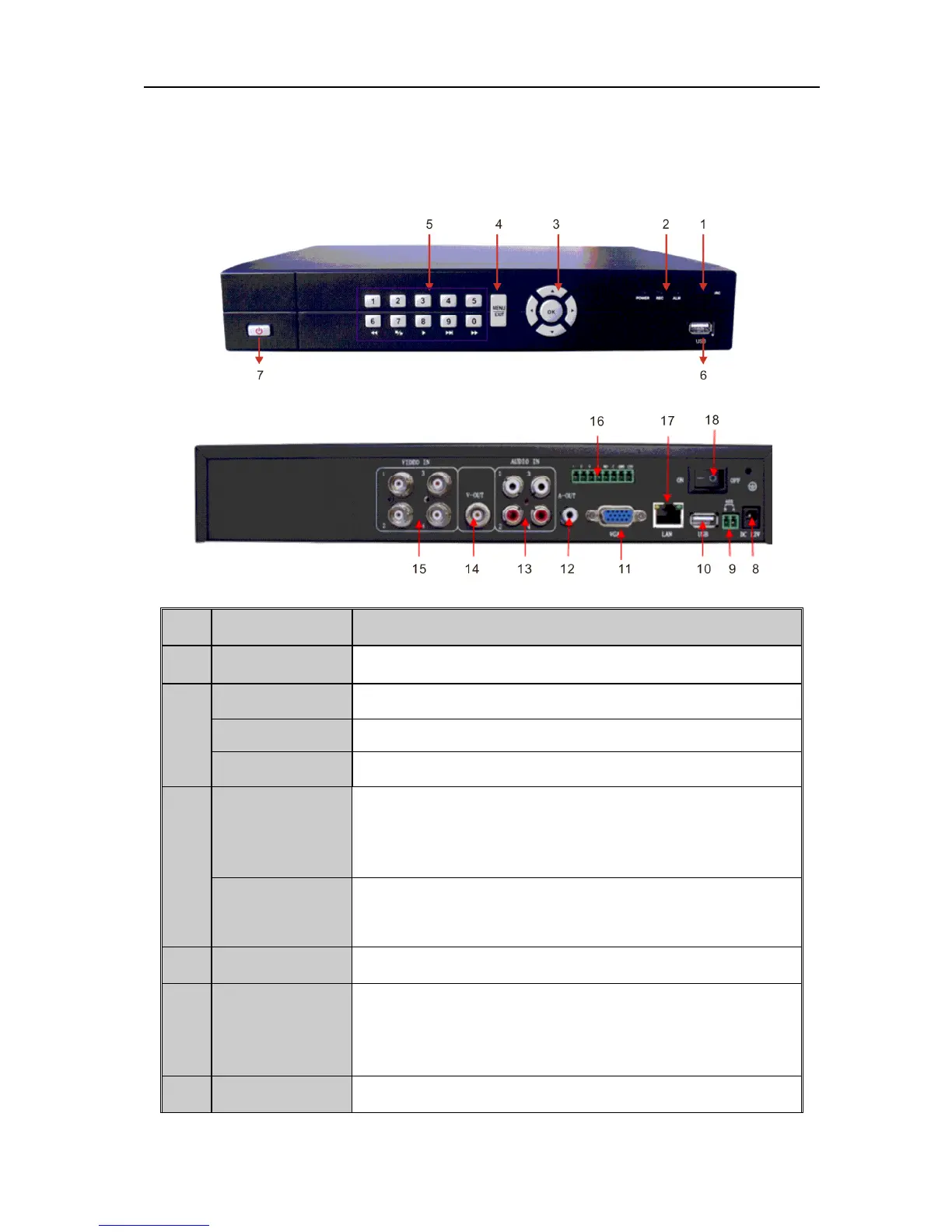
POWER Red constant light after being energized.
REC Flashes green when recording.
ALAM Red constant light when a switch value alarm is detected.
3
Direction Buttons
(1)Menu mode: move the cursor for menu setup
(2)Change preview channel
(3)PTZ control
Enter
(1)Menu mode: confirm menu setup
(2)Selecting ON/OFF in checkbox. Selecting list box, calendar, edit
box.
4 Menu/Exit Enter main menu or return to previous menu.
5
Alphanumeric
Buttons
(1)Switching to the corresponding channel in Preview or PTZ
Control mode.
(2)Inputting numbers and characters in Edit mode.
(3)6,7,8,9,0 are used for playing video under playback mode.
6 USB Connecting USB devices.
UnRegistered



 To Next Page