VR-3800D Series Digital Video Recorder
51
2. Select a patrol number.
To record a new pattern, select the Run Record button to start recording of the movements of the PTZ. Use
the PTZ control panel to move the PTZ. The PTZ movements will be recorded until the Stop Record button
is clicked.
3. Call Pattern.
Select a valid Patrol Number.
Click the Start button to call the patrol, select the stop button to stop the patrol.
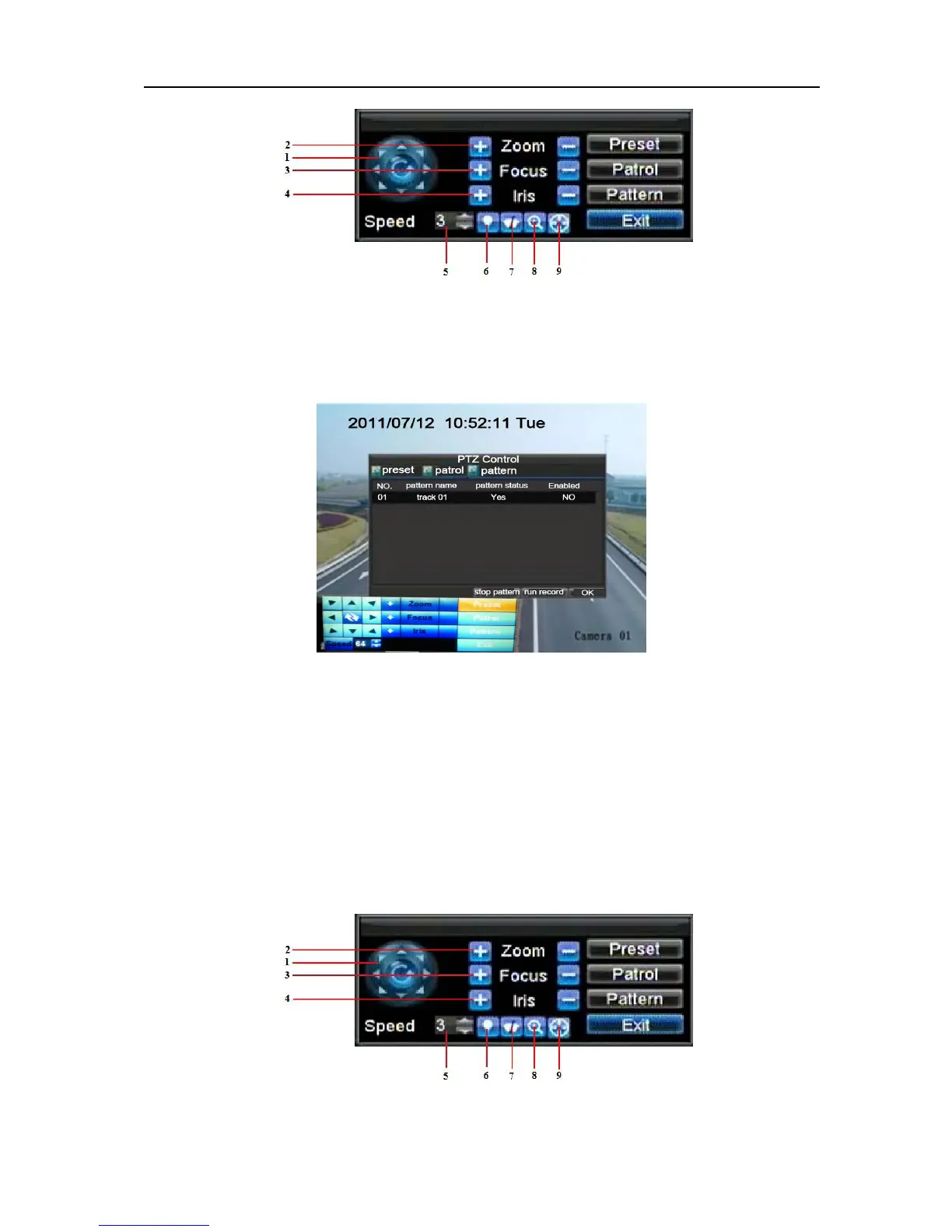
8.3 Understanding PTZ Controls.
Before setting presets, patrols and patterns, it’s important to understand some of the features of
the PTZ control panel
UnRegistered


 To Next Page