VR-3800D Series Digital Video Recorder
59
2. Edit user information. Modify user password.
11.2 Viewing System Log.
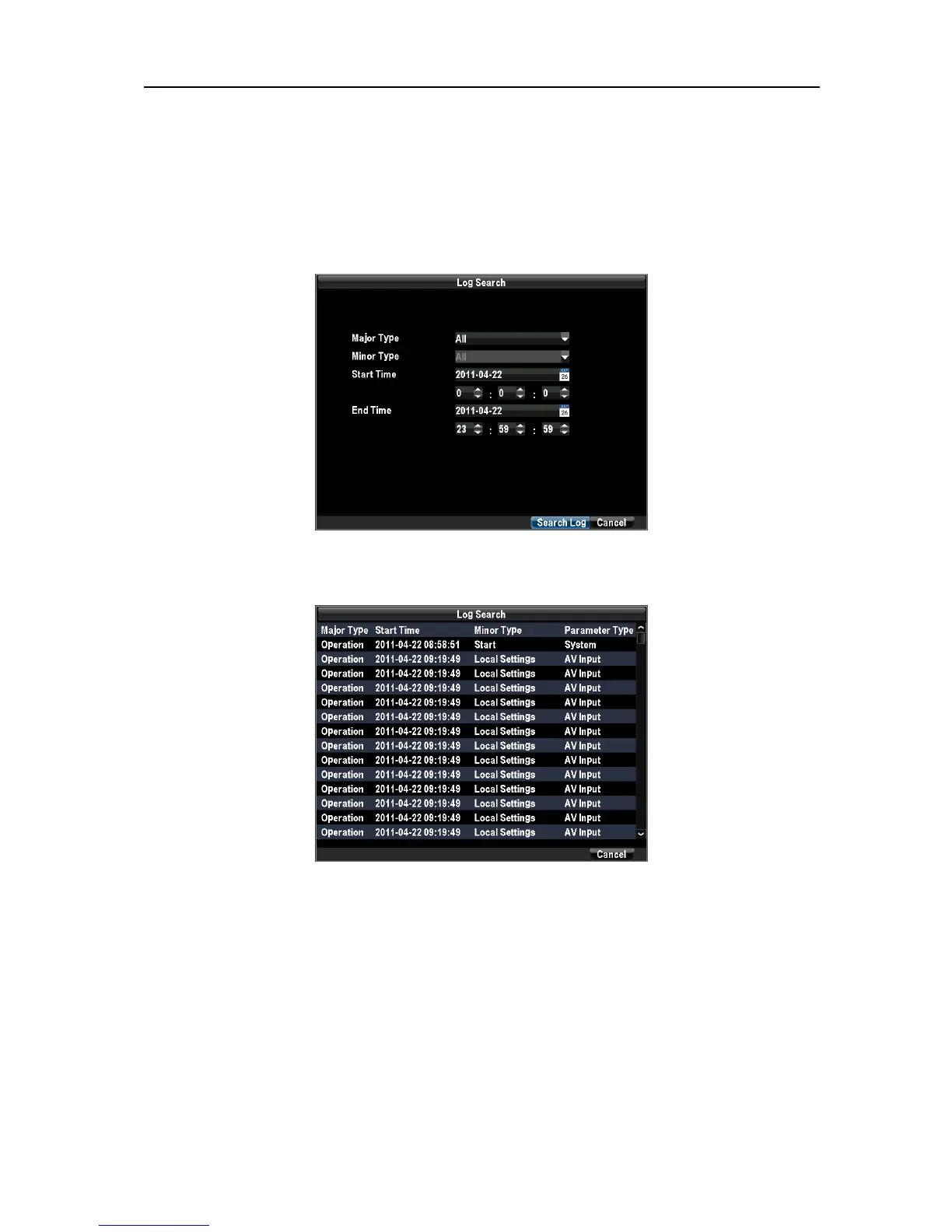
To access the system logs and search for these events:
1. Enter the Log Search menu by clicking Menu → Maintenance→ Log Search.
Set search parameters. Click the Search button to begin search.
2. If logs matching the search criteria are found, it will be displayed.
11.3 Importing& Exporting Configuration.
Configuration information from your DVR can be exported to a USB device and imported
into another DVR. This will allow you to efficiently setup the same configuration on numerous
DVRs.
To import or export DVR configuration:
Enter the Import/Export Configuration menu by clicking Menu→Maintenance→ Configuration.
UnRegistered



 To Next Page