VR-3800D Series Digital Video Recorder
22
10. Select Schedule tab to set arm time, 8 periods can be set.
11. Click OK to complete motion settings for the selected camera.
You may now add a schedule to start recording when motion is detected (See Scheduling a
Recording).
3.4 Setting up alarm recording.
1. To setup alarm recording:
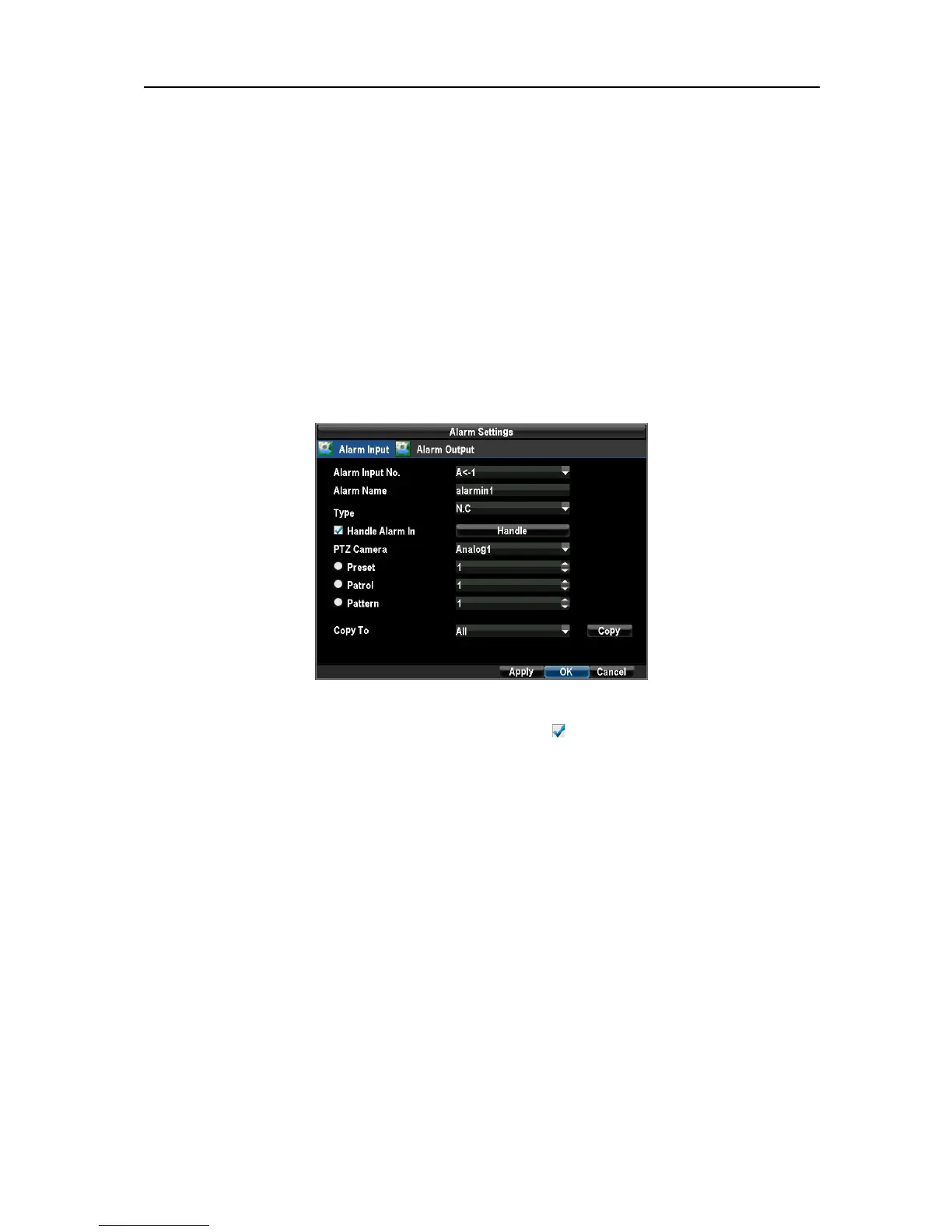
Enter into the Alarm Settings menu by navigating to Menu →Configuration →Alarm Settings.
Select the Alarm Input and click the Set button. This will open the Alarm Input Setting menu.
2. Set the alarm input type. The options available are Normally Opened (N.O.) and Normally
Closed (N.C.). Select the checkbox next to Handle Alarm In as and click the Handle button to enter the
Alarm Input Handle menu.
3. Select the Triggered Camera tab.
Select cameras to trigger for recording when alarm occurs by checking the checkboxes under the desired
cameras. Click the OK button to complete setup. If you want to configure other alarm recording, please
repeat step 2 and 3.
UnRegistered



 To Next Page