VR-3800D Series Digital Video Recorder
41
7. Network Settings
7.1 Configuring Basic Settings.
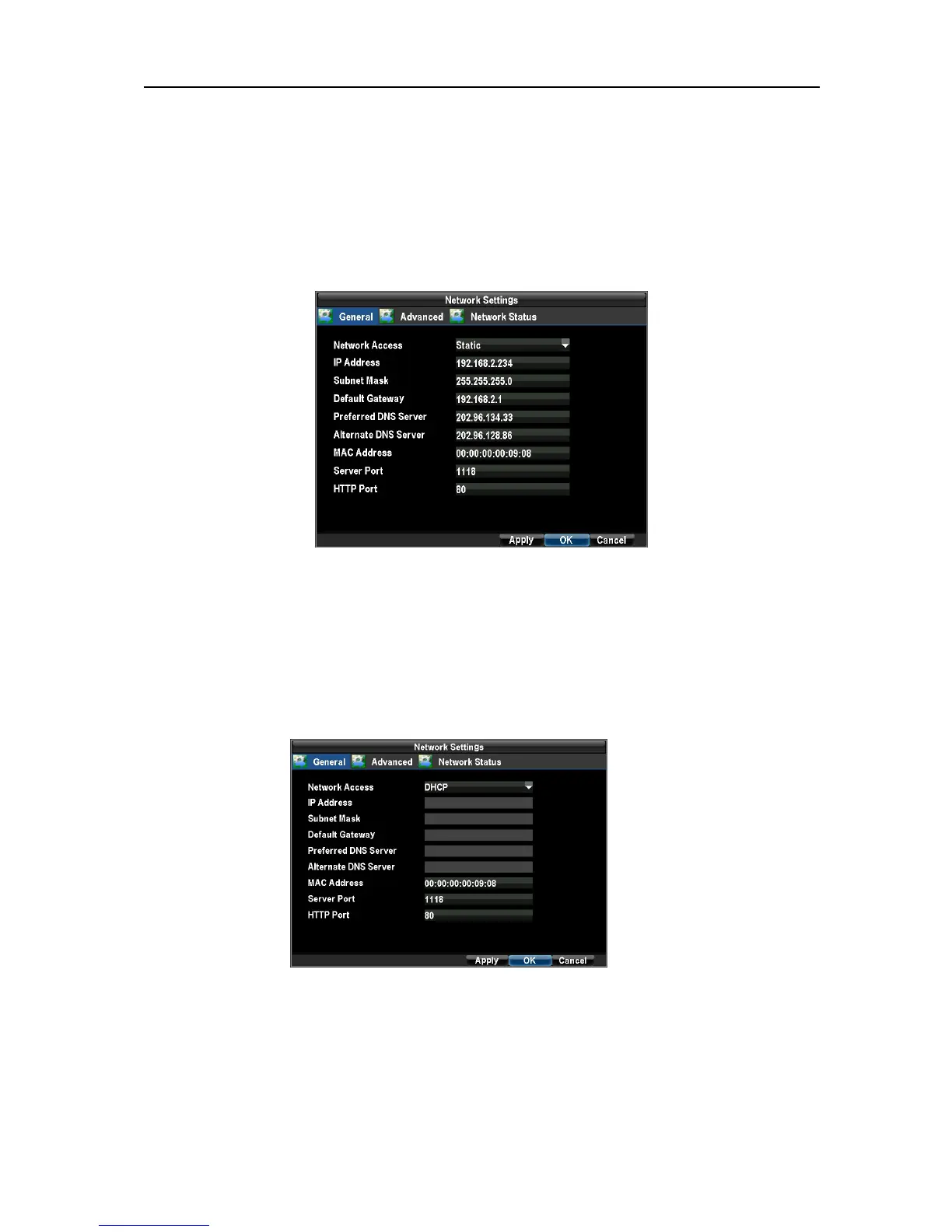
To configure basic network settings: Enter the Network Settings menu by clicking Menu → Configuration →
Network Settings.
Note: If the DVR is connected to routers, STATIC or DHCP can be selected as network access.
If the DVR is connected to ADSL, PPPoE should be selected.
DHCP
Select DHCP in Network Access, and then click OK.
Set Server Port and HTTP Port
Note: Every port, including the SERVER PORT, HTTP PORT must be forwarded in the router.
If the HTTP Port number is 80 or 8080, the port number can be omitted
。
For example:
http://192.168.0.233, if the port number is 81, then it should be http://192.168.0.233:81 . This
can be applied to WAN as well.
DHCP status: Menu → Configuration → Network Settings.
UnRegistered



 To Next Page