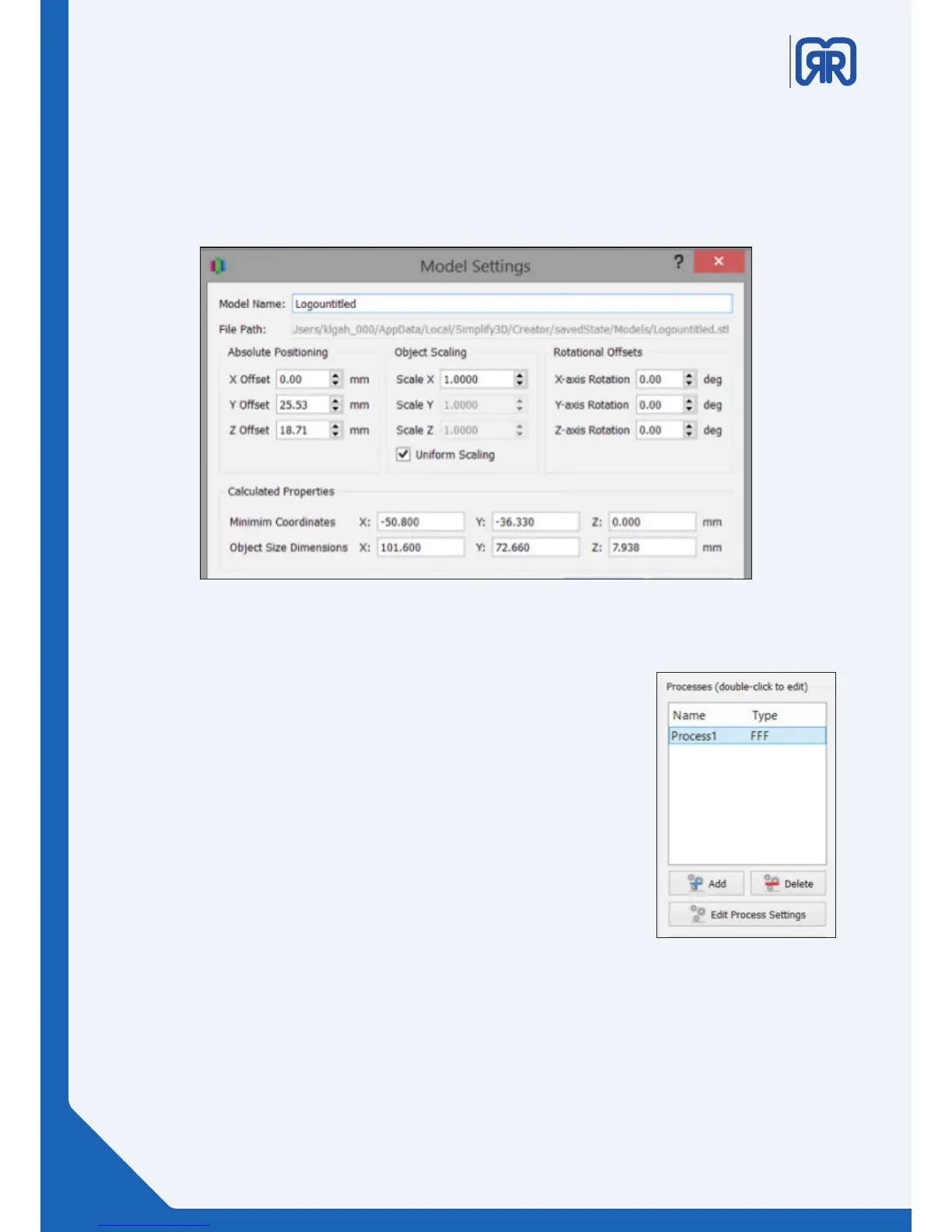
Advanced model settings:
Double click on any model (either in the Models list or on the Build Table) to bring up the Model Settings
box. Enter numbers or use the up-down arrows to adjust the positioning, scaling, or rotation of your model.
A helpful feature is that you can see your model change in real time on the Build Table.
Modell settings
Settings and Processes for 3D Printing
In the first step of the workflow, you imported a model. The next step is
to define a Process that specifies how your model will be constructed. A
Process is a collection of settings including speed, size, support material,
quality levels, etc. Some models are built with one process, while more
complicated models may involve multiple processes throughout the build
sequence.
The first Process will be configured automatically based on the printer
selected in the Configuration Assistant. You’re free to make any adjust-
ments you desire, but it’s a great starting point!
To make adjustments to your Process, double-click on the Process or click
Edit Process Settings. This will open the FFF (Fused Filament Fabrication)
Settings window.
Processes
Advanced model settings:
20/45



 To Next Page