The currently set time is displayed in small letters below the extended time button.
7.7.6 Temperature Limits
This function allows to implement additional grinding pauses for temperature-sensitive sample
materials when a certain temperature limit is exceeded. The cooling phase can thus prevent an
overheating of the sample material.
Press the button for the temperature limits. The display changes to the settings window.
Press the button for the automatic speed reduction to activate or deactivate the function.
The activated function is marked with the icon and the temperature limits, as well as the
type of the speed reduction can be set.
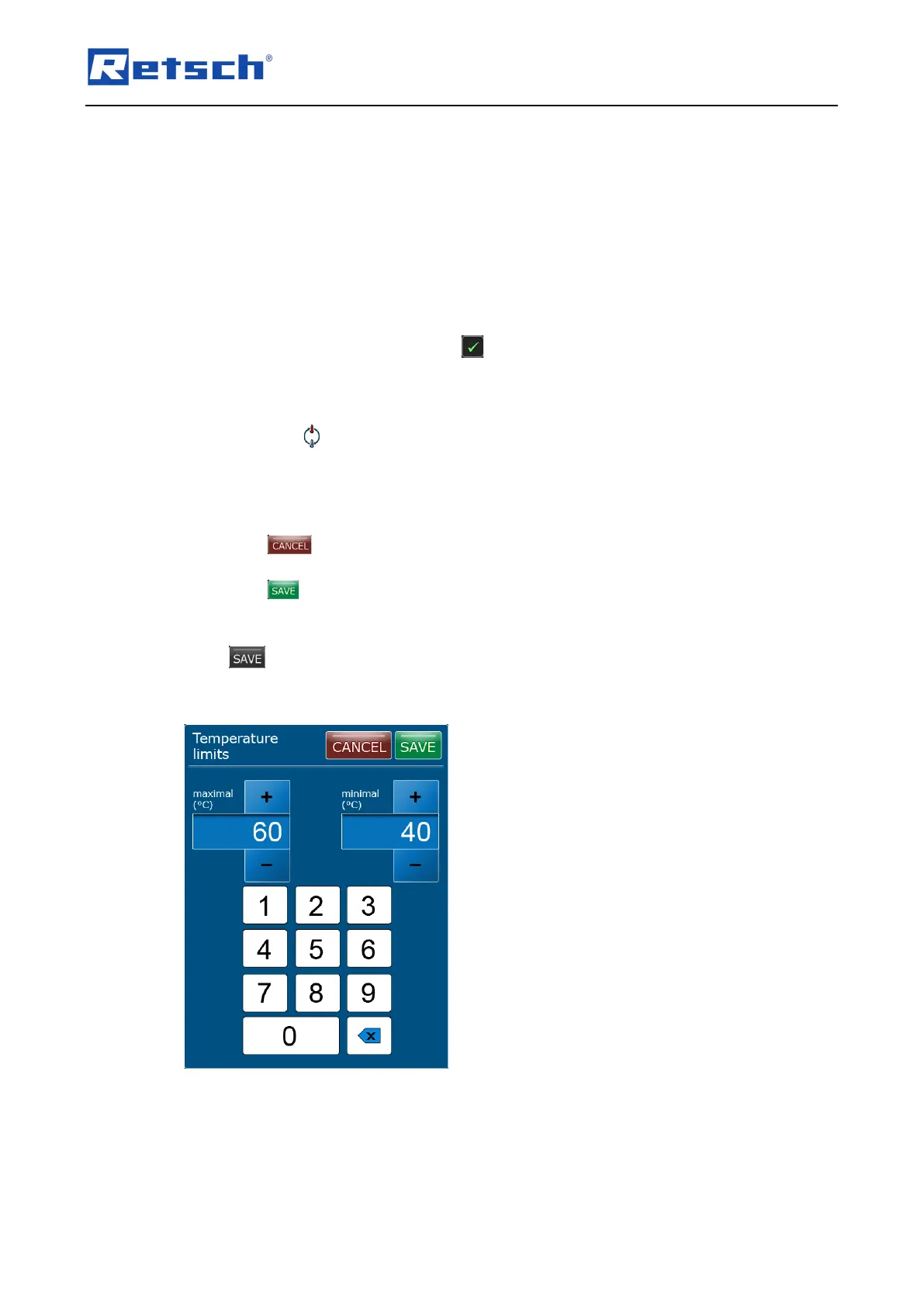
Press the button for the maximum and minimum temperature. The direct data entry window
of the temperature limits opens. Alternatively, the direct data entry window can also be
opened via the icon (B2.6) in the control element.
The maximum and minimum values can either be set directly using the numeric buttons or
stepwise via the [+] and [–] buttons. The maximum value amounts 119 °C, the minimum value is
0 °C.
Press the button to cancel the editing without saving the entries. The entries are not
applied, and the menu displays the previous screen.
Press the button to save the entries. The entries are applied and the menu displays the
previous screen.
The button remains inactive as long as the maximum value is smaller than the
minimum value, or the temperature difference is less than 10 °C.



 To Next Page