6.1 Switching the device on/off
Turn on the device as follows:
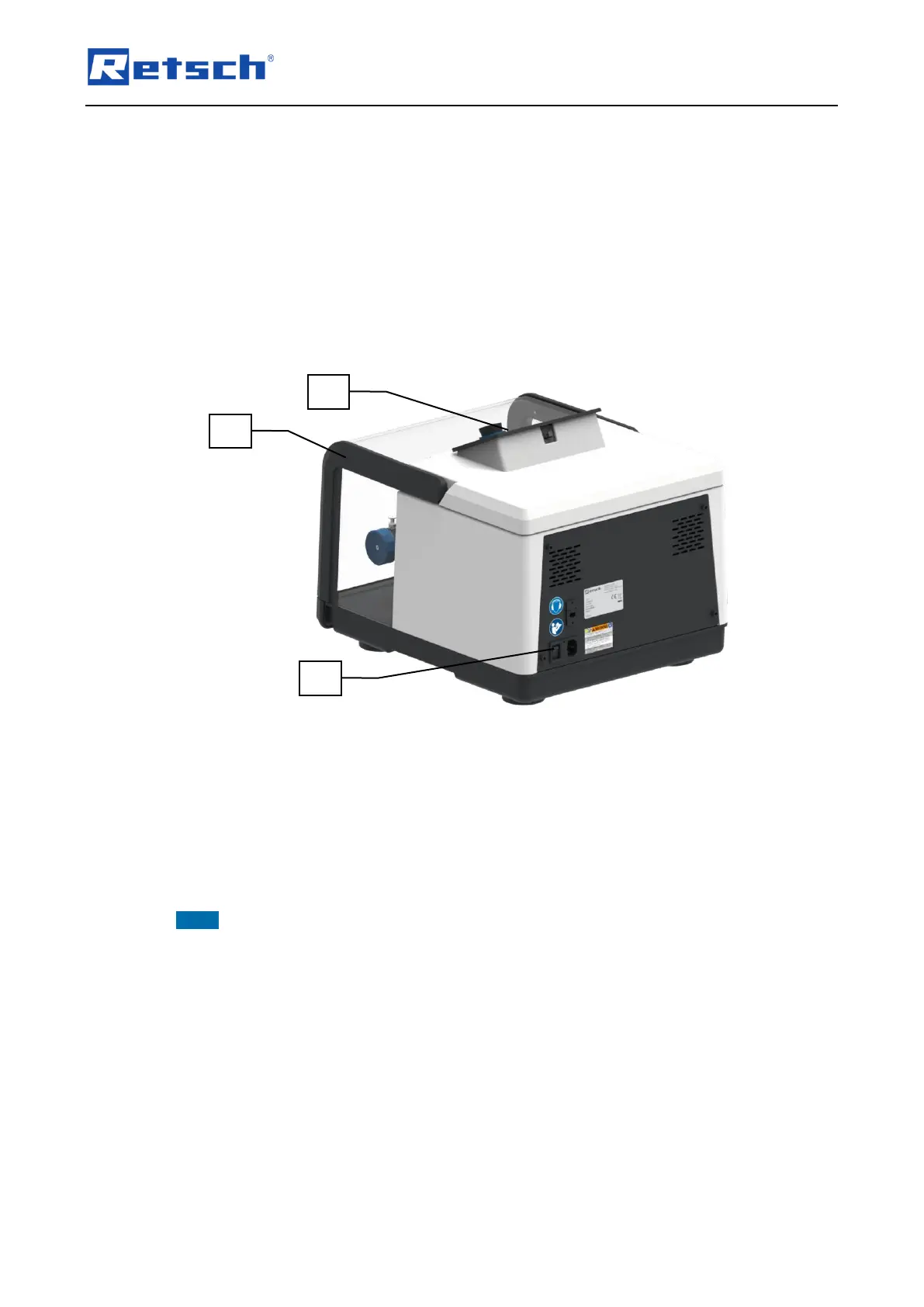
Switch on the device using the main switch (11) on the back of the device.
The opening and closing of the device hood (1) is indicated on the touch display (2).
Open the hood of the device (1) by hand completely and close it again. The device is now
ready for operation.
Turn off the device as follows:
Switch off the device using the main switch (11) on the back of the device when the grinding
process is not running.
Fig. 10:Main switch on the back of the device
6.2 Opening and Closing of the Device
Open the device as follows:
Lift the hood of the device (1) by hand and open it completely.
Close the device as follows:
Close the hood of the device (1) carefully by hand.
NOTEThe hood of the device is equipped with damping. The cushioning ensures that the hood
of the device does not slam shut uncontrollably. The damping of the hood of the device takes
effect from an opening angle of 20°.


 To Next Page