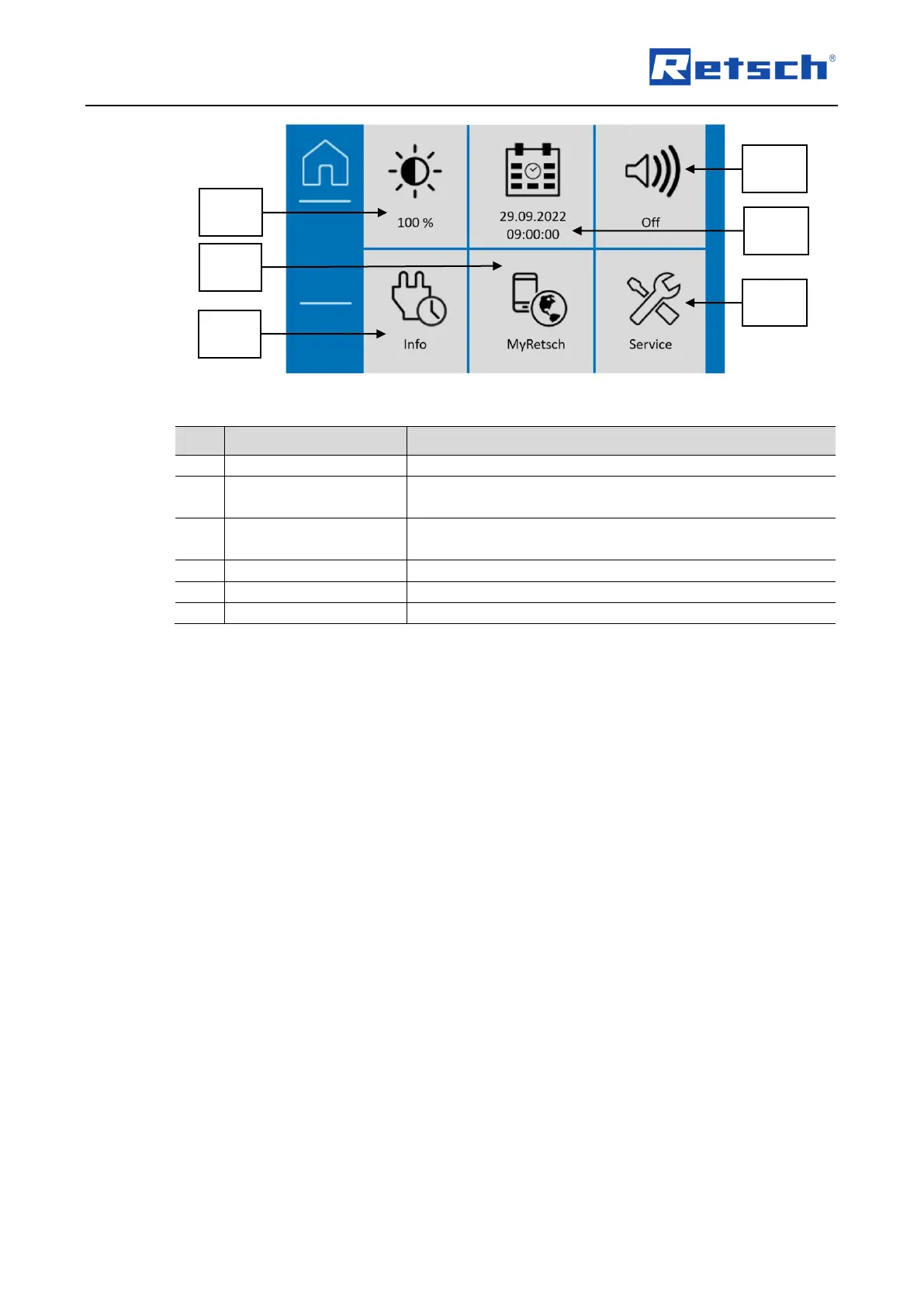
Display and setting of the display brightness.
Display of the QR code for the device. This leads to the
MyRetsch Web Portal.
Display of device-specific information: software version,
operating hours, serial number.
Display and switching the beeper on and off (sound on/off).
Display and setting of date and time.
Information on the service.
Proceed as follows to adjust the brightness level on the touchscreen:
Turn the dial until the desired level of brightness has been reached on the display.
The set value will be accepted as soon as you press this section again or on another
section, or as soon as you exit system settings.
7.8.2 MyRetsch
This section allows access to the web portal of the Retsch GmbH via a QR code. This can be
read using a smartphone with the appropriate software and an internet connection. Additional
information, such as tips and tricks and an application database may be accessed.
Press this section to display the QR code.


 To Next Page