To activate a programme, tap on the desired programme section.
Opens the gallery view for the programmes or the available
programme presets.
Number of the selected programme.
After selection with the touch display, the rotary knob can
be used to set the vibration frequency from 3 - 30Hz.
After selection with the touch display, the grinding time can
be set from 10 seconds to 8 hours with the rotary knob.
Indicator for the position of the menu.
Opens the programme editor.
Starts the grinding process.
To exit the programme mode and return to the main menu, press (N1.2).
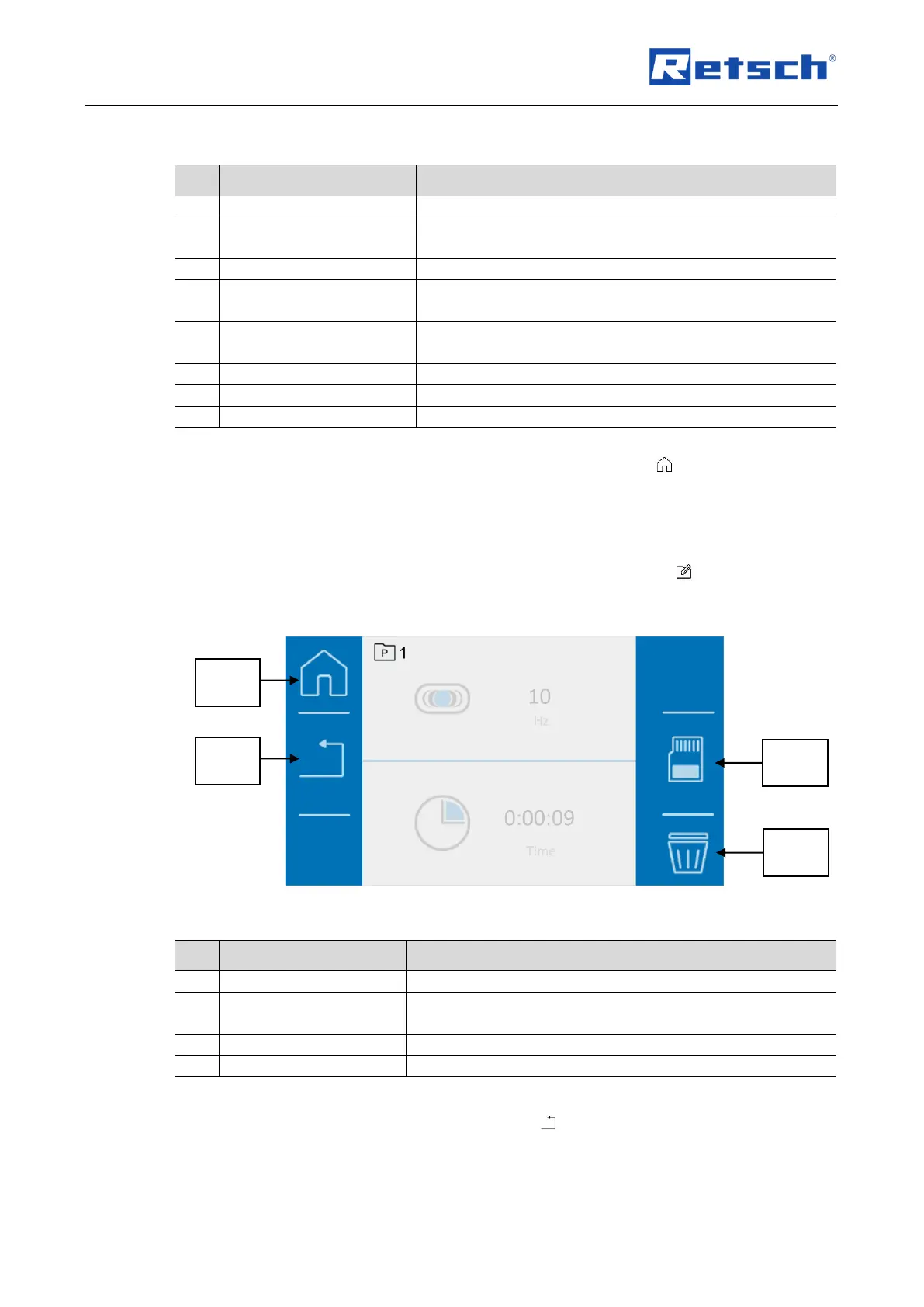
7.6.2 Edit a Program
In programme mode, open the programme editor by pressing the button (S2.2).
In the programme editor, programmes can be created, edited, saved and deleted.
Fig. 31: Programme editor
Cancels the current operation and returns to the parent
menu.
Deletes all parameters of the programme.
Editing can be cancelled by pressing the button (N2.2).
All settings made are then discarded.


 To Next Page