7.1 Menu interface on the touchscreen
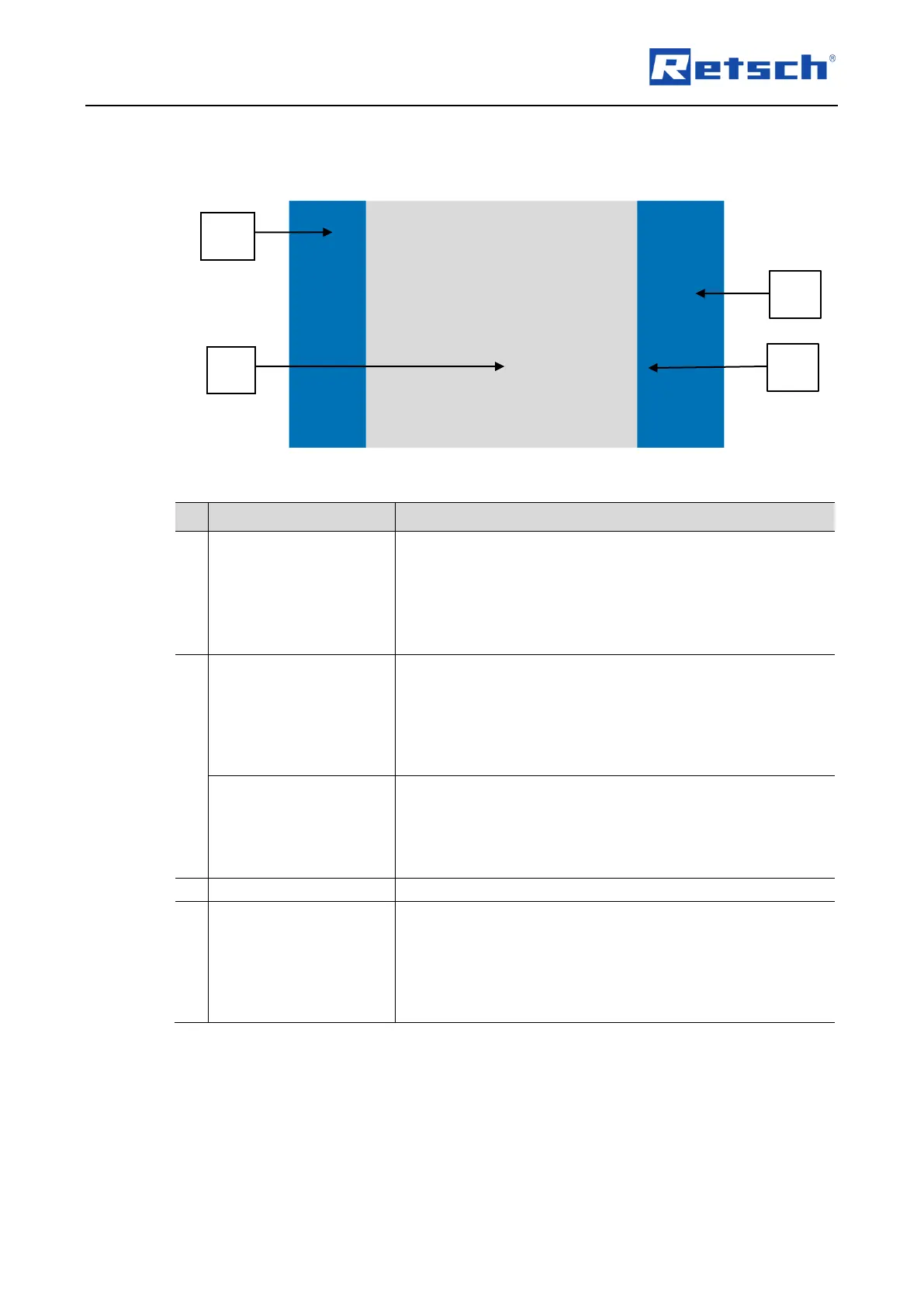
The menu interface on the touchscreen is divided into the following areas:
Fig. 21: Menu interface of the touchscreen
The following menu views can be selected from the navigation
area:
• Main menu
• Program mode
• Cycle program mode
• System settings
The following parameters for grinding are configured in this
area:
• Vibration frequency
• Grinding time
• Cycles (sequence of parameter sets with different
parameters)
The following parameters are displayed in this area once the
grinding process has started:
• Vibration frequency configured
• Remaining grinding time
• Total duration and progress of the cycle program
Indicates the position of the menu.
The device is directly controlled by the function elements in
this area.
• Start, pause and cancel the grinding process
• Select, edit, save, delete and start the program
• Select, edit, save, delete and start the selected cycle
program


 To Next Page