Error Messages and Information Notes
68
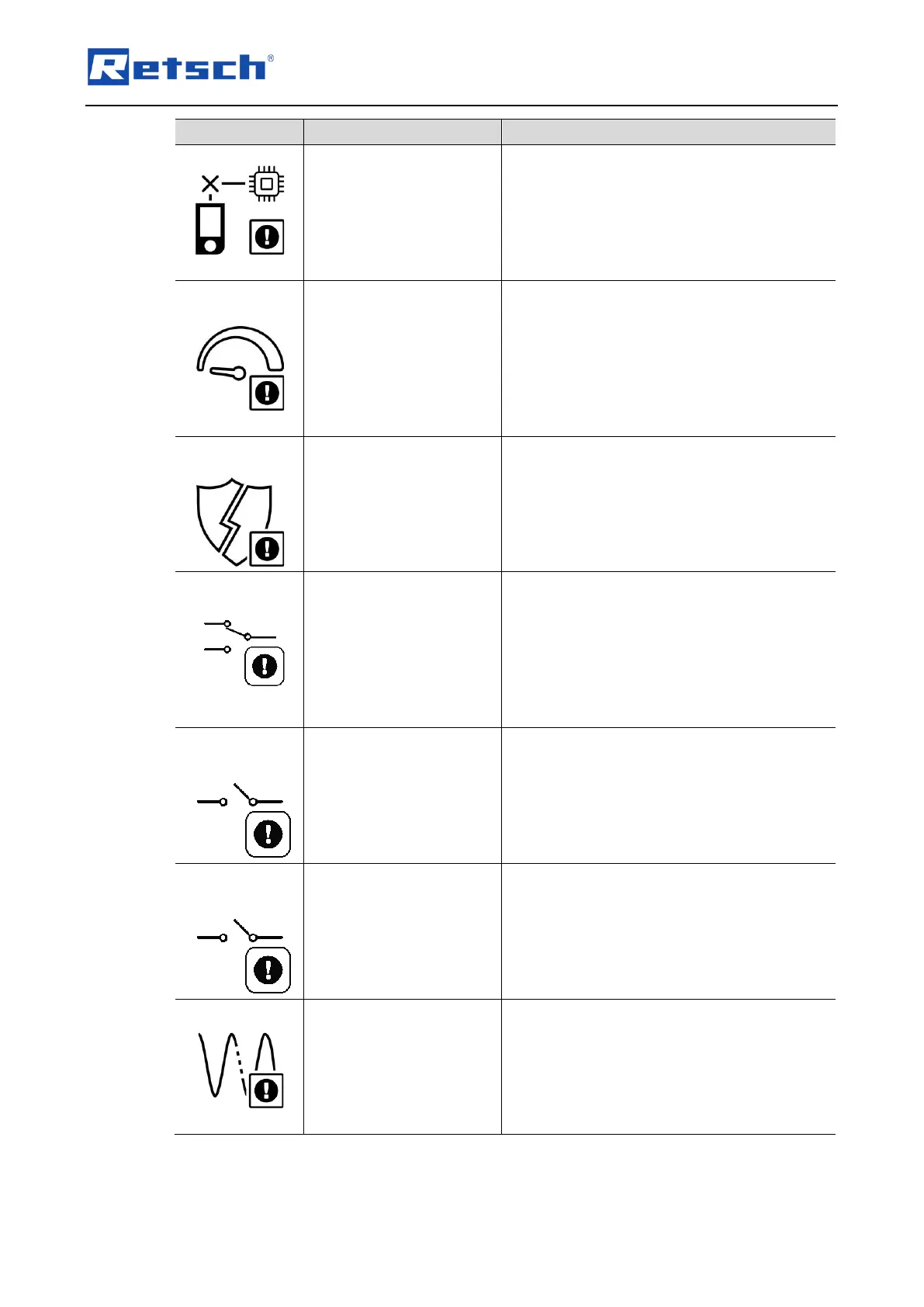
The connection to the display is interrupted.
• Turn off the main switch and wait 30
seconds before turning the device on
again.
• If the error persists, contact the
Retsch GmbH service department.
The target and actual speed of the drive differ
from each other.
• Turn off the main switch and wait 30
seconds before turning the device on
again.
• If the error persists, contact the
Retsch GmbH service department.
A safety function has been interrupted.
• Turn off the main switch and wait 30
seconds before turning the device on
again.
• If the error persists, contact the
Retsch GmbH service department.
Error safety switch
(interlock)
The opening status of the hood of the device
is not correctly detected by the switches.
• Turn off the main switch and wait 30
seconds before turning the device on
again.
• If the error persists, contact the
Retsch GmbH service department.
Faulty state of the left hood switch.
• Turn off the main switch and wait 30
seconds before turning the device on
again.
• If the error persists, contact the
Retsch GmbH service department.
Faulty state of the right hood switch.
• Turn off the main switch and wait 30
seconds before turning the device on
again.
• If the error persists, contact the
Retsch GmbH service department.
There is a voltage deviation.
• Turn off the main switch and wait 30
seconds before turning the device on
again.
• If the error persists, contact the
Retsch GmbH service department.


 To Next Page